14 Inch vs 16 Inch Laptop: Which Size Fits Your Life?
Quick Answer: Buy the 14-inch laptop if you carry it every day. It is about 1.3 lbs lighter, fits in smaller bags and on airplane tray tables, and still gives you a real workspace. Buy the 16-inch laptop if the screen is your main workspace: it gives you about 31 percent more display area, which makes side-by-side windows, spreadsheets, code and video timelines genuinely easier, and the bigger body usually holds a larger battery and cooler-running parts. For most people, 14 inches is the right default. For desk-first work without an external monitor, 16 inches earns its extra weight.
14 inch vs 16 inch laptop at a glance
The two sizes look close on a shelf, but the difference is bigger than two diagonal inches suggest. Screen area grows with the square of the diagonal, so a 16-inch panel is not 14 percent bigger than a 14-inch panel. It is about 31 percent bigger. The table below is the short version, and the sections after it explain which of these differences you will actually feel.
| Feature | 14-inch laptop | 16-inch laptop | Winner |
|---|---|---|---|
| Screen area (16:10) | About 88 sq in | About 115 sq in | 16-inch, 31% more |
| Typical weight | 2.6 to 3.5 lbs (1.2 to 1.6 kg) | 4.2 to 5.5 lbs (1.9 to 2.5 kg) | 14-inch |
| Typical footprint | About 12.3 x 8.7 in | About 14.0 x 9.8 in | 14-inch |
| Side-by-side windows | Usable, but tight | Comfortable | 16-inch |
| Battery capacity | 50 to 72 Wh typical | 70 to 100 Wh typical | 16-inch |
| Keyboard | Usually no numpad | Often has a numpad | 16-inch for number work |
| Performance ceiling | Same chips, less cooling headroom | Better sustained performance | 16-inch |
| Bag and tray table fit | Fits almost anywhere | Needs a larger bag, tight on tray tables | 14-inch |
| Price for the same chip class | Lower | Usually several hundred dollars more | 14-inch |
| Best for | Students, commuters, travelers | Creators, coders, desk-first work | Depends on you |
How much bigger is a 16-inch screen, really?
The number that matters is screen area, not the diagonal. A 14-inch panel with the common 16:10 shape measures about 11.9 by 7.4 inches, which works out to roughly 88 square inches of display. A 16-inch panel at the same shape measures about 13.6 by 8.5 inches, or roughly 115 square inches. That is a 31 percent increase in area from a 2-inch increase in the diagonal, and it is the reason a 16-inch laptop feels substantially roomier rather than just a little wider. The jump from 16 to 17.3 inches, by comparison, adds only about 17 percent more area, so the step from 14 to 16 is the meaningful one. Our full guide to laptop screen sizes has the same math for every size from 13 to 18 inches.
What does 31 percent more area change in practice? It changes how many things fit on screen at once. Two browser windows side by side on a 14-inch screen are usable, but each one is narrow enough that web pages reflow and text wraps awkwardly. On a 16-inch screen, the same two windows each get enough width to read comfortably. A spreadsheet shows several more columns before you need to scroll sideways. A code editor fits the file tree, the code and a preview panel without squeezing any of them. A video editing timeline shows more tracks and a longer stretch of the project. None of this is about the diagonal number. It is about the extra 1.7 inches of width and 1.1 inches of height the panel gives you.
Resolution matters too, but it does not close the gap. A 14-inch screen at 2560 by 1600 and a 16-inch screen at the same resolution show the same number of pixels, but the 16-inch screen shows them larger and more spread out, which is easier on the eyes for long sessions. A 14-inch screen at a higher resolution, like 2880 by 1800, can show the same amount of content, but only by shrinking everything, which is why most people run it at a larger scaling setting and end up with no more usable space than the lower-resolution panel. If you want to understand the resolution side of this, our comparison of 4K vs 1080p on a laptop explains why panel quality and scaling matter more than the pixel count alone, and our guide to IPS vs OLED laptop screens covers the panel type, which affects the picture more than the size does.
Footprint and weight: the difference you feel every day
The screen is only part of the size story. The chassis around it grows too, and that is what you feel in your bag and on your lap. The cleanest comparison comes from Apple, because the MacBook Pro comes in both sizes with the same design. The 14-inch MacBook Pro measures 12.31 by 8.71 by 0.61 inches and weighs 3.4 lbs with the base M4 chip, or 3.5 to 3.6 lbs with the M4 Pro and M4 Max. The 16-inch MacBook Pro measures 14.01 by 9.77 by 0.66 inches and weighs 4.7 lbs. That is 1.7 inches wider, 1.1 inches deeper and about 1.2 to 1.3 lbs heavier, for the same design language and the same keyboard layout.
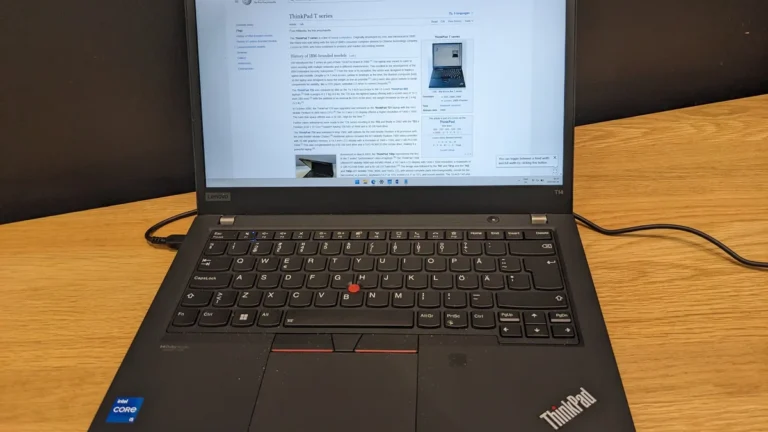
The Windows side shows the same pattern. The Lenovo ThinkPad T14 Gen 6 measures 315.9 by 223.7 mm and weighs 1.38 kg, or about 3.04 lbs. The ThinkPad T16 Gen 4 measures 359.7 by 250.8 mm and weighs 1.76 kg, or about 3.88 lbs. The 16-inch model takes up about 22 percent more desk area than the 14-inch model, and it is about 0.84 lbs heavier before you add the charger. These are not extremes. They are the normal, everyday difference between the two sizes from the same product line. If you want the weight picture in more detail, our guide to how much a notebook weighs breaks down the real weights across sizes and brands.
Where does that extra footprint actually get in the way? Three places. First, the bag: a 14-inch laptop fits in almost any backpack or messenger bag, including slim sleeves made for 13-inch machines in many cases, while a 16-inch laptop needs a bag with a dedicated 16-inch compartment, and it will not fit in the smaller laptop sleeves that come with many bags. Second, the airplane tray table: a 14-inch laptop sits comfortably on a standard economy tray table with room to spare, while a 16-inch laptop overhangs the edges and leaves no room for a drink, and the person in front of you reclining can press the screen back. Third, the lap: a 14-inch laptop balances on your knees without sliding, while a 16-inch laptop is wide enough to overhang most laps and heavy enough to get uncomfortable after an hour. If you work from coffee shops, libraries, trains and planes, these three things add up to a real daily tax.
On a desk, the difference mostly disappears. A 16-inch laptop on a proper desk is no harder to use than a 14-inch one, and the bigger screen is the point. The footprint only bites when the desk is small: a dorm desk, a shared library table, a kitchen counter. If your laptop rarely leaves one desk, the footprint is not a reason to choose the smaller size. If it moves with you every day, it is the first reason to choose the smaller one.
What an extra 1.3 lbs actually feels like
On paper, 1.3 lbs sounds small. In a bag, it is not. A typical 14-inch laptop plus its charger weighs about 4 to 4.5 lbs in total. A typical 16-inch laptop plus its larger charger weighs about 5.5 to 6 lbs. That is the difference between a bag you forget you are carrying and a bag you notice at the end of a long day. Students who carry a laptop to class all day, commuters who walk to the train, and anyone who travels with a backpack will feel it in their shoulders by the afternoon.
The charger adds to the gap. The 14-inch MacBook Pro ships with a 70W or 96W adapter depending on the chip, while the 16-inch ships with a 140W adapter, which is bigger and heavier. Windows gaming laptops show the same pattern: a 14-inch gaming laptop usually comes with a 180W or 230W brick, while a 16-inch gaming laptop with a higher-watt GPU can come with a 280W or 330W brick that weighs close to 2 lbs on its own. When you compare weights, compare the whole carry: laptop plus charger plus sleeve. The gap between the two sizes grows once the charger is in the bag.
There is a simple test. Put the laptop you are considering in the bag you actually use, with the charger, and walk around the store for ten minutes. Then try the other size the same way. Most people can feel the difference in under a minute. If you cannot feel it, the weight does not matter for you, and you can choose on the screen alone. If you can, believe your shoulders, not the spec sheet.
Keyboard, speakers and ports: the quiet advantages of the bigger body
A 16-inch chassis has room for things a 14-inch chassis does not, and makers use it. The most useful is the number pad. Many 16-inch Windows laptops fit a dedicated numpad beside the keyboard, which is a real productivity gain if you enter numbers all day in spreadsheets or accounting software. Most 14-inch laptops have no numpad, and the ones that squeeze one in make the keys cramped. Apple does not put a numpad on either size, so this only matters on the Windows side.
Speakers are the second quiet advantage. A bigger chassis fits bigger speaker chambers, and the 16-inch MacBook Pro has noticeably fuller sound than the 14-inch model, with more bass and more volume before distortion. The same is true of large Windows laptops from Dell, HP and Lenovo: the 16-inch versions usually sound better than their 14-inch siblings. It will not replace a good external speaker, but if you watch video or join calls without headphones, you will hear the difference.
Ports are a smaller and less reliable advantage. Some 16-inch laptops add an extra USB port or a full-size SD card slot that the 14-inch version drops, but many makers now give both sizes the same port selection, so check the spec sheet of the exact model instead of assuming. The keyboard itself is usually the same size on both: makers shrink the key spacing on small laptops, not the keys, so a 14-inch keyboard feels the same as a 16-inch one for typing. The trackpad is often larger on the 16-inch model, because there is more palm rest to fill, and a bigger trackpad is genuinely nicer for gestures.
Performance and cooling: same chips, different headroom
Here is the part most buyers get wrong: the screen size does not decide the speed. A 14-inch laptop and a 16-inch laptop with the same processor and the same amount of RAM run the same software at the same speed for short bursts. The difference shows up under sustained load, in long renders, long gaming sessions and long compiles, because the bigger chassis has more room for fans and heat pipes, and it can keep the chip cooler for longer.
The MacBook Pro is the clearest example. The 14-inch model is available with the base M4 chip, the M4 Pro and the M4 Max, while the 16-inch model starts with the M4 Pro, so the cheapest 16-inch MacBook Pro is already a faster machine than the cheapest 14-inch one. Apple also launched the M5 chip in October 2025 on the 14-inch MacBook Pro only, so right now the newest base chip is a 14-inch exclusive, and the 16-inch M5 is expected later. On the Windows side, the pattern is similar: a 16-inch gaming laptop can fit a higher-watt version of the same GPU, with a higher TGP, than the 14-inch version of the same model line. Our explainer on what a MUX switch is on a gaming laptop covers another feature that matters more for gaming frame rates than the screen size does, and our guides to how to check laptop temperature and what a good GPU temperature is will tell you whether a laptop is actually overheating or just working hard.
For most buyers, the practical rule is simple. If your work is documents, browsing, video calls and light photo editing, both sizes are equally fast, and the screen size is the only performance question. If your work is video editing, 3D rendering, compiling large projects or gaming at high settings for hours, the 16-inch machine will hold its speed longer, run its fans quieter, and keep the keyboard cooler. The Lenovo ThinkPad T14 Gen 6 on Amazon is a good example of the 14-inch side: a 1.38 kg business laptop that is fast for office work but built for portability first, while the 16-inch ThinkPad T16 is the same line built with more room to breathe.
Battery life: bigger battery, bigger screen
The 16-inch laptop almost always has the bigger battery. The 14-inch MacBook Pro carries a 72.4 Wh battery, while the 16-inch carries a 100 Wh battery, which is the largest capacity airlines allow in carry-on luggage without special approval, and it is about 38 percent bigger. The ThinkPad line shows the same gap: the T16 Gen 3 carries a 52.5 Wh battery against the T14 Gen 3 at 39.3 Wh, about 34 percent bigger. The bigger battery is a direct result of the bigger chassis: there is simply more space inside for cells.
But a bigger battery does not automatically mean longer battery life, because the bigger screen draws more power too. Apple rates both MacBook Pro sizes at up to 24 hours of video streaming, the 14-inch with the M4 and the 16-inch with the M4 Pro, and the 14-inch actually rates slightly better for web browsing in some configurations, at up to 16 hours against 17 hours for the 16-inch. In other words, Apple spent the extra battery capacity on feeding the bigger screen and the faster chip, and the result is roughly equal battery life, not longer. On Windows laptops the picture is messier: a 16-inch gaming laptop with a high-watt GPU can die in 5 to 6 hours under load even with a 90 Wh battery, while a 14-inch ultrabook with an efficient chip can last 12 to 15 hours on a 60 Wh battery. The battery size tells you the capacity. The chip and the screen tell you how fast it drains.
The honest way to compare is to look at the battery life rating for the exact configuration you will buy, not the battery size. If two laptops have the same chip and the same screen type, the one with the bigger battery lasts longer. If the 16-inch model has a faster chip and a brighter screen, its bigger battery may only keep pace. And if you mostly work plugged in, none of this matters at all: buy the screen you want and ignore the battery numbers.
Price: what the extra two inches cost
The 16-inch laptop usually costs more for the same class of machine, and the gap is often larger than the screen alone would explain. Part of it is the screen itself, which costs more to make. Part of it is that makers bundle the bigger size with faster chips: the 16-inch MacBook Pro starts at $2,499 with the M4 Pro, while the 14-inch MacBook Pro starts at $1,699 with the base M4, so the cheapest 16-inch Mac costs about $800 more than the cheapest 14-inch one, and you are paying for a faster chip as well as a bigger screen. On the Windows side, the same pattern holds: a 16-inch version of the same model line typically costs $200 to $400 more than the 14-inch version with the same processor and storage, and the gap grows when the 16-inch version also gets the better GPU.
The way to judge the price is to compare the same configuration, not the cheapest of each size. If a 14-inch and a 16-inch laptop have the same processor, the same RAM and the same storage, the price difference is the true cost of the bigger screen, and it is usually a few hundred dollars. If the 16-inch model you are looking at also has a faster chip and more storage, you are not paying for size alone, and the comparison is misleading. Our guide to how much a laptop costs breaks down what each price tier actually gets you, and the checklist in what to consider when buying a laptop will help you spend the budget where it matters most for your work. If the bigger screen would force you to drop from 16 GB of RAM to 8 GB, or from a 1 TB SSD to 512 GB, take the smaller screen and keep the RAM and storage: those change your daily experience more than two inches of screen do.
Which size for students?
For most students, 14 inches is the right answer, and it is the most popular laptop size on campuses for a reason. A 14-inch laptop is light enough to carry to class every day, fits on a lecture hall desk and in a backpack alongside textbooks, and is big enough for essays, research and slides without feeling cramped. The 14-inch MacBook Pro and the 14-inch ThinkPad T14 are the classic examples: capable machines that disappear into a bag. Our roundup of the best laptops for note-taking is built around exactly this use, and our comparison of Chromebook vs Windows laptop for students settles the operating system question that usually comes next.
There are exceptions. A student in architecture, engineering, film or design who runs CAD, video editing or 3D software on the laptop itself, without an external monitor in the dorm, will get real value from the 16-inch screen, because the software panels need the space. A psychology or humanities student who mostly writes and reads will not. If you are buying for a student, ask one question: will this laptop sit on a desk with an external monitor, or will it be the only screen? If there is a monitor, buy the 14-inch and spend the savings on the monitor. If there is no monitor, the 16-inch screen starts to make sense, and our guide to the best laptops for psychology students shows how the same logic plays out for one specific major.
Which size for commuters and travelers?
Commuters and frequent travelers should buy the 14-inch laptop without hesitating. The case is the strongest of any group: the laptop goes in and out of the bag several times a day, it gets used on trains, planes and in coffee shops, and every gram and every centimeter matters. A 16-inch laptop on a train table is awkward, in a small backpack it is heavy, and on a plane it fights the seat in front. A 14-inch laptop does none of those things.
The one exception is the traveler who works from a hotel desk for days at a time and never opens the laptop on the move. If the laptop travels in a suitcase and only comes out on a desk, the 16-inch screen is fine, and it is nicer to work on for long days. But if you open the laptop in transit even once a week, the 14-inch machine earns its place. If you need a bigger workspace at your destination, a portable external monitor weighs less than the difference between the two sizes and costs less than the upgrade, and our guide to how to connect two monitors to a laptop covers the setup.
Which size for creators, coders and spreadsheet work?
This is the group the 16-inch laptop is made for. Video editors, photo editors, programmers and anyone who lives in spreadsheets will feel the extra screen area every single day. A video timeline with more visible tracks, a code editor with the file tree and the terminal visible at once, a spreadsheet with more columns on screen: these are not luxuries, they are the difference between working smoothly and scrolling constantly. The bigger chassis helps here too, because creative work is sustained load, and the 16-inch machine keeps its speed longer and runs cooler while it does it.
The honest counterpoint is the external monitor. If you do creative work at a desk with a 27-inch monitor, the laptop screen size barely matters, because the monitor is your workspace and the laptop is just the computer driving it. In that case, buy the 14-inch laptop, dock it to the monitor at your desk, and enjoy the lighter machine everywhere else. The 16-inch laptop earns its weight only when it is the main screen. If you edit video on the go, in client offices and on location, with no monitor to dock to, the 16-inch MacBook Pro with M4 Pro on Amazon is the classic example of the right tool: a 100 Wh battery, a big bright screen and the cooling to sustain heavy work. If you mostly work at one desk, the monitor is the better buy.
What about 15.6 inches?
The 15.6-inch laptop is the middle option, and it is worth a mention because it is still the most common size in budget laptops. A 15.6-inch screen gives you most of the workspace advantage of a 16-inch screen in a slightly smaller and lighter body, and budget 15.6-inch laptops are often cheaper than either 14-inch or 16-inch premium models. The trade-off is that 15.6-inch laptops are usually built to a lower standard: thicker bezels, dimmer screens, heavier plastic bodies and weaker speakers than the premium 14-inch and 16-inch machines. The 16-inch size has largely replaced 15.6 inches in premium laptops, because makers moved to the taller 16:10 shape, which gives more vertical space in a body that is barely wider.
If your budget is tight, a good 15.6-inch laptop is a sensible compromise, and our comparison of 14 vs 15.6 inch laptops settles that question in detail. If you are buying a premium laptop, the choice is really between 14 and 16, and the 15.6-inch middle ground is mostly a budget option now. And if you want the biggest screen in a machine that still moves, our roundup of the best 17-inch laptops covers the desktop replacements, which trade portability away entirely for screen and power.
How to decide in five minutes
If you are still torn, run this quick check before you buy. It takes five minutes and it answers the question better than any review.
Measure your bag. Open the laptop compartment and measure the width. A 16-inch laptop needs about 14.5 inches of interior width to fit comfortably. If your bag is smaller, you are buying a new bag too, and that is part of the price.
Measure your desk. If the laptop will live on a desk, measure the depth. A 16-inch laptop needs about 10 inches of depth with the screen open. A small dorm desk or a shallow kitchen counter may not have it.
Count your windows. Open the apps you use every day on your current laptop and count how many windows you keep visible at once. If the answer is usually one, the 14-inch screen is enough. If the answer is usually two or three, the 16-inch screen will change your working day.
Try both in a store. Open the same document on both sizes, side by side, at the same zoom level. Look at the text size, not the screen size. If the 14-inch text feels fine, you do not need the bigger screen. If you find yourself leaning in or zooming out on the 14-inch model, the 16-inch screen is worth the weight.
Check the whole carry. Put the laptop, the charger and the sleeve in your bag and walk around for ten minutes. Your shoulders will vote, and they are usually right.
Which should you buy?
There is no single right answer, only the right answer for your working day. Match yourself to the list below and the choice makes itself.
Buy the 14-inch laptop if you:
- Carry the laptop every day, to class, to work or on trips.
- Work in coffee shops, trains, planes or libraries, where space is tight.
- Use an external monitor at your desk and the laptop screen is secondary.
- Mostly work in one app at a time: writing, browsing, email, video calls.
- Want the lowest price for the same chip, RAM and storage.
- Have a smaller bag, or you do not want to buy a bigger one.
Buy the 16-inch laptop if you:
- Work with two or three windows open side by side for most of the day.
- Edit video or photos, write code or work in large spreadsheets on the laptop itself.
- Rarely carry the laptop, or it travels in a suitcase and comes out on a desk.
- Want the biggest battery and the coolest-running version of the machine.
- Enter numbers all day and want a dedicated numpad.
- Keep a laptop for years and want the most comfortable screen you can get.
If you are still unsure, buy the 14-inch laptop. It is the safe default for a reason: it does everything well, it goes everywhere without a fight, and most people who buy a 16-inch laptop for a portable life end up wishing they had bought the smaller one. The 16-inch laptop is the better machine, but only for the people whose work actually uses the extra screen. And if your day involves heavy gaming, the portability question changes again, because a gaming laptop and a desktop are a different trade-off, and our comparison of gaming laptop vs gaming desktop covers the cost, power and portability of that choice. For everyday use and for outdoor work, our guide to the best laptop for outdoor use covers the rugged and bright-screen options that matter when the office is outside.
Frequently Asked Questions
Is a 14 inch or 16 inch laptop better?
Neither is better for everyone. A 14-inch laptop is better if you carry it every day, because it is about 1.3 lbs lighter and fits in smaller bags and on airplane tray tables. A 16-inch laptop is better if the screen is your main workspace, because it gives you about 31 percent more display area for side-by-side windows, spreadsheets, code and video timelines. For most people, 14 inches is the right default, and 16 inches earns its weight only for desk-first work.
Is a 16-inch laptop too big to carry every day?
For most people, yes. A typical 16-inch laptop weighs 4.2 to 5.5 lbs, and with its larger charger the whole carry is about 5.5 to 6 lbs. It needs a bag with a dedicated 16-inch compartment, it overhangs economy airplane tray tables, and it is wide enough to overhang most laps. If you carry the laptop daily to class or work, a 14-inch laptop at 2.6 to 3.5 lbs is noticeably easier to live with. The 16-inch size works best when the laptop mostly stays on a desk.
Does a 16-inch laptop have better battery life than a 14-inch laptop?
Not necessarily. The 16-inch laptop almost always has the bigger battery: the 16-inch MacBook Pro carries a 100 Wh battery against 72.4 Wh in the 14-inch model, about 38 percent bigger. But the bigger screen draws more power too, so Apple rates both sizes at up to 24 hours of video streaming. A bigger battery only means longer life when the chip and screen are the same. Always check the battery life rating for the exact configuration, not the battery size.
Is a 16-inch laptop better for students?
Usually not. Most students are better off with a 14-inch laptop, because it is light enough to carry to class every day, fits on lecture hall desks and in a backpack, and is big enough for essays, research and slides. The exception is a student in architecture, engineering, film or design who runs CAD, video editing or 3D software on the laptop itself without an external monitor. If there is a monitor in the dorm, buy the 14-inch laptop and spend the savings on the monitor.
Do 16-inch laptops have a number pad?
Many do, but not all. Most 16-inch Windows laptops fit a dedicated numpad beside the keyboard, because the wider chassis has room for it, which is a real advantage if you enter numbers all day. Most 14-inch laptops have no numpad. Apple does not put a numpad on either size of MacBook Pro, so this only matters on the Windows side. Check the spec sheet or a photo of the exact model before you buy, because some 16-inch laptops skip the numpad for centered speakers or a larger trackpad.
Is a 16-inch laptop worth the extra money?
Yes, if the screen is your main workspace and you work with two or three windows open for most of the day, because the 31 percent more display area changes how you work. The 16-inch version of the same model line typically costs $200 to $400 more, and the gap grows when it also comes with a faster chip. If you carry the laptop daily or use an external monitor at your desk, the same money is better spent on more RAM or storage in a 14-inch laptop.