RTX 5050 vs RTX 4050 Laptop GPUs Compared
Quick Answer: The RTX 5050 laptop GPU is the faster chip, by about 7 to 15 percent in real games at 1080p, and the gap grows in newer titles thanks to DLSS 4 multi frame generation and 8GB of faster GDDR7 memory against 6GB of GDDR6. Both chips have the same 2,560 CUDA cores, so the difference comes from memory bandwidth, which is double on the 5050, and from DLSS 4. Buy the 5050 if you are buying new. Keep a 4050 laptop you already own, because the upgrade is not worth the cost of a whole new machine.
RTX 5050 vs RTX 4050 at a glance
The RTX 5050 Laptop arrived in June 2025 as the entry point of NVIDIA’s Blackwell laptop range, replacing the RTX 4050 Laptop from February 2023. On paper the two chips look almost identical, and that is the first trap in this comparison. The headline number that most shoppers check, the CUDA core count, is exactly the same on both. The real differences sit in the memory system, the architecture generation and the upscaling tech, and those three things decide how games actually run.
| Spec | RTX 5050 Laptop | RTX 4050 Laptop |
|---|---|---|
| Architecture | Blackwell | Ada Lovelace |
| GPU chip | GB207 | AD107 |
| Released | June 2025 | February 2023 |
| CUDA cores | 2,560 | 2,560 |
| VRAM | 8GB GDDR7 | 6GB GDDR6 |
| Memory bus | 128-bit | 96-bit |
| Memory bandwidth | 384 GB/s | 192 GB/s |
| L2 cache | 32MB | 12MB |
| Boost clock | Up to 2,662 MHz | Up to 2,370 MHz |
| DLSS | DLSS 4 with multi frame generation | DLSS 3 with frame generation |
| PCIe | 5.0 | 4.0 |
| TGP range | About 50 to 100W, some models up to 115W | 35 to 115W |
One warning before anything else: do not mix up the laptop RTX 5050 with the desktop RTX 5050. The desktop card uses 8GB of GDDR6 on a 128-bit bus, about 320 GB/s of bandwidth, and a 130W power draw. The laptop chip uses faster GDDR7 and reaches 384 GB/s. Several comparison sites blend the two cards into one page, which produces wrong conclusions. Everything in this post is about the laptop versions of both GPUs.
The same CUDA core count, a different GPU underneath
Both chips have 2,560 CUDA cores, 80 texture units and 20 ray tracing cores, so if you only read the core count you would expect identical performance. That is not how GPUs work. The 5050 is built on NVIDIA’s Blackwell architecture, two generations of design work newer than the 4050’s Ada Lovelace, and the changes around those cores are what move the numbers.
The biggest change is the memory system. The 5050 pairs 8GB of GDDR7 with a 128-bit bus, giving 384 GB/s of bandwidth. The 4050 pairs 6GB of GDDR6 with a 96-bit bus, giving 192 GB/s. That is double the bandwidth and a third more memory. When a game needs to move textures, geometry and frame data between the GPU and its memory, the 5050 simply has a wider road, and that shows up most in texture-heavy scenes at high settings.
The second change is cache. The 5050 carries 32MB of L2 cache against 12MB on the 4050. Cache is fast memory built into the chip itself, and more of it means the GPU can reuse data without going out to VRAM at all. Combined with higher boost clocks, up to 2,662 MHz against up to 2,370 MHz, the 5050 does more work per clock even though the core count is the same.
None of this makes the 4050 a bad chip. It was the best entry-level gaming GPU in laptops for two years, and it still runs every current game at 1080p. The 5050 is a refinement, not a revolution: same core count, better memory, newer features. If you want the deeper explanation of what the GPU actually does in a laptop, our guide to what DLSS is covers the upscaling side, and the comparison of RTX 4050 vs RTX 4060 laptops shows where the 4050 sits against the next chip up.
Gaming performance: how much faster is the RTX 5050?
In raw raster performance, without any upscaling, the 5050 leads by a modest margin. NanoReview’s game averages put the gap at about 7 percent at 1080p on high settings, 99 fps against 92, and about 5 percent at 1080p on ultra, 79 against 75. At 1440p on ultra the gap is 57 against 53 fps, and at 4K on ultra it is 31 against 28. Neither chip is a 4K gaming GPU, so those last two numbers matter less than the 1080p ones, which is where both of these cards live.
The per-game numbers tell the same story. Cyberpunk 2077 runs at 68 fps on the 5050 against 61 on the 4050 at 1080p. Counter-Strike 2 runs at 177 against 167. Forza Horizon 5 runs at 112 against 107, Shadow of the Tomb Raider at 106 against 98, and The Witcher 3 at 124 against 117. These are averages across many tested laptops, so an individual machine can sit a few frames either side depending on its power limit and cooling.
| Game (1080p) | RTX 5050 Laptop | RTX 4050 Laptop |
|---|---|---|
| Cyberpunk 2077 | 68 fps | 61 fps |
| Counter-Strike 2 | 177 fps | 167 fps |
| Forza Horizon 5 | 112 fps | 107 fps |
| Shadow of the Tomb Raider | 106 fps | 98 fps |
| The Witcher 3 | 124 fps | 117 fps |
| Average, 1080p high | 99 fps | 92 fps |
| Average, 1080p ultra | 79 fps | 75 fps |
| Average, 1440p ultra | 57 fps | 53 fps |
Benchmarks agree with the game results. In 3DMark, the 5050 scores 9,436 against 7,909 in Steel Nomad Lite, a lead of about 19 percent, and 9,488 against 8,212 in Time Spy. Fire Strike gives 25,440 against 21,909, and the ray tracing test Port Royal gives 5,747 against 4,624. Geekbench 6 OpenCL gives 91,033 against 81,436. One result goes the other way: PassMark’s G3D Mark gives 14,017 for the 5050 against 14,217 for the 4050, a reminder that synthetic tests do not always agree and that the real-world gap is small.
Real laptop reviews show a bigger spread than the averages, because the power limit matters more than the model name. Tom’s Hardware tested the ASUS TUF Gaming F16, which runs its RTX 5050 at the full 115W, and measured 95 fps in Shadow of the Tomb Raider at 1080p on the Highest preset, within a few frames of RTX 5060 laptops capped at 80 to 85W. Notebookcheck tested the MSI Cyborg 15, which runs the same chip at only 45W, and measured 36.2 fps in Cyberpunk 2077 at 1080p on ultra. Same GPU, same game, very different result. A high-wattage 4050 can beat a low-wattage 5050 in raw frame rate, which is why the power section below matters more than this table.
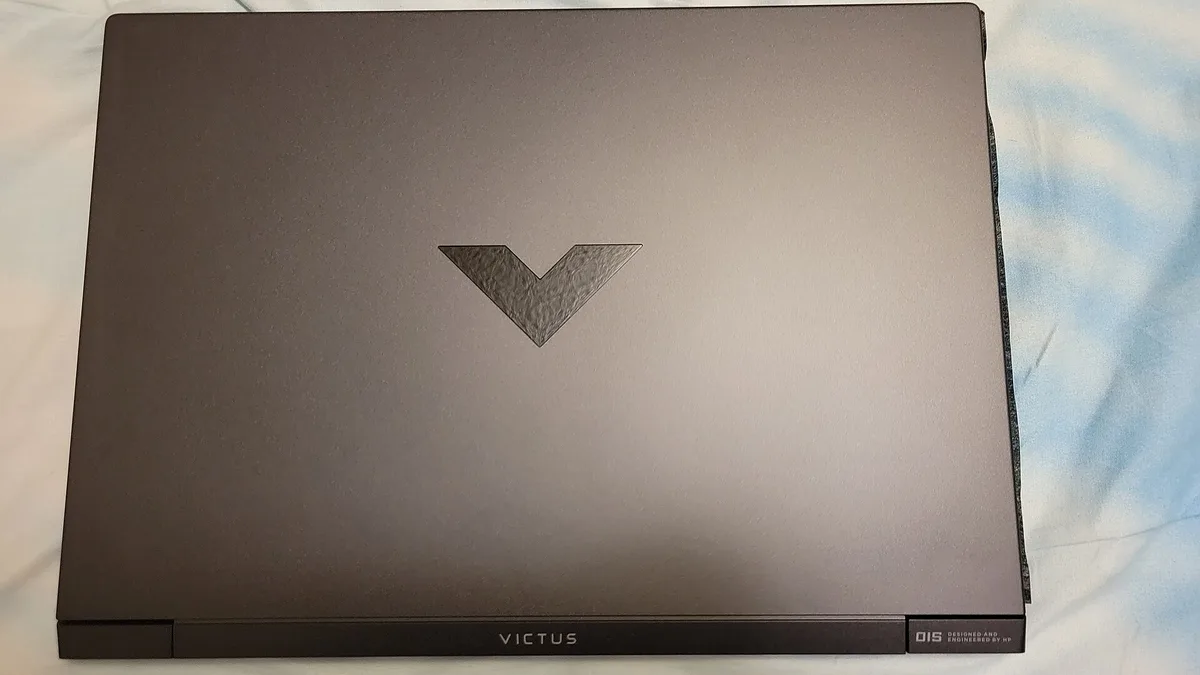
A YouTube test by Dawid Does Tech Stuff, covered by Notebookcheck, ran the RTX 5050 inside an HP Victus laptop against a 4050 machine. Stalker 2 jumped from 66 to 103 fps, a 56 percent gain, and Doom: The Dark Ages crossed 60 fps with DLSS, about 23 percent up. The Last of Us ran in the mid-60s on high settings, up from the low 40s, which the tester credited to the extra VRAM. One result went the other way: Counter-Strike 2 ran better on the 4050 laptop, because that test unit’s Ryzen AI 5 340 processor held the GPU back, not because the GPU was slower. The CPU in the laptop matters, and a weak processor can hide a faster GPU entirely.
If your current laptop struggles in games for other reasons, the settings in our guide to how to increase FPS on a gaming laptop can add more frames than a GPU upgrade on the same machine, and they cost nothing.
DLSS 4 vs DLSS 3: the biggest real difference
The largest gap between these two GPUs is not in raw speed. It is in upscaling. The 5050 supports DLSS 4 with multi frame generation, which can generate up to three extra frames for every real frame the GPU renders. The 4050 supports DLSS 3 frame generation, which adds one extra frame. In a supported game, that difference can turn a choppy 45 fps into a smooth-looking 120 fps or more on the 5050, while the 4050 reaches roughly double its base frame rate.
Be careful with one common misunderstanding: DLSS 4 is not entirely exclusive to the 50 series. DLSS 4 Super Resolution, the part that upscales a lower-resolution image, and ray reconstruction both work on RTX 40 series cards as well, and NVIDIA has brought the newer transformer-based upscaling model to older cards too. What stays exclusive to the 50 series is multi frame generation. So a 4050 laptop still gets better image quality from DLSS 4 updates, it just cannot multiply its frame rate as far.
Multi frame generation is not free performance. It adds a small amount of input lag, because the generated frames are based on frames the GPU already rendered, and it works best when your base frame rate is already decent, ideally above 45 to 60 fps. At very low base frame rates it can feel floaty, and in fast competitive shooters most players turn it off. But in single-player games like Cyberpunk 2077, Alan Wake 2 or Black Myth: Wukong, it is the feature that lets an entry-level laptop play at settings it could never reach with raw power alone.
This is also why the 5050 ages better. Game developers are building DLSS 4 support into new releases as standard, and the list of supported games grows every month. The 4050 will keep getting DLSS updates, but its frame generation ceiling is fixed at one extra frame. Over the two or three years you own the laptop, that gap in supported features will matter more than the 7 percent raw speed gap does today. Our full explainer on what DLSS is on a laptop GPU covers DLSS 3, 4 and 5 in plain words, including the newer DLSS 4.5 and DLSS 5 features.
VRAM: 8GB vs 6GB and why it matters now
The 5050 has 8GB of video memory. The 4050 has 6GB. That 2GB difference sounds small, but it is the change most likely to affect you in real games, because modern games keep asking for more VRAM and the 6GB line is where the problems start.
Video memory holds the textures, shadows and geometry a game needs right now. When a game needs more VRAM than the card has, it starts swapping data back and forth with system memory over the PCIe bus, which is far slower. The result is not a slightly lower frame rate. It is stuttering: the game runs fine for a second, then hitches as it waits for data. That is what the tester in the HP Victus video saw in The Last of Us, where the 8GB card ran smoothly in the mid-60s while the older card dropped into the low 40s with visible hitches at the same settings.
In 2026, 6GB is enough for 1080p at medium to high settings in most games, as long as you keep texture quality at high rather than ultra. Turn textures to ultra in a game like Indiana Jones and the Great Circle, Hogwarts Legacy or Alan Wake 2, and a 6GB card starts to struggle. The 8GB card handles those same settings comfortably at 1080p, and it copes at 1440p with medium textures where the 6GB card does not.
VRAM also matters outside gaming. Video editing, 3D rendering and AI image tools all load models and footage into VRAM, and 8GB gives you more room before those tools slow down or refuse to load a large project. If you edit video or run local AI tools, the extra 2GB is worth having. To see how much video memory your own laptop has and how it is being used, our guide to how to check VRAM on your laptop takes about a minute.
Neither card is generous by 2026 standards. 8GB is the new minimum for comfortable 1080p gaming, not a luxury, and if you play at 1440p you should really be looking at a 12GB card like the RTX 5060 laptop. But between these two, 8GB against 6GB is a clear win for the 5050, and it is the one advantage that grows over time instead of shrinking.
Power, heat and battery: check the TGP before the name
Both of these GPUs are sold with a configurable power limit, and that limit changes performance more than the model number does. NVIDIA lets laptop makers set the RTX 5050 Laptop anywhere from about 50W to 100W, and a few models push it to 115W. The RTX 4050 Laptop can be set anywhere from 35W to 115W. A 100W 5050 and a 45W 5050 are the same chip on paper and very different chips in a game, as the Tom’s Hardware and Notebookcheck results above show.
This is the single most important thing to check before you buy either laptop. The TGP, or total graphics power, is listed on the laptop maker’s spec page, usually under the GPU line, and it is worth more attention than the GPU name itself. A high-wattage 4050 laptop will beat a low-wattage 5050 laptop in raw frame rate, and it will also run hotter and louder doing it. If you want the full explanation, our guide to what TGP is in a gaming laptop explains why watts matter more than the badge.
Heat follows power. A 100W GPU in a thin chassis will hit its thermal limit and throttle, which is when the chip slows itself down to stay cool. That is the same behaviour our guide to what thermal throttling is on a laptop describes, and it is why two laptops with the same GPU can feel different after ten minutes of gaming. A well-cooled 85W 5050 will often beat a thin 100W 5050 in a long session, because it holds its speed instead of spiking and throttling.
Battery life is the other side of the same coin. Neither GPU is efficient on battery, and both laptops switch to their integrated graphics for light work, so the GPU only matters when you are actually gaming unplugged. Gaming on battery drains any laptop in about an hour, whichever GPU it has. The 5050’s newer Blackwell design is a little more efficient per frame, so it gives you slightly more game time for the same power, but the difference is small and the charger is what really matters. If your laptop runs hot in games, our guide to what a good GPU temperature is for a gaming laptop gives the safe ranges, and how to check laptop temperature shows you how to measure it yourself.
One feature worth checking in the spec sheet is a MUX switch, which lets the GPU talk directly to the screen instead of going through the integrated graphics. It adds a few percent of frame rate in most games and costs nothing but a restart to enable. Our explainer on what a MUX switch is on a gaming laptop covers when it helps and when it does not.
Ray tracing and creative work
Ray tracing is the one area where the 5050’s lead is bigger than its raw speed gap. In 3DMark Port Royal, a pure ray tracing test, the 5050 scores 5,747 against 4,624 for the 4050, a lead of about 24 percent. Solar Bay, a lighter ray tracing test, gives 42,180 against 35,375. Blackwell’s newer ray tracing cores handle the workload better, and DLSS 4’s ray reconstruction cleans up the image in a way the 4050 cannot match.
In practice, that means ray tracing at 1080p on medium settings is playable on the 5050 with DLSS turned on, while the 4050 needs lower settings or DLSS on performance mode to hold the same frame rate. Neither card is a ray tracing powerhouse, and ultra ray tracing at 1440p is out of reach for both. But if you play games with ray tracing on, the 5050 gives you a noticeably better experience.
For creative work the gap is smaller. Geekbench 6 OpenCL, which measures general compute work like image processing, gives 91,033 for the 5050 against 81,436 for the 4050. Blender’s GPU rendering test gives 2,750.73 against 2,567.25. Video editing in Premiere Pro or DaVinci Resolve runs well on both, and the 8GB of VRAM on the 5050 helps with larger timelines and higher-resolution footage. Neither card will replace a desktop GPU for serious 3D work, but for a student or hobbyist the 5050 is the more capable tool.
Which laptops have the RTX 5050?
The RTX 5050 laptop GPU is now the standard entry-level gaming chip, so it shows up across the budget and mid-range lines. The most common models are the Lenovo LOQ 15IRX10, the Lenovo Legion 5i, the ASUS TUF Gaming F16, the HP Victus 15 and the MSI Cyborg 15. The Lenovo LOQ 15 with the RTX 5050 is the usual starting point for buyers on a budget, with a 144Hz screen and solid cooling for the price, and the Lenovo LOQ 15 RTX 5050 on Amazon is the easiest way to see current configurations. The ASUS TUF Gaming F16 runs the chip at the full 115W, which is why it topped the Tom’s Hardware test, and the ASUS TUF Gaming F16 RTX 5050 on Amazon is the one to check if you want the fastest version of this GPU.
RTX 4050 laptops are still on sale, usually at a discount as retailers clear stock. The same lines carry them: the Lenovo LOQ 15, the ASUS TUF Gaming A15 and the HP Victus 15 all shipped with the 4050, and those models are now often the cheapest way into a proper gaming laptop. If you find a 4050 laptop at a big discount, it is still a good machine, and our roundups of the best gaming laptops under $700 and the best gaming laptops under $1,500 include both GPUs across the price range.
When you compare prices, compare the whole laptop, not just the GPU. A 5050 laptop with a dim 250-nit screen, 8GB of RAM and a small battery is a worse buy than a 4050 laptop with a bright screen, 16GB of RAM and good cooling, even though the GPU is newer. Screen quality, RAM and cooling decide how much you enjoy the laptop every day. The GPU only decides the frame rate.
Should you upgrade from an RTX 4050 laptop to a 5050 laptop?
No, not for the GPU alone. The 5050 is about 7 to 15 percent faster in raw games, and DLSS 4 multi frame generation closes the gap further in supported titles, but that is not enough to justify buying a whole new laptop. A laptop GPU cannot be swapped, so an upgrade means a new machine, a new battery, a new screen and a new warranty, all for a single-digit frame rate gain in most games.
The only good reasons to move from a 4050 laptop to a 5050 laptop are the ones that have nothing to do with the GPU: your old laptop’s screen is dim, its battery is worn out, it has only 8GB of RAM, or it runs too hot. In that case you are buying a better laptop that happens to have a better GPU, and the upgrade makes sense. If your 4050 laptop is otherwise fine, spend the money on a second monitor, a better mouse, or more storage instead.
If you do decide to sell, wipe the laptop properly first and price it against current used listings, not against what you paid for it. Our guide to how to sell your used laptop covers where to sell it and what it is worth.
Which one should you buy?
Buy the RTX 5050 if you are buying a new laptop now. It is faster in every game, it has more VRAM and double the memory bandwidth, it supports DLSS 4 multi frame generation, and it will stay supported longer. The price gap between 5050 and 4050 laptops has narrowed to almost nothing as the 5050 became the standard budget chip, so there is rarely a reason to pick the older GPU at the same price.
Buy the RTX 4050 if you find one at a clear discount, at least 15 to 20 percent cheaper than the equivalent 5050 laptop, and you play at 1080p on medium to high settings. At that price the 4050 is still a good gaming laptop, and the money you save buys a better screen, more RAM or a bigger SSD, which matter more than the GPU gap. Check the TGP first, though: a discounted 45W 4050 is a poor deal, while a discounted 100W 4050 is a good one.
Buy neither if your budget stretches to an RTX 5060 laptop. Notebookcheck’s averages put the 5060 laptop about 23 percent ahead of the 5050, and it comes with 8GB of GDDR7 on a wider bus plus the same DLSS 4 support, so it is the real step up in this range. If you mostly game at a desk and do not need to carry the machine, a desktop is also worth a look, and our comparison of gaming laptop vs gaming desktop covers the cost, power and portability trade-offs.
The short version: the 5050 is the better GPU, the 4050 is the better bargain when it is discounted, and the gap between them is small enough that the rest of the laptop should decide the purchase.
Frequently Asked Questions
Is the RTX 5050 laptop better than the RTX 4050 laptop?
Yes. The RTX 5050 laptop GPU is about 7 to 15 percent faster in real games at 1080p, it has 8GB of GDDR7 memory against 6GB of GDDR6, double the memory bandwidth at 384 GB/s, and support for DLSS 4 multi frame generation, which the 4050 does not have. Both chips have the same 2,560 CUDA cores, so the difference comes from the memory system and the newer Blackwell architecture.
How much faster is the RTX 5050 than the RTX 4050?
In raw game performance without upscaling, about 7 percent at 1080p on high settings, 99 fps against 92 on average, and about 5 percent at 1080p on ultra. In 3DMark the gap is larger, up to 19 percent in Steel Nomad Lite. With DLSS 4 multi frame generation turned on, the gap grows much bigger in supported games, because the 5050 can generate up to three extra frames per real frame while the 4050 adds only one.
Is 8GB VRAM enough for gaming in 2026?
Yes, for 1080p gaming at medium to high settings, which is what the RTX 5050 is built for. 8GB handles high texture settings in most current games, while 6GB cards like the RTX 4050 start to stutter at ultra textures. At 1440p you will need to lower texture quality on an 8GB card, and for comfortable 1440p gaming a 12GB card like the RTX 5060 laptop is the better choice.
Does the RTX 5050 laptop support DLSS 4?
Yes, including multi frame generation, which can add up to three extra frames for every real frame. The RTX 4050 supports DLSS 3 frame generation, which adds one extra frame. Note that DLSS 4 Super Resolution and ray reconstruction also work on RTX 40 series cards, so the 4050 still benefits from DLSS 4 updates, just without multi frame generation.
Is the RTX 5050 laptop good for 1440p gaming?
It is usable but not ideal. It averages about 57 fps at 1440p on ultra settings in current games, so you will need to drop to high or medium settings, or turn on DLSS, for smooth play. It is best at 1080p, where it holds high frame rates at high settings. For regular 1440p gaming, an RTX 5060 laptop is the better buy.
Should I buy a discounted RTX 4050 laptop or a new RTX 5050 laptop?
Buy the RTX 5050 laptop if the price gap is small, because it is faster, has more VRAM and supports DLSS 4 multi frame generation. Buy the RTX 4050 laptop only if it is at least 15 to 20 percent cheaper than the equivalent 5050 model and you play at 1080p. Either way, check the TGP power limit on the spec sheet first, because a high-wattage 4050 can beat a low-wattage 5050.