Where to Sell Used PC Parts and Components for Cash
Quick Answer: The best place to sell used PC parts is usually eBay for the highest price, Swappa or Jawa for a safer sale to knowledgeable buyers, or r/hardwareswap for the lowest fees, while instant buyback sites such as SellGPU pay less but need no listing work at all. A working mid-range graphics card, CPU or RAM kit is worth real money, but old hard drives, cables and DDR3 memory usually are not. Before you list anything, wipe every drive, test the part, and price it from recently sold listings, not from asking prices. If you are selling a whole machine instead of parts, read our guide to selling your used laptop first.
Which used PC parts are actually worth selling?
Not every part in a retired PC is worth the effort of listing. Value follows demand, and demand follows the upgrade market. A part that slots into a current build sells fast. A part from two generations ago sells slowly, and only at a low price.
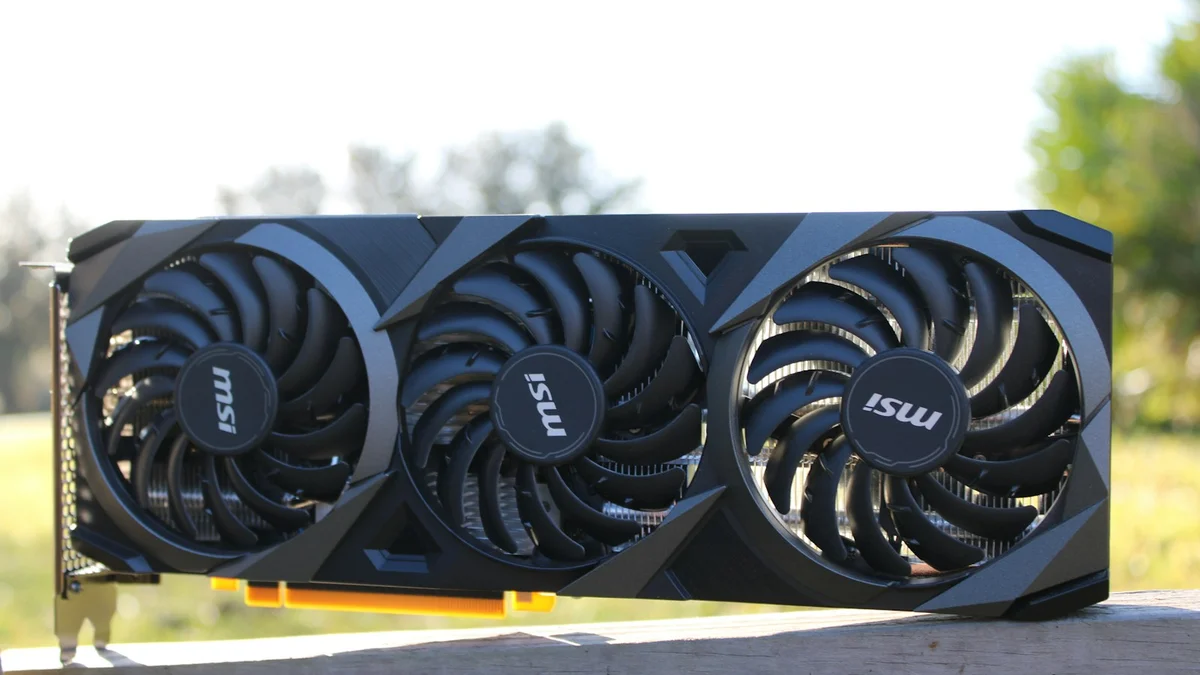
Graphics cards sell best. A working GPU is the single most valuable used part in most PCs, because gamers upgrade them often and budget builders buy them second hand. Even older cards sell for budget builds. Before you list, check how much VRAM your card has, because buyers ask, and cards with more VRAM hold their price better.
CPUs hold their value well. A processor rarely fails, it is small and cheap to ship, and it fits a standard socket, so buyers trust used CPUs more than most parts. Keep the original box if you have it, and note the exact model number.
RAM sells if it is current. DDR4 and DDR5 kits move quickly, especially matched pairs of 16 GB or 32 GB. DDR3 barely sells at all, because almost no current build uses it. DDR5 beats DDR4 on speed, and buyers pay a little more for it.
SSDs sell, hard drives mostly do not. NVMe and SATA SSDs of 500 GB and up have a real second hand market, but only after a proper wipe, which we cover below. Old spinning hard drives are worth very little, and small ones under 500 GB are usually not worth listing. If your old SSD is too small to sell for much, a USB-C NVMe enclosure turns it into a fast portable drive instead, such as this NVMe SSD enclosure, and that is often a better use for it than a five dollar sale.
Motherboards, power supplies and cases are harder. They are bulky, heavy to ship, and buyers worry about compatibility and wear. Sell these locally if you can, where there is no shipping cost and the buyer can inspect the board in person.
Not worth listing: cables, stock CPU coolers, DVD drives, old cases, DDR3 memory, and any part you cannot test. Bundle small extras free with a bigger part instead of listing them alone.
The 7 best places to sell used PC parts
Every channel trades money for effort. This table sums up the choice, then each option is covered in detail below.
| Venue | Best for | Fees | Speed |
|---|---|---|---|
| eBay | Highest price, widest audience | About 13% plus $0.30 per order | Days to two weeks |
| Swappa | Working parts, safer sale | About 3% seller fee | Days to a week |
| Jawa | PC hardware fans, quick sale | About 3.5% to 12% by route | Days |
| r/hardwareswap | Lowest fees, high demand parts | PayPal Goods and Services, about 3.5% | Days |
| SellGPU and buyback sites | Zero effort, instant quote | None, margin built into offer | Days after inspection |
| Trade-in programs | Credit toward a new purchase | None, lowest payout | Instant credit |
| Facebook Marketplace, Craigslist | Local cash, no fees | Free | Same day possible |
1. eBay: the highest price and the widest audience
eBay is still the default place to sell a used part, because it has the most buyers and the best price discovery. A rare or high demand card can go to auction and beat every other channel. Check sold listings for your exact model before you set a price, and list with clear photos and the exact specs.
The cost is the fee. For consumer electronics in 2026, eBay charges non-store sellers a final value fee of about 13 percent plus $0.30 per order, charged on the total the buyer pays, including shipping. Store subscribers pay less, about 9.35 percent on the first $2,500. Fees change, so confirm the current rate on eBay before you list. The other cost is risk: buyers can open returns, so describe faults honestly and keep your test photos.
2. Swappa: the safer sale for working parts
Swappa is a marketplace for used tech only, and staff review every listing before it goes live. It bans broken or e-waste items, so buyers trust it more than a general marketplace, and that trust is worth money on working parts in good condition.
The seller fee is about 3 percent, much lower than eBay, and payment goes through PayPal or Stripe. The trade-off is a smaller audience and stricter listing rules: no cracked boards, no missing parts, and no vague condition descriptions.
3. Jawa: built for PC builders
Jawa is a marketplace for PC hardware only, so the audience already knows what your part is worth and will not lowball you out of ignorance. It also runs a Sell to Jawa path that gives an instant cash offer if you would rather skip listing and shipping to an individual.
Fees run from about 3.5 percent to about 12 percent depending on the route you choose, so read the current fee schedule for the exact option before you commit. The buyer pool is smaller than eBay, so a niche or very old part can sit longer before it sells.
4. r/hardwareswap: the lowest fees, if you follow the rules
The Reddit community r/hardwareswap is arguably the best place to maximize profit on a high demand CPU or GPU. There is no platform fee, only the PayPal Goods and Services charge of about 3.5 percent, and tracked shipping is mandatory.
The catch is the rules. You need an account at least 50 days old with at least 100 comment karma, you must follow the posting format exactly, and you build reputation through confirmed trades. Read the rules before your first post, and never accept payment as Friends and Family.
5. Instant buyback sites: SellGPU, ItsWorthMore and similar
Type in your model, get an instant quote, print a prepaid label, ship the part, and get paid after inspection. SellGPU has run this model since 2014, and similar sites cover CPUs, RAM and SSDs as well as graphics cards. Expect roughly 60 to 80 percent of the open market price. The gap is the price of zero effort and zero risk: you deal with an established business, not an anonymous buyer, and there is no listing, no haggling and no return dispute.
6. Trade-in programs: Amazon Trade-In, Best Buy and Gazelle
Retailer trade-in programs give store credit for your old parts or devices, and they take almost anything in working order. Amazon Trade-In and Best Buy both accept selected components and devices, and Gazelle quotes on used electronics by model and condition. The payout is the lowest of any channel, usually well below a direct sale, and it comes as credit, not cash. Take it only when you are buying a replacement from the same store anyway. If you are putting the money toward a new machine, our list of the best gaming laptops under $700 shows what the trade-in credit can actually buy.
7. Local sales: Facebook Marketplace, Craigslist and repair shops
Local sales cost nothing and pay cash on the spot. Facebook Marketplace has largely replaced Craigslist for local tech sales, because listings are tied to a real profile. Local computer repair shops buy working parts too, especially GPUs and RAM, and PayMore stores pay cash on the spot. Meet in a public place, let the buyer test the part if possible, and verify cash or payment before you hand anything over. Local is also the best route for heavy parts such as cases and power supplies, where shipping would eat the profit.
How to price your used parts so they sell
Price from sold listings, not asking prices. On eBay, filter by sold items and find three recent sales of your exact model in the same condition, then set your price near the middle. On Swappa and Jawa, check recent sales of the same part. Asking prices are wishes. Sold prices are the market.
Age is the first thing a buyer checks, and it is easy to get wrong. If the part came out of a laptop, our guide to how to tell how old a laptop is shows how the serial number gives you the real manufacture date. Grade the condition honestly: working and clean, light wear, or for parts only. A part described as refurbished means something specific, and our guide to what refurbished laptop means explains how it differs from a plain used part, so use the word only if it applies. If a listing sits for a week with views but no offers, the price is the problem: drop it by 5 to 10 percent and wait again.
Before you sell: wipe, test and photograph
Preparation is where most sales are won or lost. A tested part with clear photos and an honest description sells faster and for more, and it almost never comes back as a return.
- Wipe every drive properly. Deleting files is not enough. Recovery software can bring them back, especially on an older hard drive. On Windows, reset the drive with the clean data option turned on, or use the drive maker’s secure erase tool for an SSD. Never sell a drive that still holds your files.
- Test the part before you list it. Run the card or CPU in a working system, play a game or run a benchmark, and check the temperatures. A card that runs hot sells for less, so check what a good GPU temperature is and state the result honestly. If you cannot test it, say so and list it as untested.
- Photograph both sides. Show the part from the front and back, the connectors and ports, the serial number sticker, and every scratch or bent pin. Buyers trust listings with real photos, and photos protect you if a buyer claims damage later.
- Write down the exact specs. Model number, memory size and type, and anything that came with it, such as the original box, cables or mounting brackets. A complete kit sells faster than a bare part.
How to pack and ship PC parts safely
Most parts arrive damaged because of bad packing, not bad shipping. Put the part in an anti-static bag first, then wrap it in bubble wrap so it cannot move inside the box. Use the original box if you still have it: the fitted foam is the best protection a part can get. Use a sturdy outer box with at least two inches of padding on every side. Always use tracked shipping, add insurance on anything worth more than a hundred dollars, and keep the tracking number and your packing photos until the buyer confirms delivery. Before you sell your old card to fund an upgrade, see how to increase FPS on a gaming laptop first, because a settings change or a driver update sometimes fixes the problem a new card was meant to solve.
How to avoid scams when selling parts
Scams target sellers, not just buyers, and the pattern is always the same: a buyer who wants to move off the platform, pay in an unusual way, or rush you into shipping before payment clears.
- Use PayPal Goods and Services only. Never accept Friends and Family, gift cards, crypto or wire transfers. Goods and Services costs about 3.5 percent, and that fee buys you seller protection.
- Ship only to the verified address on the order. A buyer who asks you to ship to a different address is the most common scam in used hardware.
- Keep proof of everything. Photos of the part, the packing, the tracking receipt, and every message. If a buyer claims the item arrived damaged or different, your records decide the dispute.
- Meet locally in a public place. A busy store or a police station safe exchange zone, in daylight, with cash counted before you hand the part over. Never meet at your home, and never hand over the part before payment clears.
What to do with parts nobody will buy
Some parts have no resale value at all, and that is fine. Schools, nonprofits and community repair groups often accept working RAM, drives and older parts for teaching and refurbishment, so ask locally before you throw anything away. For dead or truly obsolete parts, use a certified e-waste recycler or a manufacturer take-back program. Best Buy stores accept small electronics for recycling, and many cities run e-waste collection days. Never put a laptop battery or a drive in the trash: batteries are a fire risk, and a drive can still hold your data.
Frequently Asked Questions
Where is the best place to sell used PC parts?
eBay usually gets the highest price because it has the most buyers, Swappa and Jawa are safer sales to knowledgeable buyers, and r/hardwareswap has the lowest fees. Instant buyback sites such as SellGPU pay less but need no listing work, and local sales on Facebook Marketplace pay cash with no fees.
Do old graphics cards still sell?
Yes. Mid-range and recent cards hold their value best, and even older cards sell for budget builds. Check sold listings for your exact model, note how much VRAM it has, and test it before you list.
How much does eBay take when you sell computer parts?
In 2026, eBay charges non-store sellers a final value fee of about 13 percent plus $0.30 per order on consumer electronics, charged on the total the buyer pays including shipping. Store subscribers pay a lower rate of about 9.35 percent on the first $2,500. Confirm the current rate on eBay before you list.
Can I sell a CPU or RAM I removed from my PC?
Yes. CPUs and RAM are among the easiest parts to sell because they are small, cheap to ship and rarely fail. Test them first, note the exact model, pack them in an anti-static bag, and list them on eBay, Swappa, Jawa or r/hardwareswap.
Should I wipe my SSD before selling it?
Yes, always. Deleting files is not enough, because recovery software can bring them back. Use the drive maker’s secure erase tool, or reset the drive with the clean data option, and never sell a drive that still holds your files.
Is it safe to sell PC parts on Facebook Marketplace?
Yes, for local sales. Meet in a public place in daylight, let the buyer test the part, and count the cash before you hand it over. Never ship first, never accept gift cards or crypto, and never meet at your home.