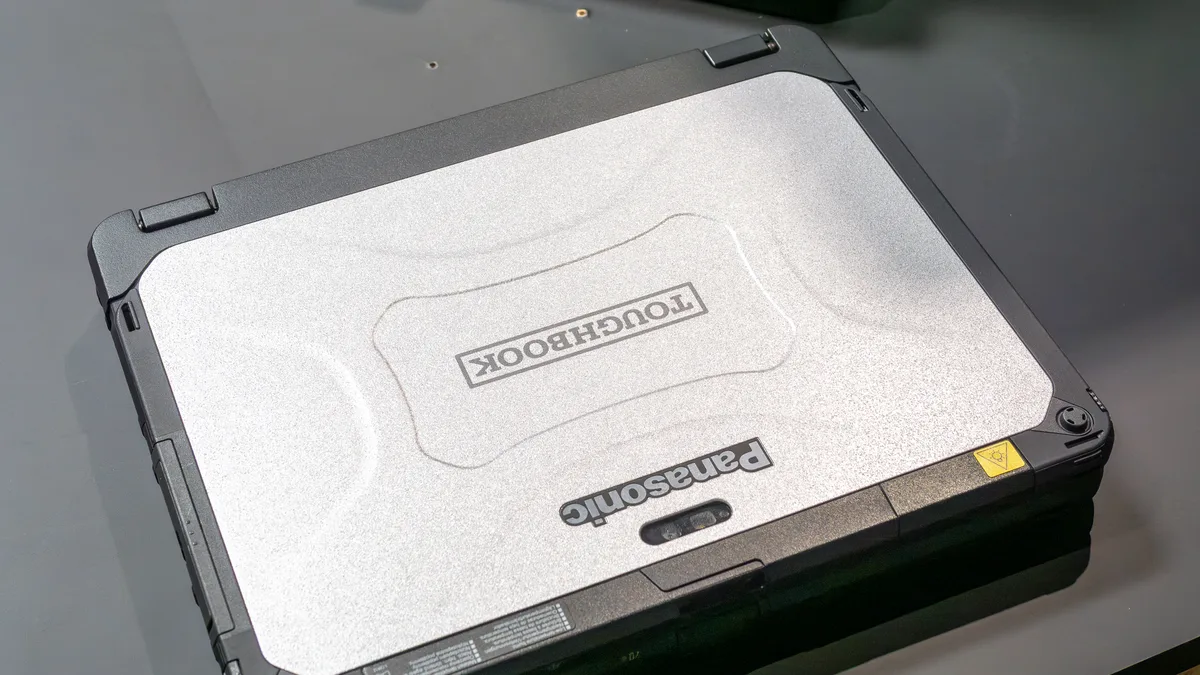
Fully Rugged vs Semi-Rugged Laptops: What Is the Difference?
Quick Answer: A fully rugged laptop is sealed against dust and water jets, survives a 6-foot drop and passes the full set of MIL-STD-810H environmental tests. A semi-rugged laptop is the lighter, cheaper middle step: it survives a 3-foot drop, carries an IP53 rating against dust and spray, and passes a subset of the same military tests. If your laptop works outside in rain, dust and drops every day, buy fully rugged. If it mostly rides in a truck or a workshop and only goes outside for short jobs, a semi-rugged model like the Panasonic Toughbook 55 saves weight and money while still outlasting a normal business laptop.
Fully rugged vs semi-rugged at a glance
| Feature | Fully rugged | Semi-rugged |
|---|---|---|
| IP rating | IP65 or IP66, dust-tight, water jets | IP53, dust-protected, water spray |
| Drop rating | 4 to 6 feet onto concrete | 3 feet, some models 4 feet |
| MIL-STD-810H | Full set of 28 test methods | Subset, usually shock, vibration, temperature |
| Chassis | Magnesium alloy, sealed, often fanless | Reinforced plastic and magnesium mix, fan cooled |
| Screen brightness | 1,000 to 1,400 nits | 400 to 1,100 nits |
| Weight | 6 to 9 pounds | 4 to 6 pounds |
| Typical price | $3,000 to $7,500 and up | $1,500 to $3,500 |
| Best for | All-day outdoor work, military, oil and gas | Field service, logistics, workshops, vehicle use |
What a fully rugged laptop actually is
A fully rugged laptop is built to keep working in conditions that would kill a normal machine. The ports are sealed behind doors, the chassis is a magnesium shell with rubber corner bumpers, and the machine is tested against the full set of MIL-STD-810H environmental test methods, not just a few of them. The screen is bright enough to read in direct sun, usually 1,000 nits or more, and the battery system is built for long shifts away from a charger.
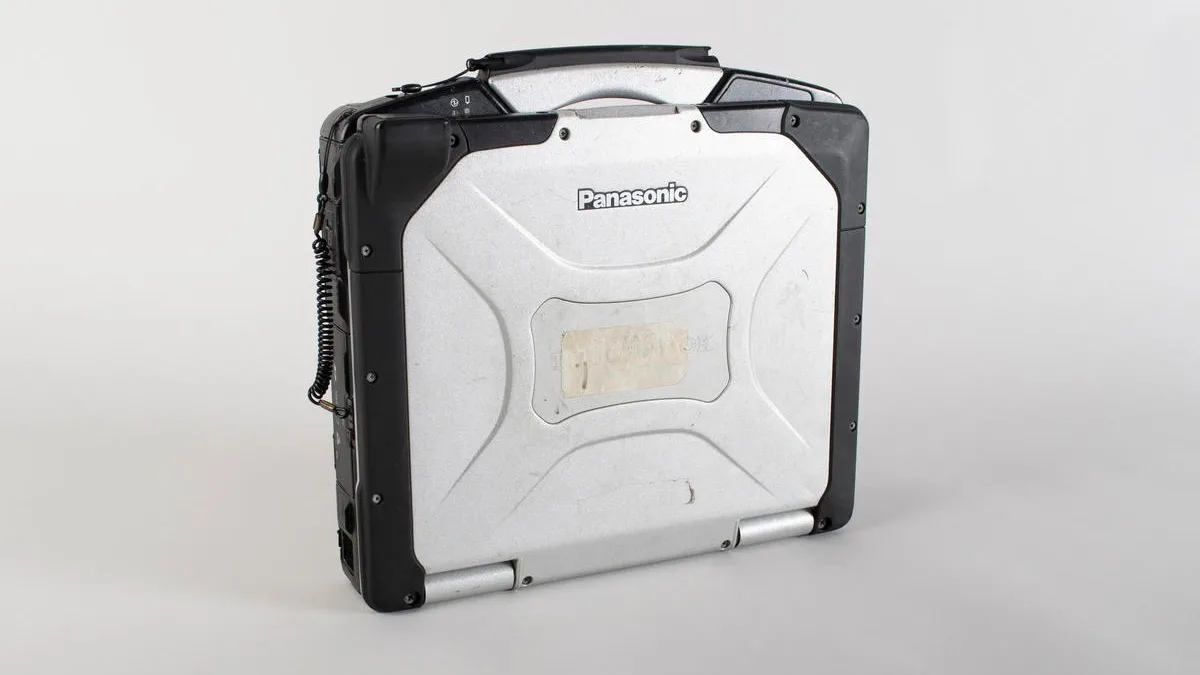
The current benchmarks are the Panasonic Toughbook 40 Mk2 and the Getac B360 Pro, both sealed to IP66 with a 6-foot drop rating. The Toughbook 40 runs Intel Core Ultra processors with a 1,200-nit touchscreen and up to 24 hours of battery life from two hot-swappable packs, according to Panasonic; see the Toughbook 40 listings on Amazon for current configurations. The Getac B360 Pro matches the sealing and drop rating in a lighter 13.3-inch body with a 1,400-nit screen; check the Getac B360 Pro listings on Amazon to compare builds. Dell joined this class in October 2026 with the Pro Rugged 13 Extreme, which Dell lists at IP66 with drop testing to about 1.8 metres. Our roundup of the best rugged laptops compares these models in detail, and our guide to the best laptops for outdoor use explains how these ratings hold up in real weather.
What a semi-rugged laptop actually is
A semi-rugged laptop sits between a normal business laptop and a fully rugged machine. It has a reinforced chassis, a spill-resistant keyboard and a MIL-STD-810H test report, but it is not sealed the way a fully rugged laptop is. The standard rating is IP53, which means dust-protected rather than dust-tight, and protected against spraying water rather than jets. The standard drop rating is 3 feet onto concrete, though a few models such as the Durabook S14I are rated to 4 feet.
The class leaders are familiar names. The Panasonic Toughbook 55 Mk3 is the semi-rugged classic, with a magnesium chassis, a built-in carry handle, seven user-replaceable areas and an optional 1,000-nit touchscreen. Amazon still lists earlier Toughbook 55 configurations, including this FZ-55 i7 touch model with 4G LTE. Dell refreshed its semi-rugged line in October 2026 with the Pro Rugged 14, rated IP53 with a 3-foot drop rating and a 1,100-nit display at about 4.7 pounds; check the Dell Pro Rugged 14 listings on Amazon to compare the two generations. The older Dell Latitude 5430 Rugged is still widely sold with the same IP53 rating, a 1,100-nit screen and up to 25 hours from a dual-battery setup, according to Atera.
Semi-rugged laptops are the right call when the laptop travels more than it suffers. A field service technician, a construction supervisor or a warehouse manager gets real drop and spill protection without carrying 7 pounds of sealed magnesium all day. Our picks for construction management and the best laptop for contractors are mostly semi-rugged machines for exactly this reason.
The third class nobody mentions: business-rugged
There is a third label that causes most of the confusion, and Getac names it clearly in its own guide: business-rugged. A business-rugged laptop is a regular notebook toughened for travel, with reinforced hinges and a stronger frame, but no IP rating and no MIL-STD certification. It survives airports, commutes and the occasional knock in a bag. It is not built for rain, dust or drops on a job site.
This is where the “military grade” badge on consumer laptops comes from. Many business laptops, including ThinkPads, are tested against a few MIL-STD-810H methods, and that is a genuine durability signal, but it is not the same as a rugged laptop. If your work stays indoors, that is fine, and our picks for the best business laptops under $800 cover that ground for far less money. If your work goes outside, the IP rating and the drop height are the numbers that matter, not the badge.
IP ratings explained
The IP rating is the clearest single number on a rugged laptop, because it is independently tested with a fixed pass threshold. The first digit rates dust protection, the second rates water protection, and higher is tougher on both scales.
| Rating | Dust protection | Water protection | What it survives |
|---|---|---|---|
| IP53 | Dust-protected | Water spray up to 60 degrees | Rain, spills, dusty workshops |
| IP54 | Dust-protected | Splashing water from any direction | Heavier spray, washdown areas |
| IP65 | Dust-tight | Low-pressure water jets | Heavy rain, hosedown areas |
| IP66 | Dust-tight | Powerful water jets | Storms, pressure washing, open decks |
Two things trip buyers up. First, IP53 is not waterproof, it is spray-proof, so a semi-rugged laptop handles rain and a spilled bottle but not a hose or a dunk. Second, even IP66 does not mean the laptop can be submerged. It is rated for jets of water, not for going under. If a listing says “waterproof” without an IP rating, treat it as marketing and ask for the number.
What “military grade” and MIL-STD-810H really mean
MIL-STD-810H is the current revision of the US Department of Defense environmental test standard, published in 2019 to replace the 810G revision. It defines 28 test methods covering shock, vibration, altitude, humidity, salt fog, solar radiation and extreme temperatures. That sounds like a certification, but it is not one. There is no government body that certifies a commercial laptop as MIL-STD-810H approved, and no single pass mark a laptop must hit.
What actually happens is that a manufacturer picks which methods to run, tests the laptop in its own lab or a contracted facility, and reports the results itself. A fully rugged maker such as Panasonic or Getac usually runs the full set and publishes which tests were done. A consumer laptop with the same badge on the box may have run only a handful of the easier methods. Both can legally say “MIL-STD-810H tested”, which is why the badge alone tells you very little. The useful question to ask is which tests were run and what the results were.
Price and total cost of ownership
The price gap between the two classes is wide, and it is the main reason most buyers end up semi-rugged. A new semi-rugged laptop typically costs $1,500 to $3,500, while a new fully rugged machine typically costs $3,000 to $7,500 or more.
| Cost factor | Fully rugged | Semi-rugged |
|---|---|---|
| New purchase | $3,000 to $7,500 and up | $1,500 to $3,500 |
| Refurbished | Fleet models from around $1,000 | Fleet models from around $450 |
| Failure rate in harsh use | 3 to 4 percent a year, per Panasonic field data | Higher than fully rugged, still far below standard laptops |
| 5-year total cost | Panasonic claims 36 percent lower than non-rugged | Lower than standard, higher than fully rugged |
The failure-rate figures come from Panasonic’s own field data, which puts annual failures for rugged laptops in harsh environments at 3 to 4 percent, against 15 to 20 percent for standard laptops used in the same conditions. That is the maths behind the price: a machine that does not break does not need replacing, and a crew that does not wait for repairs keeps working. Panasonic also claims a 36 percent lower five-year total cost of ownership for fully rugged machines against non-rugged ones. Treat both figures as the maker’s own data, not independent measurement, but the direction is right, and it is why fleets buy fully rugged even at twice the price.
Refurbished is the smart middle path. A two-year-old Toughbook 55 or Latitude 5430 from a fleet refresh costs a fraction of a new one and still has years of life in it. Check the battery health and the screen brightness before you pay, because those are the parts that wear out first, and read our guide on how to tell how old a laptop is so you know what generation you are actually buying. If the machine will spend long days plugged in at a desk between field trips, read our guide on how to check battery health on Windows 11 so the packs last.
Which class fits your job
Match the laptop to the worst day it will see, not the average one. If the machine gets rained on, dropped and baked in the sun most days, the fully rugged premium pays for itself. If it mostly rides in a vehicle or a workshop and only goes outside for short jobs, semi-rugged saves weight and money.
Field service, HVAC and utilities truck work fits semi-rugged: drops and spills are covered and the machine is light enough to carry all day. The same goes for construction supervisors, warehouse staff and logistics crews, where dust and knocks are covered and vehicle docks are widely available. Military, defense support, oil and gas and mining need fully rugged, because the work is outdoors all day and needs full sealing. Surveying, mapping and outdoor inspection also need fully rugged, for the sunlight-readable screen and the 6-foot drop rating. Office work with only occasional site visits fits business-rugged, which is cheaper and lighter when the tough jobs are rare.
One more factor is heat. A sealed fully rugged chassis has less airflow than a vented one, so these machines run warm by design and rely on low-power processors and magnesium shells that spread heat. It pays to know what a good GPU temperature looks like before you push a rugged machine hard, and to check your laptop temperature if it starts throttling on heavy work.
Can a rugged laptop run Linux with no Wi-Fi?
Yes, with one condition: check the exact model first. Most rugged laptops from Panasonic, Getac and Durabook use standard x86 Intel or AMD processors, so mainstream Linux distributions install and run on them. The parts to verify before you buy are the drivers for the touchscreen, the GPS module and the LTE modem, because those are the pieces that sometimes need a vendor driver or a kernel newer than the one on your install media. A few specialist rugged Linux machines use ARM processors instead, and those need software built for ARM, so confirm your tools run on that processor before you spend anything.
Running without Wi-Fi is a different question from running Linux, and it is mostly about what lives on the machine. Field work offline needs local maps, diagnostic software, manuals and storage on the device itself, because there is no cloud to fall back on. That is where rugged laptops earn their keep: serial RS-232 ports and Ethernet for talking to industrial equipment, a GPS module that works with no network at all, and hot-swappable batteries so a dead pack can be changed without shutting down.
How to choose in 5 steps
- Start with the worst day, not the average day. If the laptop will see rain, dust and drops every day, buy fully rugged and look for IP66 and a 6-foot drop rating.
- Read the IP rating and the drop height, not the badge. IP53 and a 3-foot drop mean semi-rugged, whatever the listing says.
- Check the screen brightness. A 250-nit office screen is unreadable in sunlight, while rugged picks run 400 to 1,400 nits.
- Check the battery system and the weight you will actually carry. Hot-swappable batteries matter more than one big battery, and a 7-pound laptop gets old fast in a shoulder bag.
- Check ports, docks and warranty before you pay. Rugged laptops keep serial ports, Ethernet and smart card readers that normal laptops dropped years ago, and vehicle docks are model-specific, so changing models later means changing docks too.
Frequently Asked Questions
What is the difference between fully rugged and semi-rugged laptops?
Fully rugged laptops are sealed to IP65 or IP66, survive a 4- to 6-foot drop while running and are tested against the full set of MIL-STD-810H methods. Semi-rugged laptops survive a 3-foot drop, carry an IP53 rating and pass a subset of the same tests, but they are lighter and cheaper. Check the IP rating and the drop height rather than the badge.
Is a semi-rugged laptop waterproof?
No. A semi-rugged laptop is rated IP53, which means it is protected against dust and against spraying water from above. It will survive rain and a spilled drink, but it is not rated for water jets or submersion. Only fully rugged laptops with IP65 or IP66 ratings handle water jets, and even those are not rated to go underwater.
What does IP53 mean on a laptop?
IP53 is an ingress protection rating with two digits. The 5 means the laptop is dust-protected, so dust can get in but not in amounts that stop it working. The 3 means it is protected against spraying water at up to a 60-degree angle. It is the standard rating for semi-rugged laptops.
How much does a semi-rugged laptop cost?
A new semi-rugged laptop typically costs $1,500 to $3,500, against $3,000 to $7,500 or more for a new fully rugged machine. Refurbished semi-rugged models from fleet refreshes start at around $450 from specialist resellers.
Can I use a semi-rugged laptop as my everyday laptop?
Yes, and it is an easier everyday machine than a fully rugged one. You get a brighter screen, a spill-resistant keyboard and real drop protection, at 4 to 6 pounds instead of 6 to 9. It is still heavier and thicker than a normal ultrabook, so try the weight before you commit if you carry it in a shoulder bag all day.
Can a rugged laptop run Linux without Wi-Fi?
Yes. Most rugged laptops use standard x86 processors, so mainstream Linux distributions install on them, but check driver support for the touchscreen, GPS and LTE modem on the exact model first. Working without Wi-Fi needs your maps, diagnostics and files stored locally on the machine, plus serial ports and hot-swap batteries for long shifts beyond signal range.