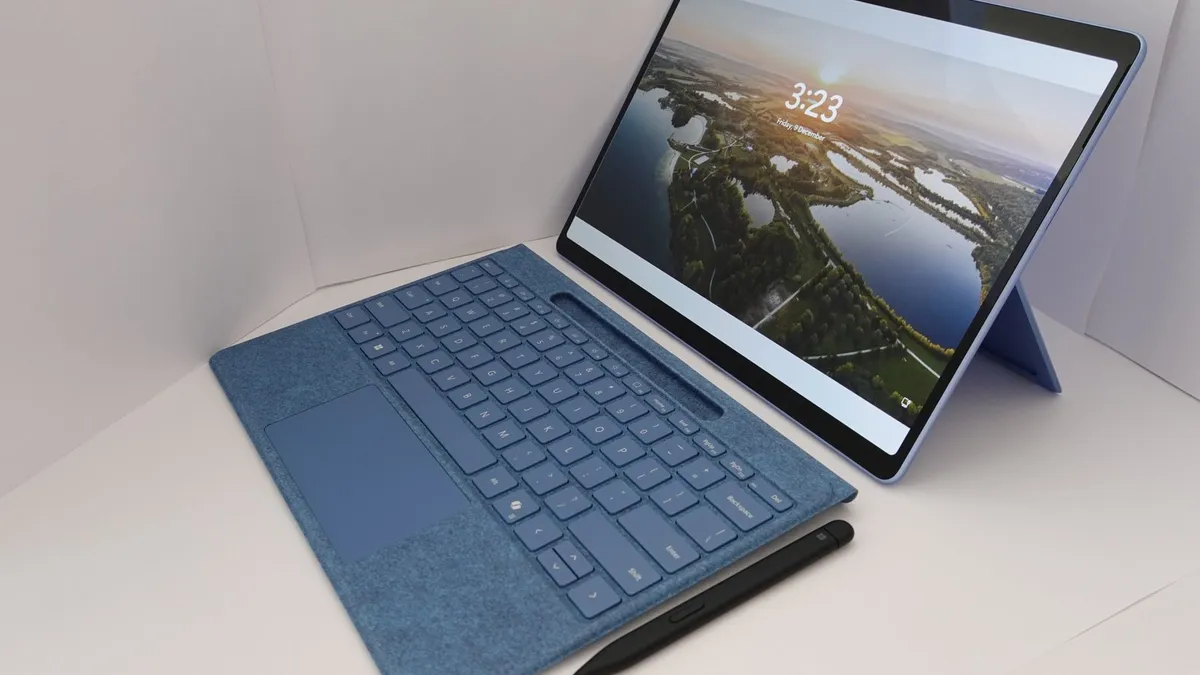
14 vs 15.6 Inch Laptop: Which Size Should You Buy?
Quick Answer: For most buyers, 14 inches is the better size. It is light enough to carry every day, the screen is big enough for real work, and modern 14-inch laptops with 16:10 screens give you more usable vertical room than an older 15.6-inch laptop. Pick 15.6 inches only when the laptop mostly stays on a desk and you want the bigger screen, the numeric keypad and the extra room for spreadsheets and side-by-side windows. The size changes comfort and portability, not speed: a 14-inch and a 15.6-inch laptop with the same chip perform the same.
Fourteen and 15.6 inches are the two most common laptop sizes, and the choice between them is really a choice between carrying comfort and screen comfort. The screens are only 1.6 inches apart on the diagonal, about 40 mm, yet the laptops around them feel like different machines. A 14-inch laptop disappears into a backpack. A 15.6-inch laptop needs a bigger bag, a bigger desk and a stronger shoulder. This guide compares both sizes the way a buyer actually experiences them: weight, screen, keyboard, battery, performance and price, with a pick for each kind of buyer at the end. If you want the full range first, our guide to laptop screen sizes explains every size from 13 to 17 inches, with the real dimensions and weights.
14 vs 15.6 inch at a glance
| Factor | 14-inch | 15.6-inch | Winner |
|---|---|---|---|
| Typical weight | 1.2-1.6 kg (2.6-3.5 lbs) | 1.7-2.2 kg (3.7-4.9 lbs) | 14-inch |
| Screen area | About 88 sq in (16:10) | About 104 sq in (16:9) | 15.6-inch |
| Common resolution | 1920 x 1200 or 2560 x 1600 | 1920 x 1080 or 2560 x 1440 | Tie |
| Keyboard | Compact, rarely a numpad | Full-size, often a numpad | 15.6-inch |
| Battery life | Similar in real use | Similar in real use | Tie |
| Portability | Fits any bag and tray table | Needs a larger bag | 14-inch |
| Price for same specs | Often a small premium | Often slightly cheaper | 15.6-inch |
| Best for | Students, commuters, travel | Desk work, spreadsheets, media | Depends on you |
That table is the short version. The sections below explain the differences that actually change how the laptop feels to use day after day, and the pick list at the end matches each winner to a real buyer.
What the extra 1.6 inches actually changes
Screen size is measured diagonally across the display, not including the bezel. A 14-inch screen measures about 355.6 mm corner to corner, and a 15.6-inch screen measures about 396.24 mm, so the difference is roughly 40 mm of diagonal. That sounds small, but screen area grows with the square of the diagonal, so the 15.6-inch screen has roughly 18 percent more area than a 14-inch screen: about 104 square inches against about 88.
Aspect ratio matters as much as the diagonal. Most modern 14-inch laptops use a 16:10 screen, which is taller than the old 16:9 shape and gives you more vertical room for documents, web pages and code. Most 15.6-inch laptops still use 16:9, which is wider and shorter. The result is that a modern 14-inch laptop can feel more useful for reading and writing than an older 15.6-inch laptop, even though the diagonal number is smaller. Check the aspect ratio on the spec sheet, not just the size number, because two laptops with the same diagonal can show very different amounts of a document.
The bigger screen also means a bigger body. A 15.6-inch laptop is wider and deeper than a 14-inch laptop by roughly 3-4 cm in each direction, and that changes where it fits. A 14-inch laptop fits on an economy plane tray table, a crowded lecture desk and a small cafe table. A 15.6-inch laptop often does not, or it hangs over the edge. Thin bezels have narrowed the gap, but they have not closed it: a modern 15.6-inch laptop is still a visibly bigger object than a modern 14-inch laptop.
Weight and portability: the difference you feel every day
Weight is where the size difference shows up most. A typical 14-inch laptop weighs 1.2-1.6 kg, or 2.6-3.5 lbs. A typical 15.6-inch laptop weighs 1.7-2.2 kg, or 3.7-4.9 lbs. That is roughly half a kilo of extra weight, every day, in the same bag. Half a kilo sounds small until you carry it across a campus, through an airport or up and down office stairs for a year. Our guide on how much a notebook weighs puts those numbers in context, with the real weights of popular models by size.
The weight gap is not only the screen. A bigger chassis needs a bigger battery, a bigger keyboard deck and more material, and 15.6-inch laptops often carry a discrete graphics card and a second storage slot that 14-inch laptops skip. Gaming 15.6-inch laptops are heavier still, often past 2.2 kg, because of the cooling hardware. A slim 15.6-inch ultrabook can be lighter than a chunky 14-inch business laptop, so the exact model matters, but size for size, the 14-inch laptop is the lighter machine.
Bag fit is the second portability test. A 14-inch laptop fits in almost any backpack, messenger bag or laptop sleeve, and it leaves room for a charger, a notebook and a water bottle. A 15.6-inch laptop needs a 15.6-inch sleeve or a bag with a dedicated large compartment, and it fills the bag. If you already own a bag you like, check its laptop compartment before you buy: a 15.6-inch laptop that does not fit your bag is a daily annoyance, not a one-time problem.

Screen, resolution and sharpness
Bigger is not automatically sharper. Sharpness depends on resolution and pixel density, not on size alone, and a 15.6-inch screen with a low resolution can look worse than a smaller screen with a higher one. A 15.6-inch laptop with a 1920 x 1080 screen has about 141 pixels per inch. A 14-inch laptop with a 1920 x 1200 screen has about 161 pixels per inch, so text looks crisper on the smaller screen at the same resolution class.
The resolution to avoid is 1080p on a 15.6-inch screen at full price. It is acceptable on a budget laptop under $500, where the price is the point, but on a mid-range machine it makes text look soft and leaves little room for side-by-side windows. At 15.6 inches, 2560 x 1440 is the sweet spot: sharp text, comfortable scaling and enough room for two windows. At 14 inches, 1920 x 1200 is fine for most work, and 2560 x 1600 is the upgrade for people who stare at text all day.
Brightness matters more than resolution for real use. A dim 250-nit screen looks washed out near a window, whatever its size, while a 400-nit screen stays readable outdoors. Both sizes ship with dim panels at the budget end, so check the brightness figure before you buy. Panel type matters too: an OLED screen gives deeper blacks and stronger contrast on either size, and it costs more on either size. Our comparison of Dell vs HP laptops shows how OLED pricing differs by brand, and the same screen rules apply when you choose a size.
Keyboard, trackpad and the numpad question
The 15.6-inch laptop has the better keyboard deck, and for some buyers that alone decides it. The wider chassis fits a full-size keyboard with a numeric keypad, which is a real productivity tool for accountants, data entry and anyone who types numbers all day. The keys usually have more travel, the palm rest is deeper, and the trackpad is larger. If you type for eight hours a day, that extra space is comfort you feel by Friday.
The 14-inch keyboard is smaller but not cramped. Most 14-inch laptops have well-spaced keys and a decent trackpad, and the centred keyboard (no numpad pushing the keys left) is actually more comfortable for touch typists who do not need the number pad. The trade-off is real but narrow: you lose the numpad and a little key travel, and you gain a machine that fits your hands and your bag at the same time. If numbers are your whole working day, the 15.6-inch keyboard wins. If they are not, the 14-inch keyboard is fine.
One keyboard trap to watch for: some 15.6-inch laptops squeeze in a numpad by shrinking the main keys, which gives you the worst of both sizes. Try the keyboard before you buy if you can, or check a review that measures key size. A cramped numpad is worse than no numpad at all.
Battery life: bigger battery, bigger screen
Battery life is roughly a tie, because the two sizes pull in opposite directions. A 15.6-inch chassis has room for a bigger battery, often 70-90 Wh against 50-70 Wh in a 14-inch laptop, but the bigger screen draws more power, so the extra capacity mostly cancels out. In real mixed use, both sizes land in the same 7-10 hour range on modern efficient chips, with the exact chip and screen brightness mattering more than the size.
The extremes tell the story better than the averages. The longest battery life in either size comes from ARM chips like the Snapdragon X Elite in the HP OmniBook X 14, which gives MacBook-like battery life in a 14-inch body. The shortest comes from gaming 15.6-inch laptops with discrete graphics, where a big battery can still drain in five hours under load. Whatever size you buy, the battery wears out first, so our guide on how to check battery health on Windows 11 shows the built-in report that reveals the real capacity, and it is the first check on any used laptop.
Performance and cooling: size is not speed
A 15.6-inch laptop is not automatically faster than a 14-inch laptop. Both sizes sell with the same Intel Core Ultra and AMD Ryzen chips, and the same chip performs differently depending on the cooling and the power limits of the chassis it sits in, not on the screen size. A well-cooled 14-inch laptop beats a badly cooled 15.6-inch laptop with the same processor, every time.
The 15.6-inch chassis does have one real performance advantage: more room for cooling. A bigger body fits bigger fans and more heat pipes, so a 15.6-inch gaming laptop can hold a discrete graphics card at full power for longer. That is why most gaming laptops are 15.6 inches or larger, and why our picks for the best gaming laptops under $700 are mostly 15.6-inch machines. For office work, browsing and light photo editing, the cooling difference does not matter: both sizes run silent and fast.
If your laptop ever feels slow under load, the cause is usually heat, not size. Our guide on how to check laptop temperature shows how to spot throttling on any machine you already own, and our guide on how to increase FPS on a gaming laptop covers the 12 settings that actually work once you own one.
Price: the 14-inch premium
For the same processor, memory and storage, a 14-inch laptop often costs a little more than a 15.6-inch laptop. The premium is real but small, usually $50-150 at the same spec, and it pays for the engineering: fitting the same performance into a smaller, lighter body costs more to design and build. The 15.6-inch laptop is the value size, because the bigger chassis is cheaper to make and easier to cool.
The premium flips at the top end. Premium 14-inch laptops like the Dell XPS 14 and the MacBook Pro 14 are expensive because they are premium machines, not because they are 14 inches: they carry better screens, better materials and better speakers than the mainstream 15.6-inch laptops they get compared with. Compare like with like. A mainstream 14-inch laptop against a mainstream 15.6-inch laptop is close in price, and the 15.6-inch one usually gives you a little more storage or a slightly better screen for the same money.
The used market favours the 15.6-inch laptop too. Business 14-inch laptops like the ThinkPad T14 hold their value well because they are the machines companies buy in bulk, while mainstream 15.6-inch laptops depreciate faster. If you buy used, a two- or three-year-old 14-inch business laptop is often the best value on the market, and our guide on how to sell your used laptop shows what your old machine is worth when it is time to move on.
Which size should you buy?
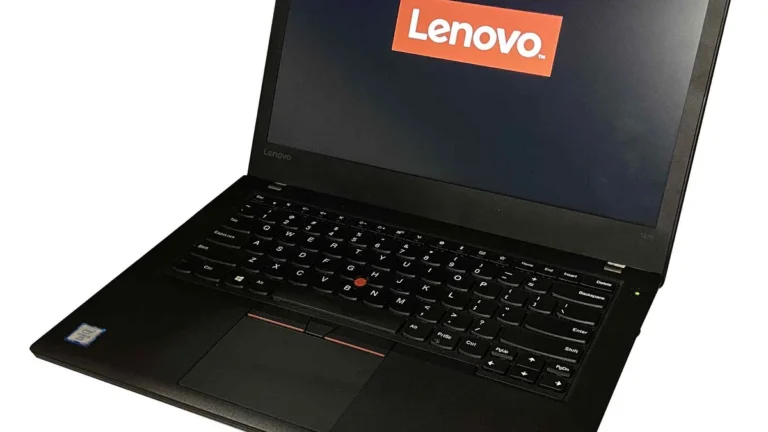
- Buy 14 inches if you carry the laptop every day. Students, commuters and anyone who works from cafes, trains and client offices will feel the lighter weight and smaller bag every single day. The current 14-inch example to look at is the Lenovo ThinkPad T14 Gen 7, a business laptop with a 14-inch 16:10 screen, a great keyboard and the kind of build that survives four years of daily carrying. Our guide to ThinkPad vs IdeaPad vs Yoga explains where the T14 sits in Lenovo’s range.
- Buy 15.6 inches if the laptop mostly stays on a desk. Office workers, accountants and anyone who lives in spreadsheets will use the bigger screen and the numpad every day, and the extra weight will not matter. The current 15.6-inch example to look at is the Lenovo IdeaPad Slim 5 15.6, a mainstream 15.6-inch laptop with a full-size keyboard and a numpad, at a price that usually undercuts an equivalent 14-inch machine.
- Buy 14 inches for school if you walk between classes with the laptop in your bag. The lighter machine wins when you carry it for hours, and the screen is big enough for notes, research and writing. Our picks for the best laptops for note taking are mostly 13- and 14-inch machines for exactly this reason.
- Buy 15.6 inches for gaming and editing if you want a discrete graphics card and the cooling to use it. Most gaming laptops are 15.6 inches because the chassis fits the graphics card and the fans, and the bigger screen makes games and timelines easier to see.
- Buy either for home use and judge the exact model: a 14-inch laptop on a desk with an external monitor is the most flexible setup of all, because you get the portable machine and the big screen together. A 15.6-inch laptop is the better choice only if it will be your only screen.
- Consider going bigger still if the laptop never leaves the desk. Our roundup of the best 17-inch laptops covers the desktop-replacement sizes, where the screen is the whole point and portability is not a factor.
One more check before you pay: compare the exact models, not just the size. A current 14-inch laptop with a bright 2560 x 1600 screen will beat a three-year-old 15.6-inch laptop with a dim 1080p panel in every job that matters, because the screen quality, the chip and the memory count for more than the diagonal number. Our comparison of the best laptop brands shows how to judge the model behind the badge, whichever size you choose.
5 mistakes to avoid when choosing between 14 and 15.6 inches
- Buying 15.6 inches for the screen, then never using it. If the laptop lives on a desk with an external monitor, the big screen is wasted and you carry the weight for nothing. Buy the 14-inch laptop and put the saving into the monitor.
- Buying 14 inches, then missing the numpad. If you type numbers all day, the missing numpad is a daily frustration, not a minor detail. Try a keyboard without one before you commit, or budget for a cheap external numpad.
- Judging by the diagonal alone. A 14-inch 16:10 screen shows more of a document than a 15.6-inch 16:9 screen in some layouts, and a dim panel ruins either size. Check aspect ratio, resolution and brightness, not just the inch number.
- Paying full price for a 1080p 15.6-inch screen. At 15.6 inches, 1080p text looks soft. Either buy it at a budget price where the saving is the point, or step up to a 1440p panel.
- Forgetting the bag. A 15.6-inch laptop that does not fit your bag, your sleeve or your tray table is a daily annoyance. Measure the compartment before you buy, not after.
Fourteen inches is the right size for most people in 2026. It balances bag fit and work area, and the modern 16:10 screens closed most of the gap that used to separate it from 15.6 inches. Fifteen point six inches earns its extra weight when the laptop is your main screen and mostly stays on a desk, when you need the numpad, or when you want a gaming laptop with real cooling. Pick the size that matches your day, then check the exact model, the screen brightness and the memory before you pay.
Frequently Asked Questions
Is a 14-inch laptop too small?
No, a 14-inch laptop is not too small for most people. It is the most popular laptop size in 2026 because it balances portability with enough screen space for documents, browsing, video calls and light multitasking. Modern 14-inch laptops use taller 16:10 screens, which show more of a document than older 16:9 panels. It only feels small if you regularly work with two large windows side by side and never use an external monitor.
Is a 15.6-inch laptop too big to carry?
A 15.6-inch laptop is not too big to carry occasionally, but it is noticeably heavier and bulkier than a 14-inch laptop for daily carrying. A typical 15.6-inch laptop weighs 1.7-2.2 kg and needs a larger bag, while a typical 14-inch laptop weighs 1.2-1.6 kg and fits almost any bag. If you carry the laptop every day on foot or public transport, the 14-inch size is the more comfortable choice.
Do 14-inch laptops have a numpad?
Almost never. A 14-inch chassis is too narrow for a full numeric keypad, so 14-inch laptops ship without one, with the keyboard centred instead. A few rare models squeeze in a narrow numpad column, but the keys are cramped. If you type numbers all day, a 15.6-inch laptop with a proper numpad, or a cheap external USB numpad for a 14-inch laptop, is the better answer.
Is 15.6-inch better for gaming?
Yes, 15.6 inches is generally better for gaming. The larger chassis fits a discrete graphics card and bigger cooling, so a 15.6-inch gaming laptop can hold full graphics performance for longer than a 14-inch laptop with the same chip. The bigger screen also makes games easier to see. That said, a 14-inch gaming laptop with a good discrete GPU still plays well; it just runs hotter and louder doing it.
Which laptop size is best for students?
A 14-inch laptop is the best size for most students. It is light enough to carry between classes all day, it fits on lecture desks and plane tray tables, and the screen is big enough for notes, research and writing. A 15.6-inch laptop only makes sense for a student who works mostly at a desk, studies accounting or data-heavy subjects that need a numpad, or games in the dorm.
Is 14 or 15.6 inch better for office work?
It depends on where you work. A 14-inch laptop is better for office workers who move between meeting rooms, client sites and home, because it is lighter and easier to carry. A 15.6-inch laptop is better for desk-based office work, especially spreadsheets, because the bigger screen and the numpad make long sessions more comfortable. If the laptop sits on a desk with an external monitor, the 14-inch laptop is the better buy.