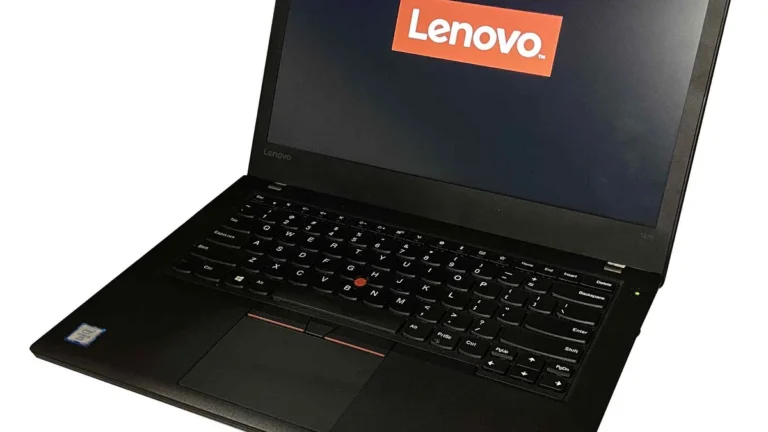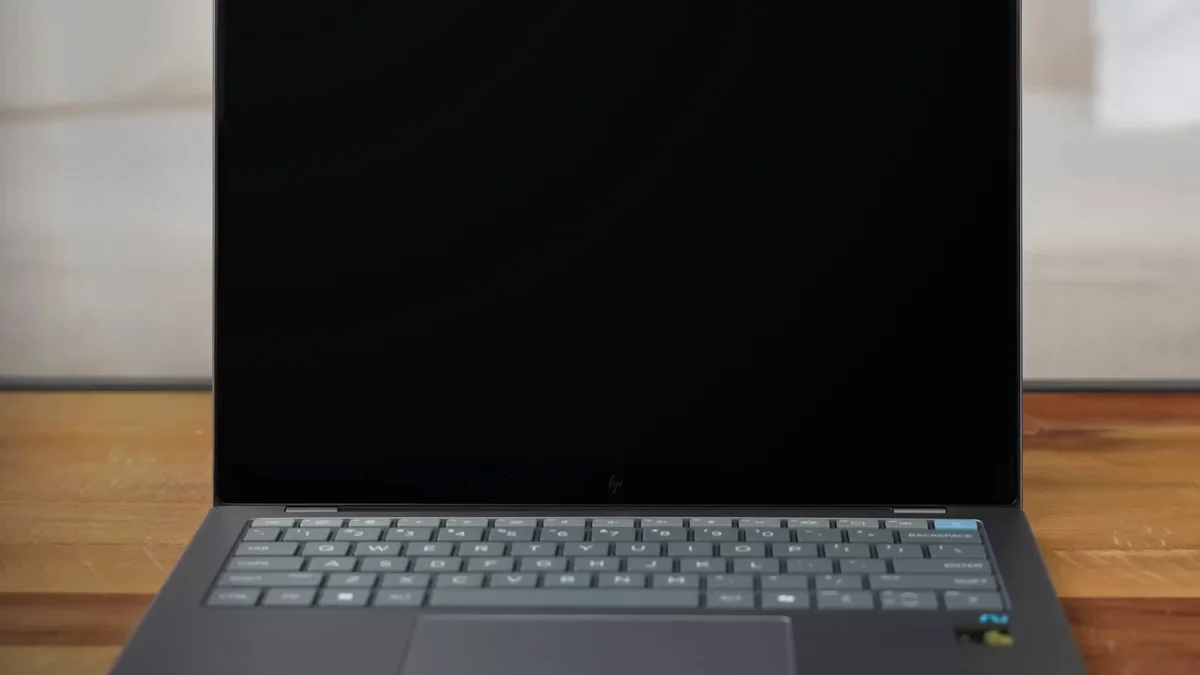
Dell vs HP Laptops: Which Brand Should You Buy?
Quick Answer: Neither brand wins outright, because they win in different places. Dell is the better buy if you want build quality, business support and a laptop that holds up for years: the XPS line has the best screens and materials, and Dell Pro is the safer choice for work. HP is the better buy if you want the widest choice, the best displays for the money and the lowest entry price: the OmniBook line covers every budget, and HP’s OLED screens and 2-in-1s beat Dell’s at the same price. For most buyers the right answer is Dell for work and long-term use, HP for budget, school and screen quality. Compare the exact models, not just the badge, because a cheap laptop from either brand is still a cheap laptop.
Dell and HP are the two American laptop brands, and they have been the default choice for Windows buyers for decades. They sell similar machines at similar prices, with the same Intel and AMD chips inside, so the difference is not the processor. It is the screen, the build, the battery, the support and the price you pay for each of those. This guide compares both brands the way a buyer actually shops: line by line, factor by factor, with the 2026 names explained first, because both brands renamed their laptops in the last two years and the old names no longer match what is on sale. If you want the wider picture first, our comparison of the best laptop brands puts Dell and HP next to Lenovo, Apple and ASUS.
Dell vs HP at a glance
| Category | Dell | HP | Winner |
|---|---|---|---|
| Build quality | XPS machined aluminium; Dell Pro MIL-STD-810H tested | EliteBook MIL-STD-810H tested; budget models vary | Dell, slightly |
| Display quality | XPS 2K 500-nit LCD or 2.8K OLED | OLED across more price points, including mid-range | HP |
| Battery life | XPS 14 up to 31 hours claimed; strong on Snapdragon models | OmniBook X Snapdragon gives MacBook-like battery life | Tie |
| Gaming | Alienware, the strongest gaming brand | HyperX OMEN and Victus, better value per dollar | Dell for high end, HP for value |
| Business use | Dell Pro with ProSupport and onsite service | EliteBook with strong security, slightly weaker support | Dell |
| 2-in-1 convertibles | Thin range, mostly XPS and Dell 2-in-1 models | Widest convertible range at every price | HP |
| Budget value | Plain Dell 14 and 15, honest but basic | More models under $500, often with better screens | HP |
| Support | ProSupport is the best business support of the two | Care Pack is solid but slower on consumer models | Dell |
That table is the short version. The sections below explain the differences that actually change how the laptop feels to use, and the pick list at the end matches each winner to a real buyer.
The 2026 lineups: what each brand actually sells
Both brands renamed their laptops recently, and the old names are now a trap. Dell retired Inspiron, Latitude, Precision, Vostro and XPS in January 2025, folded everything into Dell, Dell Pro and Dell Pro Max, and then partly reversed the change in January 2026: XPS came back as the premium consumer brand, Precision came back as Dell Pro Precision, and Dell Pro stayed as the business line. Our guide to Dell laptop lines compared maps every old name to its 2026 replacement, including which listings are old stock.
HP changed earlier and more cleanly. In May 2024 HP retired its best-known consumer names, Spectre, Envy, Pavilion and Dragonfly, and replaced the whole consumer range with one family called OmniBook. The tiers run 3, 5, 7, X and Ultra, roughly mapping to the old Pavilion, Envy and Spectre classes. The business lines kept their names: EliteBook for enterprise and ProBook for small business. At CES in January 2026 HP also moved its OMEN gaming laptops under the HyperX brand, so gaming laptops are now branded HyperX OMEN, while Victus stays as the budget gaming line.
| Use | Dell in 2026 | HP in 2026 |
|---|---|---|
| Everyday and budget | Dell 14 and Dell 15 | OmniBook 3 and OmniBook 5 |
| Premium consumer | XPS 13, 14 and 16 | OmniBook X and OmniBook Ultra |
| Business | Dell Pro 3, 5, 7 and Premium | EliteBook and ProBook |
| Workstations | Dell Pro Precision | ZBook |
| Gaming | Alienware | HyperX OMEN and Victus |
| Tough and rugged | Dell Pro Rugged | No direct rugged line |
Two warnings follow from that table. First, a Pavilion, Envy or Spectre on sale now is leftover stock or refurbished, not current production, so the price should show it. Second, an Inspiron or Latitude on sale now is the same story on the Dell side. Check the exact model and generation before you pay, because the name on the lid no longer tells you the age of the machine. Our guide on how to find a Dell laptop model number shows how to read the label and work out which generation you are looking at, and the same habit works for HP: the full model number is on the bottom cover and in the BIOS.
Build quality and durability
Build is where Dell has the clearer edge, but only at the top of the range. The 2026 XPS 14 is a machined aluminium laptop, 14.62 mm thick and 3 pounds, with tight tolerances and almost no flex. Dell Pro laptops trade some polish for toughness, with a magnesium or aluminium chassis, a spill-resistant keyboard, overbuilt hinges and MIL-STD-810H testing for drops, vibration, dust, humidity and temperature extremes. That testing is why a two- or three-year-old Latitude is one of the best used laptop buys around, and our comparison of fully rugged vs semi-rugged laptops explains the tougher end of that scale.
HP matches Dell at the business end. The EliteBook line is also MIL-STD-810H tested, with aluminium bodies on the higher tiers, and reviewers consistently rate EliteBook build as equal to Dell Pro. Where HP falls behind is the bottom of the range: budget HP laptops have a history of hinge problems in field reports, and the plastic bodies on the cheapest models flex more than a plain Dell at the same price. HP’s premium OmniBook models are well built, but the gap between HP’s best and HP’s cheapest is wider than Dell’s gap, so the model matters more than the brand.
The reliability surveys tell a similar story of two brands close together. The American Customer Satisfaction Index for 2024 scored HP 84 and Dell 80, against an industry average of 81, while a reliability ranking published by BGR in January 2026, which averages the Consumer Reports owner survey with PCMag Readers Choice scores, put HP ninth and Dell tenth out of the major brands. Neither survey makes either brand a clear winner. The practical lesson is the same as with every brand: the business and premium lines from both companies last longer than their budget lines, and the exact model matters more than the logo.
Displays: HP’s strongest card
The screen is the part you look at all day, and it is HP’s strongest card. HP puts OLED screens on more laptops at more prices than Dell does, including mid-range OmniBook models, and the OmniBook Ultra 14 offers a 3K OLED touchscreen with a 120 Hz refresh rate. A discounted Spectre x360 from the old line is still one of the best OLED screens you can buy for the money, as long as you accept that it is old inventory. HP’s budget screens are a mixed bag, though: the cheapest HP laptops can ship with dim 250-nit panels, so check the brightness figure before you buy.
Dell’s best screens are excellent but expensive. The 2026 XPS 14 offers a 14-inch 2K LCD at 500 nits with a 1 to 120 Hz variable refresh rate, or a 2.8K tandem OLED touchscreen at 400 nits, and RTINGS currently rates the 2026 XPS 14 as the best Dell laptop it has tested. The problem is the price of entry: you pay about $2,000 to get that screen, while HP sells OLED screens for considerably less. Dell’s mainstream screens are the weakest of the two brands at the same price, often 250 to 300 nits, which looks fine indoors and washed out outdoors. Our guide to laptop screen sizes explains the real dimensions of 13, 14, 15.6 and 17-inch screens and how much each one weighs to carry, which matters as much as the panel type when you choose between the two brands.
Performance and graphics
Do not judge either brand by the processor name. Both sell the same Intel Core Ultra and AMD Ryzen chips, and the same chip performs differently depending on the cooling and the power limits of the chassis it sits in. The premium models from both brands hold their speed longer under a heavy load, while the budget models throttle sooner, and our guide to how to check laptop temperature shows how to spot throttling on any machine you already own.
Memory is the specification to check first on both brands. Sixteen GB is the sensible minimum now, and the XPS 14 solders its memory, up to 64 GB of LPDDR5X, so you cannot upgrade it later. HP’s OmniBook models also solder memory on most configurations, so the same rule applies: buy the memory you will need in three years, not the memory you need today. Our comparison of DDR4 vs DDR5 in laptops explains what the newer memory standard actually changes, and our guide on how to check VRAM helps you confirm the graphics memory on any laptop before you buy.
Neither brand’s mainstream laptop is a gaming machine. The 2026 XPS 14 uses integrated Intel Arc graphics, and the OmniBook Ultra uses integrated graphics too, so both are fast for office work and photo editing but not for modern games at high settings. That is a deliberate trade: thin premium laptops give up the discrete GPU for battery life and weight. If games are the priority, the gaming lines below are the honest comparison, not the ultraportables.
Battery life
Battery life is a tie at the top and a Dell weakness at the bottom. Dell claims up to 31 hours of streaming battery life for the XPS 14 with the 2K display, which is a lab figure at low brightness, not a real working day, but real reviews still put the 2026 XPS 14 at a full working day of mixed use, helped by the 70 Wh battery and the efficient Core Ultra Series 3 chips. One hands-on roundup measured 27-plus hours of real-world battery from the Snapdragon-powered XPS 13, which shows what the ARM chips can do in a thin Dell body.
HP’s answer is the OmniBook X, which runs a Qualcomm Snapdragon X Elite chip and gives MacBook-like battery life at a Windows price. That is the single best battery life HP has ever sold in a consumer laptop, and it is the reason the OmniBook X is the HP pick for travellers and students who work away from a charger all day. The catch on both sides is the same: the OLED screen versions run shorter than the LCD versions, because the brighter panel draws more power, so pick the LCD if battery life matters more than contrast.
Whatever brand you buy, the battery wears out first. Our guide on how to check battery health on Windows 11 shows the built-in report that reveals the real capacity, and it is the first check on any used Dell or HP.
Gaming: Alienware vs HyperX OMEN and Victus
Gaming is the one category where the brands take genuinely different approaches. Dell’s Alienware is the strongest gaming brand of the two, with the best cooling, the most powerful graphics options and the Area-51 flagship at the top. If you want the fastest gaming laptop either brand sells, it is an Alienware, and the Alienware 18 Area-51 is the machine reviewers point to for high-end play. Dell’s weakness is the middle of the range: outside Alienware and the G-series, Dell’s 2026 mainstream lineup has few dedicated GPU options, so a mid-price Dell is rarely a good gaming buy.
HP wins the value end of gaming. The Victus 15 with an RTX 4060 is the performance-per-dollar champion in one hands-on roundup of six Dell and HP laptops, and it is the sensible pick if you want real graphics performance without paying Alienware money. The HyperX OMEN line, HP’s gaming brand since the CES 2026 rebrand, covers the mid-range and high end with better screens and cooling than Victus. Our picks for the best gaming laptops under $700 include machines from both brands, and our guide on how to increase FPS on a gaming laptop shows the 12 settings that actually work once you own one.
Business laptops: Dell Pro vs EliteBook
For work, the comparison is Dell Pro against HP EliteBook, and Dell wins it on support while HP wins it on security features per dollar. Dell Pro laptops come with Windows 11 Pro, Intel vPro or AMD Ryzen PRO options for remote management, and warranty options that include next-business-day onsite service. Dell keeps the same model available for bulk orders for months, which is why IT departments buy them by the thousand. Our guide to the best business laptops under $800 includes the Dell Pro 14 among its picks, with the same business-first rules: 16 GB of memory as the minimum, 512 GB of storage and Windows 11 Pro.
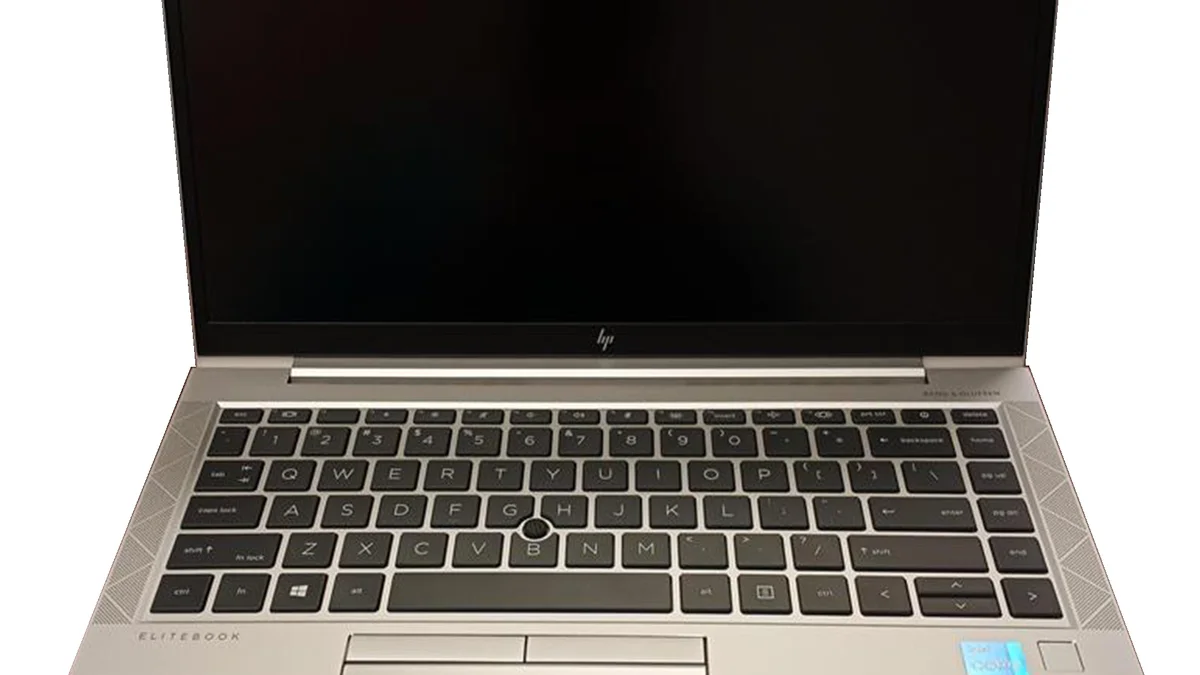
HP’s EliteBook is the closest rival, and in security-sensitive industries it has a genuinely strong case: HP’s Wolf Security suite, sure-start BIOS protection and privacy screens come standard on more configurations than Dell’s equivalents, and EliteBook build quality matches Dell Pro. The deciding factor is usually support: Dell’s ProSupport answers faster and fixes machines onsite more reliably than HP’s Care Pack on consumer models, though HP’s business support is closer. If your employer buys the laptop, take whichever brand IT supports. If you buy it yourself, Dell Pro is the safer bet, and the ThinkPad is the third option worth pricing: our guide on why ThinkPads are so expensive explains what Lenovo charges for and whether it is worth it.
2-in-1 convertibles
HP has the better convertible range, and it is not close. HP sells 2-in-1 models at almost every price, from budget OmniBook 5 flips to the premium OmniBook X Flip, with touchscreens and stylus support across the range. Dell’s convertible range is thinner: the XPS 2-in-1 models exist but the 2026 XPS focus is on thin clamshells, and the Dell 2-in-1 models are mainstream machines rather than flagships. If you want a laptop that folds into a tablet for notes, drawing or presentations, HP gives you more choice and better screens for the money. The one Dell advantage is the hinge: XPS convertibles feel tighter and more solid, but you pay premium money for that feel.
Support and warranty
Support is Dell’s clearest win. Dell’s ProSupport for business buyers and Premium Support for XPS buyers offer faster response times, next-business-day onsite repair options and accidental damage cover, and Dell’s support is consistently rated the best of the two brands in hands-on comparisons. HP’s Care Pack is solid and improving, but HP’s consumer support is slower, with more mail-in repairs and longer turnaround times, and the experience varies more by region. Neither brand’s standard one-year warranty is generous: both sell the good support as an add-on, so budget for it if the laptop has to work every day.
Repairability varies by model more than by brand. Some Dell Pro and EliteBook models let you replace the battery, memory and storage yourself, while the XPS 14 solders its memory and uses a glued-in battery, and most OmniBook models solder memory too. If you keep laptops for four or five years, buy the memory and storage you will need on day one, because you probably cannot add them later.
What each brand costs
HP is the cheaper brand to get into and the wider brand to shop. HP sells usable everyday laptops from the $400s, and at every price point from $500 to $1,500 there is usually an HP with a slightly better screen or slightly more storage than the Dell next to it. Dell’s mainstream Dell 14 and 15 models are honest value at roughly $600 to $800 well equipped, but Dell has fewer models at the very bottom, and the cheapest Dells cut the screen first.
At the premium end the prices converge. The XPS 14 starts at about $2,000 and the XPS 16 at about $2,200, and the OmniBook Ultra 14 sits in the same class at a similar price, usually a little less for the same memory and storage. The value question flips at this level: you pay Dell for the materials and the support, and you pay HP for the screen and the battery life. Neither is overpriced for what it is, but neither is a bargain either.
The used market favours Dell slightly. A two- or three-year-old Latitude or Dell Pro often sells for a third of its original price with years of life left, because business laptops are built to survive corporate use. Used HP EliteBooks are just as good a buy, but used consumer HP laptops need a closer check: look at the hinges, the battery and the screen before you pay. Our guide on how to tell how old a laptop is shows how to check the generation from the processor and the serial number, and when your old machine finally retires, our guide on how to sell your used laptop shows where to sell it and what it is worth.
Which brand should you buy?
- Buy Dell if the laptop is for work, travel and years of daily use. Dell Pro has the best business support, the XPS line has the best build, and a Dell holds up better over three to five years. The current pick is the Dell XPS 14 (2026), with the 2K 500-nit screen or the 2.8K OLED upgrade, Core Ultra Series 3 chips and a 70 Wh battery.
- Buy HP if you want the best screen for the money, the widest choice, or the lowest entry price. The OmniBook line covers every budget, the OLED options are cheaper than Dell’s, and the convertible range is the best of the two brands. The current pick is the HP OmniBook X 14, with a Snapdragon X Elite chip and MacBook-like battery life.
- Buy Dell for gaming if you want the fastest machine and can pay Alienware money. Buy HP for gaming if you want the best performance per dollar: the Victus line is the value pick.
- Buy HP for school if the budget is tight: there is an HP at almost every price, and the screens are better at the low end. Buy Dell for school if the laptop will be carried every day for four years and needs to survive it.
- Buy either for creators and judge the exact model: the XPS 14 and the OmniBook Ultra 14 are both strong creator machines, and the screen and the memory matter more than the badge.
One more check before you pay: confirm the exact model, not just the brand. A current OmniBook 7 will beat a three-year-old XPS in most jobs, because the newer chip and faster memory count for more than the badge on the lid, and a discounted Spectre or Latitude is only a bargain if the price matches its age.
5 mistakes to avoid when choosing between Dell and HP
- Buying a new Pavilion, Spectre, Inspiron or Latitude. All four names are retired. A listing that says new is old stock, refurbished or a retailer listing, so check the model, the generation and the seller.
- Judging by the processor alone. The same chip performs differently in each chassis because of cooling and power limits, and the screen, the memory and the battery matter more than the chip name for most buyers.
- Buying 8 GB of memory on a soldered model. Most XPS and OmniBook models solder their memory, so 16 GB is the minimum and 32 GB is the safe pick if you keep laptops for four or five years.
- Paying premium money for a dim screen. Both brands sell premium-priced laptops with dim panels at the low end of their ranges. Check the brightness figure, 400 nits or more for outdoor use, before you pay.
- Ignoring support until something breaks. The standard one-year warranty on both brands is basic. If the laptop has to work every day, the support upgrade is worth more than a slightly faster chip.
Dell is the safer brand and HP is the wider brand. Dell wins on build, business support and long-term durability. HP wins on displays, choice and value at the low end. Pick the brand that matches your day, then check the exact model, the screen brightness and the memory before you pay.
Frequently Asked Questions
Which is better, Dell or HP?
Neither brand is better overall. Dell is better for build quality, business support and long-term durability, with the XPS line and Dell Pro leading those categories. HP is better for display quality, choice and value, with OLED screens at lower prices and more models at every budget. Buy Dell for work and long-term use, and HP for budget, school and screen quality.
Is HP or Dell better for students?
HP is better for students on a tight budget, because there is an HP at almost every price and the screens are better at the low end. Dell is better for students who carry the laptop every day for four years, because the XPS 13 is lighter and Dell Pro models survive travel better. Either way, get 16 GB of memory and a 512 GB drive, and check the screen brightness before you buy.
Which laptop brand lasts longer, Dell or HP?
Dell lasts slightly longer on average, mainly because its business and premium lines are built tougher: XPS uses machined aluminium and Dell Pro models are MIL-STD-810H tested. HP’s EliteBook line matches Dell Pro for durability, but HP’s budget models have a history of hinge problems and wear out sooner. The reliability surveys put the two brands close together, so the exact model matters more than the brand.
Is Dell or HP better for gaming?
Dell is better for high-end gaming through Alienware, which has the most powerful graphics options and the best cooling of the two brands. HP is better for gaming value: the Victus line gives more graphics performance per dollar, and HyperX OMEN covers the mid-range well. Neither brand’s mainstream ultraportable is a gaming laptop, since both use integrated graphics.
Are HP laptops reliable?
Yes, HP laptops are generally reliable, especially the EliteBook business line and the premium OmniBook models. HP scored 84 in the American Customer Satisfaction Index for 2024, second only to Apple, and ahead of Dell at 80. The weak spot is the cheapest HP laptops, which have a history of hinge problems in field reports and dim screens, so buy the business or premium lines if reliability is the priority.
Should I buy an HP Pavilion or Spectre in 2026?
Only at a clear discount. HP retired the Pavilion, Spectre, Envy and Dragonfly names in May 2024 and replaced them with the OmniBook family, so any Pavilion or Spectre on sale now is leftover stock or refurbished, not current production. A discounted Spectre x360 is still a beautiful machine with a sharp OLED screen, but the price should show its age, and you should check the battery health and the warranty before you buy.