Best Laptops For Machine Learning in 2026
Machine learning punishes weak hardware in a way most work never does. A model that trains in twenty minutes on the right graphics card can take all night on the wrong one, and a dataset that loads happily into memory on a well specified laptop can bring a lesser machine to a crawl.
The part that matters most is the GPU, and inside the GPU, the deciding number is VRAM: the model, its training data batches and the optimizer all have to fit in that memory at once, and when they do not fit, training slows to a crawl or stops with an out of memory error.
Every laptop in this guide is a current 2025 or 2026 model built around that reality.
The Windows picks all use NVIDIA RTX graphics, because PyTorch and TensorFlow are built on NVIDIA’s CUDA platform, and they run from an honest entry point with 8GB of VRAM up to 24GB flagships that can fine-tune serious models and run large language models locally.
One Mac is included for readers whose work fits Apple’s ecosystem, with its limits stated plainly. Every specification was checked against the manufacturer’s own product pages or a full retailer specification listing, and nothing here is based on a press rumor.
Read the picks in that order of importance: VRAM first, because it decides what you can train at all; graphics wattage second, because it decides how fast the card you chose actually runs; then system RAM, storage and cooling, which decide how pleasant the machine is to live with across months of projects.
The guide is organized the same way, so the specification that matters most always comes first in each section.
Quick Answer: The Lenovo Legion Pro 7i Gen 10 is the best laptop for machine learning for most people in 2026. Its RTX 5080 graphics card carries 16GB of VRAM and runs at a full 175 watts, the Core Ultra 9 processor keeps data loading fast, and the 32GB of memory sits in slots you can upgrade to 64GB later. If your projects are bigger than that, step up to the MSI Raider 18 HX AI, whose RTX 5090 offers 24GB of VRAM, the most any current laptop GPU provides.
How we picked: We started with manufacturer specification pages and official spec sheets for each laptop, then cross-checked the key numbers against independent reviews and benchmark databases, including PCWorld and UltrabookReview for the Legion Pro 7i, StorageReview and ServeTheHome for the ThinkPad P16, TechPowerUp for GPU core counts, and TechRadar for the Zephyrus G14.
VRAM, graphics wattage, system RAM and cooling were ranked first, because those decide what a laptop can actually train, and no hands-on testing claim is made here.

The Best Laptops For Machine Learning at a Glance
| Model | GPU + VRAM | RAM | Best For |
|---|---|---|---|
| Lenovo Legion Pro 7i Gen 10 | RTX 5080, 16GB GDDR7 | 32GB DDR5 (up to 64GB) | Best overall |
| MSI Raider 18 HX AI | RTX 5090, 24GB GDDR7 | 32GB DDR5 (up to 96GB) | Most VRAM, serious training |
| Lenovo ThinkPad P16 Gen 3 | RTX PRO 5000 Blackwell, 24GB GDDR7 | 32GB DDR5 (up to 192GB) | Workstation buyers |
| Razer Blade 16 (2025) | RTX 5080, 16GB GDDR7 | 32GB LPDDR5X | Premium and portable |
| ASUS ROG Zephyrus G14 (2025) | RTX 5070 Ti, 12GB GDDR7 | 32GB LPDDR5X | Best portable |
| Apple MacBook Pro 16 (M4 Max) | M4 Max GPU, unified memory | 48GB unified (up to 128GB) | LLM inference, Mac users |
| ASUS ROG Strix G16 (2025) | RTX 5070, 8GB GDDR7 | 16GB DDR5 (2 slots) | Best value |
1. Lenovo Legion Pro 7i Gen 10: Best Overall Laptop for Machine Learning
The Legion Pro 7i Gen 10 takes the top spot because it gets the machine learning formula right at every level. Its NVIDIA GeForce RTX 5080 graphics card carries 16GB of GDDR7 VRAM and 8,192 CUDA cores, and Lenovo lets it run at up to 175 watts, the full power version of this chip.
That combination matters more than any benchmark chart: 16GB is the tier where training stops being a compromise, holding larger image models, bigger batch sizes and 13B class language model fine-tunes with quantization, while the full wattage means the card holds its speed through long training runs instead of throttling back after a few minutes.
PyTorch and TensorFlow install against CUDA on this machine exactly as they do on a desktop, with no workarounds.
The supporting hardware is just as well judged. The Intel Core Ultra 9 275HX has 24 cores for the unglamorous half of machine learning, loading datasets, preprocessing images and tokenizing text while the GPU trains.
The 32GB of DDR5 memory sits in two CSODIMM slots and can be upgraded to 64GB, and the reviewed configuration spreads 2TB of storage across two SSDs, one of them in a fast PCIe 5.0 slot, so datasets and checkpoints have room to grow.
Lenovo’s Coldfront vapor chamber cooling is built for sustained loads rather than short bursts, which is precisely what an overnight training run is.
The costs are size and money. At about 2.65 kg plus a 400W power brick, this is a desk machine that occasionally travels, the glossy OLED screen needs the occasional careful wipe (our guide on how to clean a laptop screen without streaks covers the safe way), and battery life under load is short.
Lenovo also sells this same chassis with an RTX 5070 Ti (12GB) for less and an RTX 5090 (24GB) for more, so the design scales if your VRAM needs change.
Pros
- ✓ RTX 5080 with 16GB of VRAM at a full 175W, the sweet spot for serious local training
- ✓ 32GB of RAM in upgradeable slots, up to 64GB, plus two SSD slots
- ✓ 24-core Core Ultra 9 275HX keeps data loading and preprocessing fast
- ✓ Vapor chamber cooling built for sustained, hours long workloads
Cons
- ✗ Heavy at about 2.65 kg, with a large 400W power brick
- ✗ Battery life is short under real training loads
- ✗ Premium pricing over the RTX 5070 Ti configuration of the same chassis
Check the latest price: Lenovo Legion Pro 7i Gen 10 on Amazon
Best for: Most machine learning buyers who want serious local training with 16GB VRAM at full 175W power and upgradeable memory. Not for: Buyers who need a light daily carry, since it is about 2.65 kg plus a large 400W brick and battery life under load is short.
2. MSI Raider 18 HX AI: Most VRAM You Can Buy in a Laptop
If 16GB of VRAM is not enough, this is the ceiling. The Raider 18 HX AI pairs an Intel Core Ultra 9 285HX processor with the NVIDIA GeForce RTX 5090, which carries 24GB of GDDR7 memory, 10,496 CUDA cores and a maximum graphics power of 175 watts.
That extra memory is not a luxury for deep learning; it is the difference between fine-tuning a model locally and shrinking it until it fits.
On paper, 24GB holds full training runs that spill over on lesser cards, larger batches that train more stably, and quantized 30B class language models running locally for inference with room to spare.
MSI builds the rest of the machine to match. Memory sits in two standard DDR5 slots rated up to 96GB, storage runs across one PCIe Gen5 and one PCIe Gen4 slot, and US retail configurations start at 32GB of RAM with a 1TB SSD.
The 18 inch Mini LED screen runs at 3840 x 2400, which earns its place in a way gaming specs rarely do: a Jupyter notebook, a training log and a documentation page sit side by side without constant window switching.
Cooling is MSI’s Cooler Boost 5 system with two fans and seven heat pipes, and the combined CPU and GPU power budget reaches 260 watts, so the hardware can actually use the headroom the big chassis provides.
Be clear about what you are buying, though. At 3.6 kg with a 400W adapter, the Raider is a desktop replacement that happens to fold; it will live on one desk, plugged in, for most of its life.
It is also one of the most expensive laptops in this guide, and the 99.9Wh battery should be thought of as protection against power cuts rather than a way to work away from a socket.
Pros
- ✓ RTX 5090 with 24GB of VRAM, the most memory any current laptop GPU offers
- ✓ Full 175W graphics power and a 260W combined power budget
- ✓ Memory up to 96GB and both Gen5 and Gen4 SSD slots
- ✓ Huge 18 inch 4K class Mini LED screen for notebooks, logs and code side by side
Cons
- ✗ Very heavy at 3.6 kg, effectively a fixed desk machine
- ✗ Among the most expensive laptops in this guide
- ✗ Stock memory and storage vary by region, so check the exact configuration
Check the latest price: MSI Raider 18 HX AI on Amazon
Best for: Buyers who need the most VRAM a laptop offers, with 24GB for the largest local training runs and quantized 30B class inference. Not for: Buyers who want a portable machine, since at 3.6 kg it is effectively a fixed desk machine and among the most expensive picks here.
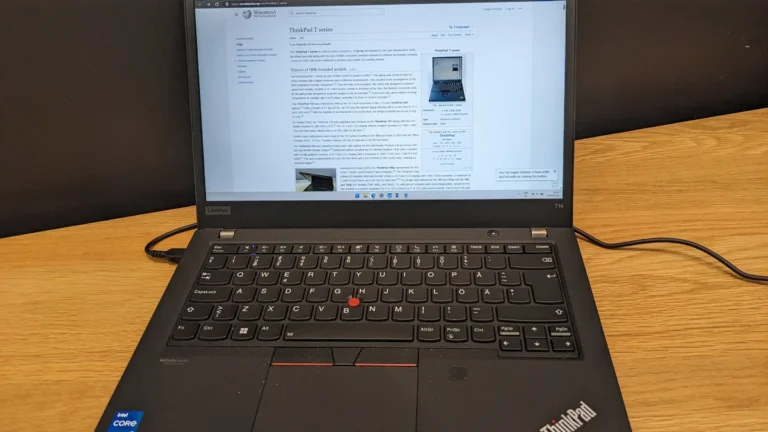
3. Lenovo ThinkPad P16 Gen 3: The Workstation Choice
The ThinkPad P16 Gen 3 reaches the same 24GB VRAM tier as the MSI above by a different road.
Its NVIDIA RTX PRO 5000 Blackwell graphics card carries 24GB of GDDR7 memory with 896GB/s of bandwidth and fifth generation Tensor Cores that support FP4 precision, wrapped in Lenovo’s professional workstation line with the driver support and build standards that come with it.
That workstation positioning also makes it a natural fit for the best laptops for pro tools, where certified drivers and professional support carry extra weight.
For engineers, researchers and anyone whose laptop is bought through an employer or a lab, that support structure is often the deciding factor, and the same hardware traits appear in our guide to the best laptops for engineering students.
Where the P16 really separates itself is memory capacity. Four SO-DIMM slots accept up to 192GB of DDR5, far beyond any gaming laptop here, which matters when feature engineering or a large dataset needs to live in RAM rather than stream from disk. Storage spans three M.2 slots, one of them PCIe 5.0.
The Intel Core Ultra 9 275HX provides the same 24 cores as the top pick, the 16 inch 3200 x 2000 Tandem OLED display option runs at 120Hz, and at 2.54 kg the whole machine is noticeably easier to move than the Raider, with Thunderbolt 5 ports for a proper desk dock.
The honest trade off is speed per dollar. Lenovo rates this GPU at 95 watts, well below the 175 watts of the gaming flagships, so on paper a gaming RTX 5090 will finish the same training run sooner; you are paying for the professional card, the certification path and the enormous memory ceiling instead.
Configurations also vary widely, and the cheaper RTX PRO 2000 (8GB) and RTX PRO 3000 (12GB) versions of this same laptop are far weaker for deep learning, so confirm the exact GPU before ordering.
Pros
- ✓ RTX PRO 5000 Blackwell with 24GB of VRAM and professional driver support
- ✓ Four memory slots up to 192GB of RAM, unmatched in this guide
- ✓ Three SSD slots and a 2.54 kg chassis that still travels reasonably well
- ✓ ThinkPad build, keyboard and support options for professional buyers
Cons
- ✗ GPU runs at 95W, so raw training speed trails the 175W gaming flagships on paper
- ✗ Workstation pricing is high, especially in top configurations
- ✗ Lower RTX PRO 2000 and 3000 configurations share the name with far less VRAM
Check the latest price: Lenovo ThinkPad P16 Gen 3 on Amazon
Best for: Workstation and employer or lab buyers who need professional driver support and up to 192GB of RAM. Not for: Buyers chasing the fastest raw training speed per dollar, since its GPU runs at 95W, below the 175W gaming flagships.
4. Razer Blade 16 (2025): Premium Power That Still Travels
The Blade 16 is the answer for readers who want RTX 5080 class training power in a laptop they can genuinely carry.
The CNC milled aluminum chassis is 2.14 kg and under 15 mm thick at the front, yet it fits the same RTX 5080 graphics card with 16GB of GDDR7 VRAM as our top pick.
Razer rates the 2025 model’s maximum graphics power at up to 155 watts, below the Legion’s 175 watts, and the cooling is a vapor chamber that covers 57 percent of the motherboard.
In plain terms, expect strong training performance that gives a little ground to the thickest gaming laptops on the longest runs, in exchange for a machine that fits a normal work bag.
The rest of the specification suits a mixed life of training and everything else.
Higher trims pair the GPU with an AMD Ryzen AI 9 HX 370 processor (some RTX 5080 configurations use the AI 9 365), memory is 32GB or 64GB of fast LPDDR5X, and there are two M.2 SSD slots, so storage can grow even though the memory cannot.
The 16 inch OLED screen runs at 2560 x 1600 and 240Hz, and the 90Wh battery is generous for this class, which makes the CPU side of machine learning, data preparation, notebooks and evaluation, properly usable away from a desk.
The compromises follow from the thin design. Memory is soldered, so if your datasets are large, order the 64GB configuration at purchase because there is no upgrading it later.
The chassis will get warm and audible under a sustained training load, and Razer’s pricing sits at the premium end of this guide for the hardware you get.
Pros
- ✓ RTX 5080 with 16GB of VRAM in a 2.14 kg aluminum chassis
- ✓ 32GB or 64GB of fast LPDDR5X memory and two SSD slots
- ✓ Excellent 16 inch OLED screen and a large 90Wh battery
- ✓ Vapor chamber cooling covers most of the motherboard
Cons
- ✗ Graphics power capped at up to 155W, below full size rivals
- ✗ Memory is soldered and cannot be upgraded after purchase
- ✗ Premium pricing for the specification
Check the latest price: Razer Blade 16 (2025) on Amazon
Best for: Buyers who want RTX 5080 class power in a genuinely portable 2.14 kg premium chassis. Not for: Buyers who need upgradeable memory, since memory is soldered, or the full 175W graphics power of thicker rivals.
5. ASUS ROG Zephyrus G14 (2025): The Portable Machine
Learning Laptop
The Zephyrus G14 is the pick for students, researchers and anyone whose laptop has to move every day.
Inside a 1.57 kg, 14 inch chassis sits an NVIDIA GeForce RTX 5070 Ti with 12GB of GDDR7 VRAM and 5,888 CUDA cores, running at up to 110 watts in Turbo mode, a strong figure for a machine this small.
That 12GB is a meaningful step up from the 8GB entry tier: medium sized vision models train comfortably, batches can grow, and fine-tuning a 7B language model with quantization and LoRA techniques fits without constant memory juggling.
Students who split their week between lectures, labs and project work should also compare the picks in our best laptops for engineering students guide, where portability and graphics power are balanced the same way.
The supporting specification is complete.
The AMD Ryzen AI 9 HX 370 is a 12-core processor that keeps data pipelines fed, memory is 32GB of LPDDR5X, storage is a 1TB PCIe 4.0 SSD, and the 14 inch OLED display runs at 2880 x 1800 and 120Hz, sharp enough that code and notebooks stay readable at small sizes.
The 73Wh battery is large for a 14 inch performance laptop, so the lighter half of the workflow, writing code, preparing data and reviewing results, works fine away from a charger.
The limits are the ones physics imposes. Twelve gigabytes of VRAM is the ceiling, and it will cap the size of model you can train no matter how the rest of the machine performs.
Memory is soldered at 32GB with no expansion, the small screen is tiring for all day notebook work without an external monitor, and reviews of this model note it runs warm under sustained load.
Pros
- ✓ RTX 5070 Ti with 12GB of VRAM in a 1.57 kg laptop
- ✓ Full 32GB of memory and a sharp 3K OLED screen
- ✓ Strong 110W graphics power for the size, with a 73Wh battery
- ✓ Ryzen AI 9 HX 370 keeps data loading and preprocessing quick
Cons
- ✗ 12GB of VRAM caps the largest models you can train
- ✗ Memory is soldered at 32GB, with no upgrade path
- ✗ Runs warm under long training loads, and the 14 inch screen is small for all day work
Check the latest price: ASUS ROG Zephyrus G14 (2025) on Amazon
Best for: Students and researchers who need a portable 1.57 kg laptop with 12GB VRAM for medium models and daily travel. Not for: Buyers training the largest models, since 12GB VRAM is the ceiling and memory is soldered at 32GB.
6. Apple MacBook Pro 16 (M4 Max): Best for LLM Inference and Mac Users
The MacBook Pro earns its place here for one specific superpower, and it comes with one equally specific warning. The warning first: there is no CUDA on a Mac.
PyTorch runs on Apple’s MPS backend and TensorFlow through the Metal plug-in, and both work well for learning, data science and a growing share of research code, but some libraries and research projects still assume an NVIDIA card and will not run, or will run only on the CPU.
Anyone whose program depends on Windows or Linux lab tools should check that first, the same caution we give in our guide to the best laptops for cyber security students.
The superpower is memory. On the M4 Max configuration recommended here, a 16-core CPU and 40-core GPU share 48GB of unified memory at 546GB/s of bandwidth, and Apple will sell you 64GB or even 128GB in the same machine.
Because the GPU can use that whole pool, a MacBook Pro can load and run quantized 70B class language models locally for inference, something no 24GB NVIDIA laptop in this guide can do. For experimentation, evaluation and private on-device inference, that capacity is unique at this size.
The rest of the machine is equally serious: a 16.2 inch Liquid Retina XDR screen at 3456 x 2234, a 100Wh battery Apple rates for up to 21 hours of video streaming, three Thunderbolt 5 ports, and a 2.15 kg chassis that stays quiet in a way no RTX flagship here can match.
The trade offs are about training rather than inference. For training throughput per dollar, an NVIDIA laptop is far ahead, and fine-tuning a large model on a Mac is a patience exercise next to the RTX 5090 above.
Memory and storage are fixed at purchase, so the 48GB configuration is the sensible floor, and Apple charges steeply for the 128GB version.
Pros
- ✓ Up to 128GB of unified memory the GPU can actually use, unique for local LLM inference
- ✓ Fast M4 Max chip with 546GB/s memory bandwidth on the recommended configuration
- ✓ Superb 16.2 inch XDR screen, long battery life and quiet running
- ✓ Three Thunderbolt 5 ports and a genuinely portable 2.15 kg build
Cons
- ✗ No CUDA, so some ML libraries and research code will not run
- ✗ Training speed per dollar trails the NVIDIA picks by a wide margin
- ✗ Memory is fixed at purchase, and high memory configurations are expensive
Check the latest price: Apple MacBook Pro 16 (M4 Max) on Amazon
Best for: Mac users and inference heavy work, where up to 128GB unified memory can load large quantized models locally. Not for: Buyers whose code depends on CUDA, since there is no CUDA on a Mac and training speed per dollar trails the NVIDIA picks.
7. ASUS ROG Strix G16 (2025): The Best Value Way Into GPU Machine Learning
The Strix G16 is the sensible floor for GPU machine learning in 2026. Its NVIDIA GeForce RTX 5070 carries 8GB of GDDR7 VRAM and 4,608 CUDA cores, and ASUS runs it at a 115W maximum TGP, the full power version of this chip rather than the cut down versions found in thinner laptops.
Paired with an Intel Core Ultra 9 275HX in most configurations, that is a real training machine for coursework, classic machine learning, small and medium neural networks, image classification projects and LoRA fine-tunes of small language models, at the lowest price of any pick here.
ASUS also built this line to be opened. The bottom panel comes off without tools and both the DDR5 memory slots and the SSD use quick release fittings, so the common path of buying a 16GB configuration now and moving to 32GB when a project demands it is genuinely easy.
Cooling is shared with the more expensive Strix SCAR line: an end to end vapor chamber, three fans and liquid metal thermal compound, which means the 115 watts on offer are sustained watts during a long training run.
Display quality depends on configuration, from a 1920 x 1200 165Hz panel on value models to a 2.5K 240Hz Nebula screen higher up the range, so check the exact unit.
Set expectations honestly and the Strix is easy to recommend. Eight gigabytes of VRAM is a real ceiling: large models will not fit, and serious projects will push you toward the cloud or a bigger card within a year or two.
If the budget will not stretch even this far, the machines in our guide to the best gaming laptops under 500 can start your learning, but their graphics memory caps deep learning quickly. The Strix is where a dedicated ML laptop properly begins.
Pros
- ✓ Full power 115W RTX 5070, not a cut down thin laptop version
- ✓ Tool-less access to RAM and SSD slots makes upgrades simple
- ✓ Vapor chamber and Tri-Fan cooling sustain performance in long runs
- ✓ Lowest price in this guide for a current generation CUDA laptop
Cons
- ✗ 8GB of VRAM is a hard ceiling for model size
- ✗ Display and memory vary by configuration, so check the exact unit
- ✗ Still a bulky gaming design that lives mostly on a desk
Check the latest price: ASUS ROG Strix G16 (2025) on Amazon
Best for: Budget buyers starting GPU machine learning with a full power 115W RTX 5070 and easy RAM and SSD upgrades. Not for: Buyers training large models, since 8GB VRAM is a hard ceiling and the design is bulky.

How to Choose a Laptop for Machine Learning
How much VRAM do you need for machine learning?
VRAM is the first specification to decide, because it cannot be upgraded and it sets the largest model you can train. As a working guide based on the current RTX range: 8GB covers learning, coursework, classic machine learning and small neural networks, plus fine-tuning small language models with memory saving techniques.
12GB is the comfortable middle, where medium vision models and 7B class fine-tunes fit without constant compromises. 16GB is where serious local training starts, with larger batches and 13B class quantized fine-tuning in reach.
24GB, the top of this guide, holds the biggest training runs a laptop can manage and runs 30B class quantized models locally. Above that, no laptop exists, and the honest answer is a cloud GPU or a desktop.
Techniques like quantization, gradient checkpointing and LoRA stretch a smaller card a long way, but they stretch speed and convenience too, so buy the VRAM your next year of projects needs, not just this month’s tutorial.
Is a MacBook good for machine learning?
Yes, for a defined set of jobs. A MacBook Pro is genuinely good for learning machine learning, for data science in Python, for CPU based preprocessing, and, thanks to unified memory, for running surprisingly large language models locally for inference. PyTorch supports Apple’s chips through its MPS backend, and the environment is pleasant and stable.
The limits are equally clear: there is no CUDA, so code that depends on NVIDIA specific libraries may not run, training is slower than on a comparable RTX laptop, and TensorFlow reaches the GPU through a Metal plug-in rather than the mainline CUDA path most tutorials assume.
If your course, employer or research group works in CUDA, buy the Windows machine. If your work is inference heavy or Mac based already, the MacBook Pro above is a rational, capable choice.
Laptop or cloud GPU for deep learning?
Treat this as a workflow question rather than a loyalty question. A laptop pays for itself when you iterate daily: instant access, no hourly meter running, your data stays on your own disk, and the machine still works on a train or in a lab with no network.
A cloud GPU wins on raw ceiling, because a rented datacenter card carries far more VRAM than any laptop and turns a week of training into a day. Most working practitioners end up hybrid: prototype, debug and train small models locally, then rent cloud power for the runs that outgrow the laptop.
That is exactly the pattern the picks in this guide are chosen for, and it is why even the value pick matters: a local RTX 5070 that handles development makes the cloud bill a fraction of what it would otherwise be.
How much RAM do you need for machine learning?
System RAM does a different job from VRAM: it holds your datasets, your preprocessing pipelines, your notebooks and everything else the machine is doing while the GPU trains. 16GB is workable for learning and small projects, but it fills quickly once a real dataset, a browser and an IDE share the machine.
32GB is the sensible target for most buyers and the level every pick in this guide reaches or supports. Step up to 64GB if you routinely load large datasets into memory, run virtual machines or containers alongside training, or do heavy feature engineering.
Storage follows the same logic: datasets, checkpoints and model files accumulate fast, so treat 1TB as the floor and value a second SSD slot more than a small saving. If you are unsure how that floor applies to your own projects, check how much storage you need on your laptop before choosing a configuration.
Machine Learning Laptop Terms That Actually Matter
VRAM and model size
VRAM is the memory on the graphics card itself, and during training it has to hold the model’s weights, the gradients, the optimizer’s working state and the batch of data being processed.
That total is several times the size of the model file alone, which is why a model that looks small on disk can still overflow an 8GB card. Inference, simply running a trained model, needs far less room than training it.
Quantization shrinks a model by storing its numbers at lower precision, which is how large language models fit on the cards in this guide at all.
CUDA and tensor cores
CUDA is NVIDIA’s computing platform, the layer that PyTorch, TensorFlow and most research code use to run work on the GPU. It is the main reason this guide is built around NVIDIA cards: the software ecosystem assumes it.
Inside the GPU, CUDA cores handle general parallel work, while Tensor Cores are specialized units for the matrix mathematics that neural networks are made of.
Newer Tensor Core generations add faster low precision formats such as FP8 and FP4, which is why the current RTX 50 series and RTX PRO Blackwell cards punch above what their core counts alone suggest.
Unified memory on Apple silicon
Apple’s chips place the CPU and GPU on one piece of silicon sharing a single pool of memory, called unified memory. The practical effect for machine learning is capacity: a MacBook Pro configured with 128GB gives its GPU access to all of it, so very large models can load and run locally for inference.
The trade off is speed, because that shared memory moves data more slowly than the dedicated GDDR7 on a high end NVIDIA card, and there is no CUDA. Think of the Mac as the high capacity, moderate speed option, and the RTX flagships as the high speed, capped capacity option.
TGP wattage
TGP, total graphics power, is the wattage a laptop is allowed to feed its GPU, and it explains why two laptops with the same RTX 5080 badge can train at different speeds.
A card allowed 175 watts, as in the Legion Pro 7i and the Raider, holds higher clock speeds through a long run; the same class of card limited to 110 watts in a thin chassis, like the Zephyrus G14, will be somewhat slower but far more portable.
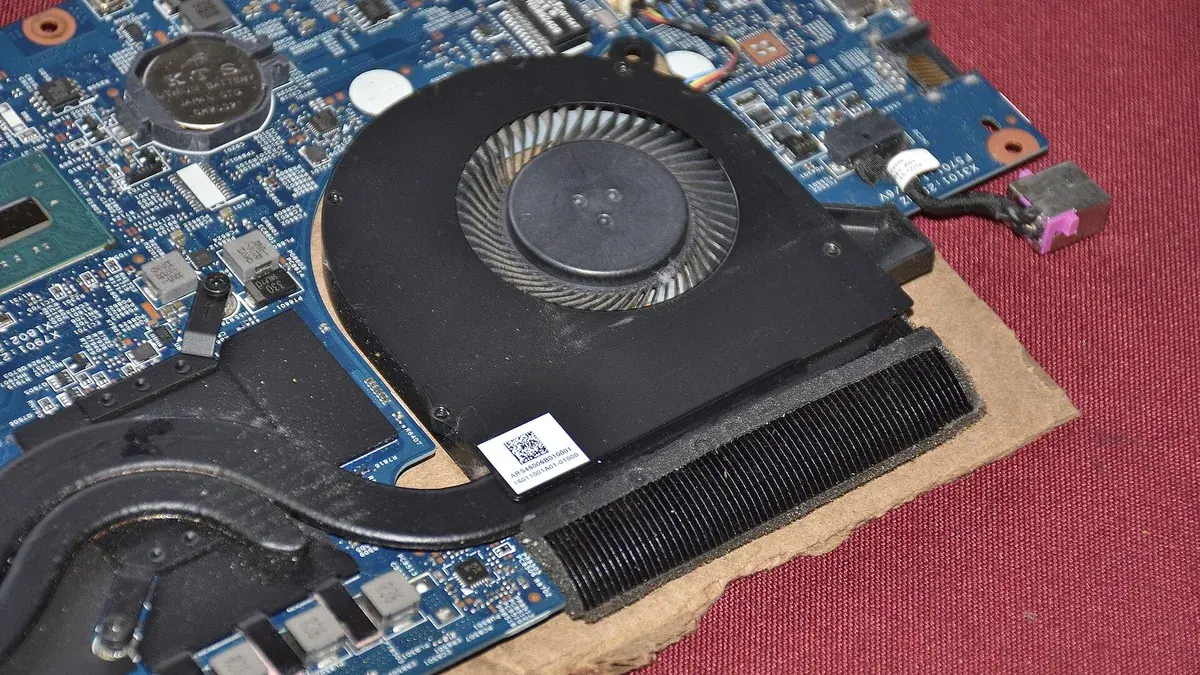
Cooling decides whether the wattage on the spec sheet is still there in hour two of training, which is why the picks here favor proven vapor chamber designs. For a closer comparison, see which laptop has the best cooling system for sustained training.
Cloud vs local training
Local training means the model trains on the laptop in front of you: no hourly cost, no uploads, full privacy, and a hard ceiling set by your VRAM.
Cloud training rents a datacenter GPU by the hour: a much higher ceiling and no hardware to buy, but a meter that runs while you experiment, datasets that must be uploaded, and queues at busy times. Neither is the correct answer for everyone.
The practical pattern for most readers of this guide is local hardware for daily development and learning, with cloud rentals reserved for the occasional run that is simply too big for 24GB.
Frequently Asked Questions
What is the best laptop for machine learning overall?
For most people, the Lenovo Legion Pro 7i Gen 10. Its RTX 5080 pairs 16GB of VRAM with full 175W power, the 24-core processor keeps data work fast, and the memory and storage both upgrade later. Readers who need the maximum 24GB of VRAM should look at the MSI Raider 18 HX AI or the ThinkPad P16 Gen 3 instead.
How much VRAM do I need for deep learning?
Eight gigabytes is enough to learn on and to train small models. Twelve gigabytes is the comfortable point for students and hobbyists training medium models, 16GB suits serious local work, and 24GB is the laptop maximum for large fine-tunes and local LLM inference. If a project needs more than 24GB, it belongs on a cloud GPU or a desktop.
Can I learn machine learning on a laptop without a powerful GPU?
Yes. Classic machine learning, statistics, Python and data work all run well on an ordinary modern CPU, and the first months of most courses barely touch deep learning. A dedicated NVIDIA GPU becomes important when you start training neural networks regularly, at which point even the value pick in this guide will save you hours every week.
Is 16GB of RAM enough for machine learning?
It is enough to start learning, and it is the minimum you should accept. Real projects grow into memory quickly once datasets, notebooks and development tools run together, so 32GB is the level we recommend for a laptop you plan to keep, and it is what most picks in this guide include.
Should I buy a bigger laptop or rent cloud GPUs?
For most people, both, in that order. Buy the laptop that covers your daily learning and development, which keeps iteration free and instant, then rent cloud GPUs for the occasional training run that outgrows your VRAM. Buying a flagship laptop purely for one large project usually costs more than the rental would have.
The Verdict
Machine learning laptops are decided by one number, the VRAM, and supported by everything else. Buy the Lenovo Legion Pro 7i Gen 10 for the best balance of 16GB VRAM, full power delivery and upgradeable memory.
Choose the MSI Raider 18 HX AI or the ThinkPad P16 Gen 3 when 24GB is the requirement, in gaming or workstation form.
Take the Razer Blade 16 or the Zephyrus G14 if the machine has to travel, the MacBook Pro 16 (M4 Max) if your work is Mac based and inference heavy, and the ROG Strix G16 if you want a proper CUDA laptop at the lowest sensible price.
Confirm the exact GPU and VRAM before you buy, because model names repeat across very different configurations, and check the latest price at the links above.