Wi-Fi 6 vs 6E vs 7 in Laptops: What Actually Changes
Quick Answer: Wi-Fi 6 and Wi-Fi 6E use the same technology, and the only difference is that 6E adds the 6 GHz band. Wi-Fi 7 is a real new generation: it doubles the widest channel to 320 MHz, packs more data into each signal with 4096-QAM, and lets your laptop use two bands at once through multi-link operation. The headline speed jumps from 9.6 Gbps to 46 Gbps, but a typical two-stream laptop tops out near 5.8 Gbps on paper and 3 to 4 Gbps in a real transfer, and most home internet plans are under 1 Gbps, so the speed alone changes little. What you actually feel is the clean 6 GHz band in a crowded building and lower, steadier latency from multi-link operation, and only when both your laptop and your router support the same generation.
Wi-Fi 6 vs 6E vs 7 at a glance
The three labels look like a simple ladder, but they are not three equal steps. Wi-Fi 6E is Wi-Fi 6 with one new band added, while Wi-Fi 7 is a new standard with new radio tricks. This table puts the real differences in one place.
| Feature | Wi-Fi 6 | Wi-Fi 6E | Wi-Fi 7 |
|---|---|---|---|
| Standard | 802.11ax | 802.11ax | 802.11be |
| Bands | 2.4, 5 GHz | 2.4, 5, 6 GHz | 2.4, 5, 6 GHz |
| Widest channel | 160 MHz | 160 MHz | 320 MHz |
| Modulation | 1024-QAM | 1024-QAM | 4096-QAM |
| Theoretical maximum | 9.6 Gbps | 9.6 Gbps | 46 Gbps |
| Two-stream laptop link rate | 2,402 Mbps | 2,402 Mbps | 5,765 Mbps |
| Headline feature | OFDMA | 6 GHz band | Multi-link operation |
| Certification started | 2019 | 2021 | January 2024 |
Two numbers in that table do most of the work. First, Wi-Fi 6 and 6E share the same 9.6 Gbps ceiling, because they are the same standard. Second, the 46 Gbps figure for Wi-Fi 7 is a laboratory ceiling that assumes 16 spatial streams and perfect spectrum. No laptop has 16 streams. A normal two-stream laptop reaches 5,765 Mbps as a link rate on a 320 MHz channel, and real file transfers land around 3 to 4 Gbps in good conditions. That is still a big jump, but it is a long way from 46 Gbps, and the rest of this guide is about when that jump matters and when it does not.
What Wi-Fi 6 actually is
Wi-Fi 6 is the Wi-Fi Alliance name for IEEE 802.11ax, certified from 2019. It was designed for crowded networks, not for raw speed. The generation before it, Wi-Fi 5, was fast on an empty network and fell apart when thirty devices shared one router. Wi-Fi 6 fixed the sharing.
Its main trick is OFDMA, which splits a channel into small resource units so the router can serve several devices in a single transmission instead of making each one wait for a full turn. Think of it as a delivery truck that drops parcels at several houses on one trip instead of driving back to the depot after each stop. Improved MU-MIMO lets the router talk to several devices at once in both directions, where Wi-Fi 5 only managed it in one direction. Target Wake Time lets the router schedule when battery devices wake up to check in, which saves power on phones and laptops that sit idle.
The 9.6 Gbps maximum is a theoretical total across eight streams and all bands at once. A normal two-stream laptop gets a 1,201 Mbps link rate on an 80 MHz channel and 2,402 Mbps on a 160 MHz channel. In a real home, that is already far more than most internet plans can feed. A Wi-Fi 6 laptop is not slow. For browsing, video streaming and video calls, it is still plenty in 2026.
One limit is fixed: Wi-Fi 6 runs on the 2.4 GHz and 5 GHz bands only. A laptop with a Wi-Fi 6 card can never use the 6 GHz band, no matter what router you buy. That is the whole point of the next generation.
What Wi-Fi 6E adds: the 6 GHz band, and nothing else
Wi-Fi 6E is the same 802.11ax technology as Wi-Fi 6, extended into the 6 GHz band. Same modulation, same 160 MHz maximum channel, same 9.6 Gbps ceiling. The Alliance certified the first 6E devices in 2021, after regulators started opening 6 GHz spectrum to Wi-Fi. In the United States the FCC adopted its 6 GHz rules in April 2020 and opened 1,200 MHz of spectrum. Europe opened a smaller 500 MHz slice. Availability still varies by country, so a 6E laptop bought in one country may have its 6 GHz radio limited or disabled in another.
The new band matters because it is clean. The 2.4 GHz band is crowded with older devices, neighbours, Bluetooth and microwaves. The 5 GHz band is busy in most apartment buildings. The 6 GHz band can only be used by 6E and newer devices, so there is no legacy traffic slowing it down, and there is room for seven non-overlapping 160 MHz channels in the United States. In a dense building, that empty spectrum is often worth more than any speed number.
The band has two real downsides. First, 6 GHz signals travel a shorter distance and pass through walls worse than 5 GHz, so the advantage fades two rooms away from the router. Second, both ends must support it: a 6E laptop on a Wi-Fi 6 router gets nothing extra, and a Wi-Fi 7 router does nothing for a Wi-Fi 6 laptop. The connection always runs at the best standard both sides share.
Watch out for the naming trap. “Wi-Fi 6” is a generation and “6 GHz” is a frequency band, and they are not the same thing. A laptop advertised as Wi-Fi 6 does not have 6 GHz. Only Wi-Fi 6E and Wi-Fi 7 laptops do.
What Wi-Fi 7 adds: wider channels, denser signals, two bands at once
Wi-Fi 7 is the Wi-Fi Alliance name for IEEE 802.11be, formally called Extremely High Throughput. Certification began on January 8, 2024, and the IEEE published the final amendment in July 2025. By 2026 it is the standard shipping in most premium laptops, and Windows 11 has supported it since version 24H2. Three changes do the work.
320 MHz channels. Wi-Fi 6 stops at 160 MHz. Wi-Fi 7 doubles the widest channel to 320 MHz, which doubles the throughput of that channel on its own. These ultra-wide channels exist only in the 6 GHz band, where enough contiguous spectrum exists, and only where the regulator has opened that spectrum. In countries with a smaller 6 GHz allocation, 320 MHz channels may not be available at all.
4096-QAM. Modulation is how much data each radio signal carries. Wi-Fi 6 uses 1024-QAM, which carries 10 bits per symbol. Wi-Fi 7 adds 4096-QAM, or 4K QAM, which carries 12 bits per symbol, so the same channel moves about 20 percent more data. The catch is that denser modulation needs a very strong, clean signal, so the gain shows up at close range and fades as you walk away from the router.
Multi-link operation (MLO). This is the biggest architectural change. Older Wi-Fi connects on one band at a time: 2.4, 5 or 6 GHz. MLO lets a device and a router hold links on two or more bands at once, sending data across whichever link is fastest or least congested at that moment, or combining them for more throughput. The result is lower latency and fewer dropouts when one band gets busy, which matters more for gaming and video calls than the headline speed does. Wi-Fi 7 also improves OFDMA by letting the router assign several resource units to a single device, so one hungry device can use spare capacity more flexibly.
The Alliance keeps extending the standard. In January 2026 certification was extended to devices that use only 20 MHz channels, so small sensors and wearables can use Wi-Fi 7 features such as multi-link operation without the wide channels. Wi-Fi 7 is no longer only a speed upgrade for laptops.
The speed numbers, translated into real life
Packaging numbers are link rates, not download speeds. A link rate is the maximum speed the radio connection can signal at, under ideal conditions. Real throughput is lower, because Wi-Fi spends part of every transmission on overhead, retries and waiting for a clear channel. Here is what a typical two-stream laptop actually negotiates.
| Setup (two streams) | Max link rate | Real throughput |
|---|---|---|
| Wi-Fi 6 or 6E, 160 MHz channel | 2,402 Mbps | About 1.4 to 1.7 Gbps |
| Wi-Fi 7, 160 MHz, 4096-QAM | 2,882 Mbps | About 1.7 to 2 Gbps |
| Wi-Fi 7, 320 MHz, 4096-QAM | 5,765 Mbps | About 3 to 4 Gbps |
Those real throughput figures assume a strong signal close to the router. Walk into the next room, and the numbers fall. Move to 5 GHz because the 6 GHz signal cannot get through two walls, and the 320 MHz advantage disappears with it.
The bigger limit sits outside your house. Most home internet plans in the United States are under 1 Gbps, and a gigabit plan delivers about 940 Mbps after overhead. Any of these three generations can saturate that plan on its own. If your internet is the bottleneck, a Wi-Fi 7 router will not make Netflix load faster or a Zoom call sharper. The extra wireless speed only shows up when the data never leaves your home network: moving files to a NAS, streaming a game from a local PC, or downloading from a fast local cache.
So the honest way to read the numbers is this: Wi-Fi 7 roughly doubles the wireless ceiling over Wi-Fi 6, but for most homes the ceiling was never the problem. The plan is the problem, and then the walls are the problem.
What actually changes in daily use
Online gaming. Games need very little bandwidth, usually under 100 Mbps, but they are sensitive to latency and jitter. This is where Wi-Fi 7 earns its keep: multi-link operation and the empty 6 GHz band give you a steadier ping when the neighbours are all streaming at 9 pm. It will not turn a 60 ms connection into a 10 ms one, because most of your ping is the trip to the game server and back, but it removes the spikes that come from a crowded home network. If you play competitively, a wired Ethernet connection still beats any Wi-Fi generation, and raising your FPS is a separate job from fixing your connection: high frame rates do not help if the network stutters. The same logic applies to fast shooters such as Fortnite and to Minecraft on a busy server, where a stable connection matters more than raw speed. Pairing a smooth connection with a smooth screen helps too, and our G-Sync vs FreeSync guide explains the display side. Note that DLSS raises frame rates by rendering at a lower resolution, which is a graphics trick, not a network one: it will not fix lag.
Streaming and video calls. A 4K stream needs about 25 Mbps, which any Wi-Fi 6 connection handles easily. The difference between the generations shows up on the upload side and in crowded homes. If you stream to Twitch or YouTube, a stable upload on the clean 6 GHz band means fewer dropped frames when someone else in the house starts a download. Our best laptop for live streaming guide treats Wi-Fi 7 as the backup plan and a wired connection as the strategy, and that is still the right order. For watching rather than broadcasting, the screen matters more than the radio: our 4K vs 1080p guide explains when the sharper panel is worth paying for.
Big downloads and local transfers. This is the one place the headline speed is real. Copying a 50 GB game to a NAS, or moving video files between two machines on your home network, can run two to three times faster on a Wi-Fi 7 link than on Wi-Fi 6, because the data never touches your internet plan. If you regularly move large files around the house, Wi-Fi 7 is a genuine upgrade. If you only download from the internet, your plan caps the gain.
Crowded apartments and dorms. A building with fifty visible networks is where Wi-Fi 6E and 7 pull ahead of Wi-Fi 6. The 6 GHz band has no legacy devices and far fewer competing networks, so your laptop is not fighting the whole building for airtime. This is the single most practical reason to prefer 6E or 7 if you live in a dense block. Wi-Fi 6’s OFDMA already helps with congestion, but it cannot create spectrum that is not there.
Range and battery. The 6 GHz band is worse at range, not better. Expect a strong 6 GHz signal in the same room and the next room, then a fall back to 5 GHz further away. That fallback is automatic and invisible, which is fine, but it means the 6 GHz advantage is a near-the-router advantage. On battery, Target Wake Time scheduling from Wi-Fi 6 onwards helps idle devices sip power, but no generation changes battery life dramatically on its own.
How to check which Wi-Fi your laptop has
Do not trust the sticker on the box or the “Wi-Fi 6” line on a retailer listing. Retailers get this wrong, and the same model name can hide different wireless cards in different configurations. Check the card itself, which takes about a minute.
On Windows 11: open Device Manager, expand Network adapters, and read the name of the wireless adapter. Then compare it with the table below. For a second check, open Command Prompt and run netsh wlan show drivers, then look at “Radio types supported”: 802.11ax means Wi-Fi 6 or 6E, and 802.11be means Wi-Fi 7. Note that Settings shows the band you are connected to right now, not the card you own, so it cannot answer this question on its own.
On a Mac: hold the Option key and click the Wi-Fi icon in the menu bar. The PHY Mode line shows the standard in use, and the channel line shows the band. System Information under the Wi-Fi section lists the card details. Current MacBook Air and MacBook Pro models with M4 chips list Wi-Fi 6E, not Wi-Fi 7, which is worth knowing if you are choosing between a MacBook and a Windows laptop for college: our MacBook vs Windows laptop comparison covers the wider trade-offs.
On a Chromebook: the spec sheet is the reliable source, since ChromeOS does not show the card name as plainly. Open chrome://system and look for the wireless entry, or search the exact model on the maker’s site. Most Chromebooks sold in 2025 and 2026 ship with Wi-Fi 6E, and premium models are moving to Wi-Fi 7. Our Chromebook vs Windows laptop guide explains where Chromebooks fit for students.
| Card name in Device Manager | Generation | Notes |
|---|---|---|
| Intel AX200, AX201 | Wi-Fi 6 | 2.4 and 5 GHz only |
| Intel AX210, AX211 | Wi-Fi 6E | Adds 6 GHz |
| Intel BE200, BE201, BE202 | Wi-Fi 7 | 5.8 Gbps max, Intel platforms |
| MediaTek MT7925, MT7927 | Wi-Fi 7 | The AMD laptop choice |
| Qualcomm QCNCM865 | Wi-Fi 7 | FastConnect 7800 silicon |

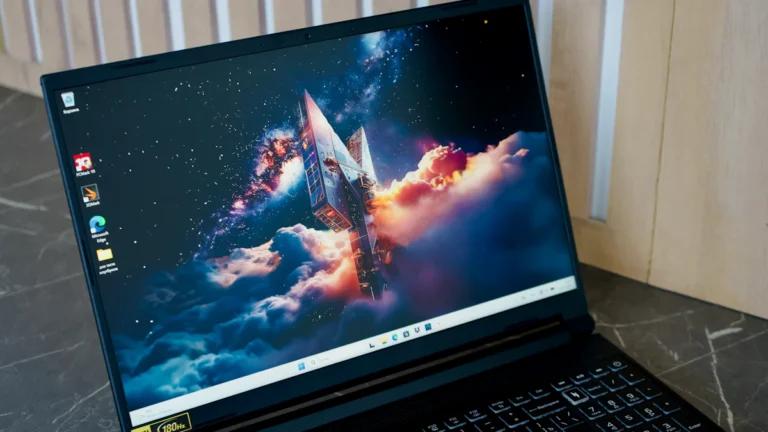
A laptop on a desk: the wireless card inside decides which Wi-Fi generation it can use, not the router alone. Photo: Unsplash via Wikimedia Commons, CC0.
Which laptops have Wi-Fi 7 in 2026
Most premium Windows laptops sold in 2025 and 2026 ship with Wi-Fi 7. If the laptop has an Intel Core Ultra chip or an AMD Ryzen AI chip, the wireless card is usually an Intel BE200 or a MediaTek MT7925. Business lines such as the Lenovo ThinkPad X1 Carbon, Dell XPS 14 and HP EliteBook sell with Wi-Fi 7 as standard on current configurations, and the same is true of premium ultrabooks such as the ASUS Zenbook 14. Large premium models are no exception: the best 17-inch laptops in 2026 mostly ship with Wi-Fi 7 too.
Gaming laptops followed the same pattern. Current models with RTX 50 series graphics, including the budget-friendly ones in our RTX 5050 vs 4050 comparison, usually pair the new GPU with a Wi-Fi 7 card. That does not mean every gaming laptop has it: check the exact configuration before you pay, because makers still sell cheaper configurations of the same model with an older card.
Budget laptops are a step behind. Machines in the sub-$700 class, such as the picks in our best gaming laptops under $700 guide, usually ship with Wi-Fi 6, and some still ship Wi-Fi 6E. That is fine for their price: at that budget the screen, the GPU and the memory matter far more than the wireless generation.
Price is the key point. Wi-Fi 7 adds almost nothing to the cost of a premium laptop in 2026, because the cards are now standard parts. Our laptop cost guide shows what the money actually goes to at each price tier, and across the best laptop brands the pattern is the same: Wi-Fi 7 is standard on premium lines and optional or absent on budget lines. Do not pay a premium for Wi-Fi 7 on its own. If it comes with the laptop you already want, take it. If it costs extra, spend that money on memory or storage instead.
Can you upgrade a laptop to Wi-Fi 7?
Often yes, and it is one of the cheapest meaningful upgrades a laptop can get. Most laptops use a small M.2 2230 wireless card in an A/E-key slot, held by one screw, with two antenna leads labelled MAIN and AUX. The physical swap takes about fifteen minutes once the back panel is off. Confirm the slot size before ordering: some thin laptops use the shorter 2230 size and a few use 2242, and the card must match.
The card to buy depends on your processor. The Intel BE200 Wi-Fi 7 card on Amazon is the standard choice for Intel laptops: it supports Wi-Fi 7 across all three bands, multi-link operation and Bluetooth 5.4, with a maximum link rate of 5.8 Gbps, and it usually sells for $25 to $35. But it only works on Intel platforms. On AMD laptops the card is detected for Bluetooth and the Wi-Fi side simply never appears, and no driver update fixes it, so do not buy it for a Ryzen machine. AMD laptops should use a MediaTek MT7925, which is the card most makers ship in their own Ryzen models, and it needs Windows 11 version 23H2 or newer.
Three checks before you order. First, some business laptops enforce a BIOS whitelist that rejects cards the maker did not approve, so search your exact model plus “Wi-Fi card whitelist” first. Second, the new card is useless without a Wi-Fi 7 router: on an older router it just runs at the older standard. Third, if you cannot open your laptop at all, a USB Wi-Fi 7 adapter from TP-Link or Netgear is the fallback, and a Thunderbolt 4 or USB4 dock with a wired Ethernet port is often the better buy for a desk setup, since wired still beats wireless for latency.
On the router side, a Wi-Fi 7 router is the other half of the upgrade. The TP-Link Archer BE550 Wi-Fi 7 router on Amazon is a typical mid-range example: tri-band with 6 GHz, 320 MHz channels and multi-link operation, and it is the kind of router that actually lets a Wi-Fi 7 laptop use its new features. But buy the router only if your laptop already has Wi-Fi 7 and your internet plan is fast enough to notice. A Wi-Fi 7 router feeding a Wi-Fi 6 laptop changes nothing.
Should you buy Wi-Fi 7 now?
Buy Wi-Fi 7 if any of these fit: you are buying a new premium laptop anyway and it comes with Wi-Fi 7 at no extra cost; you play online games or stream and want the steadiest latency you can get; you live in a crowded apartment building where the 6 GHz band is empty and the 5 GHz band is not; or you move large files between machines on your home network.
Skip it if any of these fit: your internet plan is under 500 Mbps and your current laptop works fine; you mostly browse, watch video and answer email; your router is Wi-Fi 6 and you will not replace it; or the laptop you want charges extra for the Wi-Fi 7 card. In that last case, put the money toward 16 GB of memory or a bigger SSD instead.
Wi-Fi 6E is the value pick right now. Discounted 2024 and 2025 models with 6E give you the clean 6 GHz band for less money, and for most homes that band is the part that matters. Wi-Fi 6 is still fine for basic use, and nobody needs to replace a working Wi-Fi 6 laptop just for a new radio. One more thing to know: Wi-Fi 8 is already moving through the IEEE 802.11bn process with ratification expected around 2027 to 2028, and it focuses on reliability and coordination between access points rather than another speed jump, so Wi-Fi 7 is not about to be made obsolete overnight.
Frequently asked questions
Is Wi-Fi 7 faster than Wi-Fi 6E in real life?
Yes, but only where the rest of the chain can keep up. A typical two-stream Wi-Fi 7 laptop negotiates a 5,765 Mbps link rate on a 320 MHz channel against 2,402 Mbps for Wi-Fi 6E, and real transfers run around 3 to 4 Gbps against roughly 1.5 Gbps. If your internet plan is under 1 Gbps, you will not see any of that difference on downloads, because the plan is the bottleneck. The speed shows up in transfers inside your own home, such as copying files to a NAS.
Is Wi-Fi 6E worth it over Wi-Fi 6?
In a crowded building, yes. Wi-Fi 6E adds the 6 GHz band, which has no legacy devices and far less interference, so your connection stays steadier when dozens of neighbours share the airwaves. The speed ceiling is identical to Wi-Fi 6, so it is a congestion upgrade, not a speed upgrade. One condition: your country must have opened 6 GHz spectrum to Wi-Fi, which the United States did in 2020 and Europe did with a smaller allocation, so check before you pay for it.
Do I need a Wi-Fi 7 router to use Wi-Fi 7 on my laptop?
Yes, for the Wi-Fi 7 features. Multi-link operation, 320 MHz channels and 4096-QAM all need a router that supports them. A Wi-Fi 7 laptop connected to a Wi-Fi 6 or 6E router simply falls back to that older standard and works normally. The connection always runs at the best standard both sides share, so upgrade the laptop and the router together if you want the full benefit.
Does Wi-Fi 7 work with older routers?
Yes. Wi-Fi 7 is backwards compatible with Wi-Fi 6, 6E, 5 and older standards. A Wi-Fi 7 laptop connects to an old router without any setup, and it runs at the older standard the router supports. You lose the new features until you upgrade the router, but nothing breaks.
How do I know if my laptop has Wi-Fi 6E or Wi-Fi 7?
Open Device Manager on Windows, expand Network adapters, and read the wireless card name: AX210 or AX211 means Wi-Fi 6E, while BE200, BE201, MT7925 or QCNCM865 means Wi-Fi 7. You can also run netsh wlan show drivers in Command Prompt and look at “Radio types supported”: 802.11ax is Wi-Fi 6 or 6E, and 802.11be is Wi-Fi 7. On a Mac, hold Option and click the Wi-Fi icon to see the PHY mode in use.
Will Wi-Fi 7 improve my gaming ping?
It can steady your ping, but it will not slash it. Multi-link operation and the clean 6 GHz band reduce the spikes caused by a busy home network, which is the part of latency your own equipment controls. Most of your ping is the trip from your router to the game server and back, and no Wi-Fi generation changes that. If lowest latency is the goal, a wired Ethernet connection still beats every Wi-Fi generation.