MacBook vs Windows Laptop for College Students
Quick Answer: For most college students, the 13-inch MacBook Air M5 is the easiest laptop to live with for four years. It is light, silent, and its battery lasts a full day of classes, and it holds its value better than most Windows laptops when you sell it after graduation. But it is the wrong pick if your major needs Windows-only software such as SolidWorks, AutoCAD or Revit, if you play serious PC games, or if your budget is under about $700. In those cases a Windows laptop is not the cheaper compromise, it is the right machine. The deciding question is not which brand is better, it is which software your courses require.
The short version: who should buy which
If you want the answer in one paragraph, here it is. Buy the MacBook Air if your courses run on ordinary software, you carry the laptop all day, and you can afford the higher starting price. Buy a Windows laptop if your major needs specialist Windows software, if you want a touchscreen or a 2-in-1, if you game, or if your budget is tight. Everything else in this guide is the evidence behind that paragraph, major by major, so you can check your own situation instead of taking a stranger’s word for it.
Both sides have real strengths now, and the old cliches are out of date. Windows laptops are no longer short on battery life: newer Snapdragon and Intel Lunar Lake machines now last 14 to 16 hours in mixed use, close to what a MacBook manages. And MacBooks are no longer the expensive luxury option with a weak chip: the M5 Air starts with 16GB of memory and 512GB of storage, which is the spec a student should buy in 2026 anyway. The gap between the two has narrowed to a handful of things that actually matter day to day, and those are the things this guide compares.
- Buy a MacBook Air if you study business, humanities, social sciences, law, or computer science, and your courses do not name a Windows-only program.
- Buy a Windows laptop if you study engineering, architecture, or a technical field that names SolidWorks, ANSYS, Revit or AutoCAD in its requirements.
- Buy a Windows laptop if your budget is under $700, if you want a touchscreen or a stylus, or if PC gaming matters to you.
- Check first, buy second. Read your department’s laptop requirements page before you spend anything. A cheap laptop that cannot run a required exam tool or a lab program is not a bargain.
MacBook vs Windows laptop at a glance
| Feature | MacBook Air M5 | Windows laptop | Winner |
|---|---|---|---|
| Starting price | $1,299 list, from $999 with education pricing | Under $500 to over $2,000 | Windows |
| Battery life | Up to 18 hours (Apple claim) | 14 to 16 hours on newer ARM and Lunar Lake models | MacBook, narrowly |
| Weight (13 to 14 inch) | 2.7 pounds, fanless and silent | 2.6 to 3.5 pounds depending on model | Tie |
| Engineering software | Needs Parallels or a virtual machine | Runs natively | Windows |
| PC gaming | Limited library, no dedicated GPU option | Full Steam library, dedicated GPUs available | Windows |
| Touchscreen and 2-in-1 | Not available | Widely available | Windows |
| Resale value after four years | Holds a larger share of its price | Drops faster | MacBook |
| Repairs and upgrades | Memory and storage fixed at purchase | Some models allow RAM and SSD upgrades | Windows |
| iOS app development | Required, Xcode runs only on Mac | Not possible | MacBook |
Price: what a student actually pays
The price gap is real, but it is smaller than it looks once you count the whole four years. Apple’s current list price for the 13-inch MacBook Air M5 is $1,299, after Apple raised the price from its $1,099 launch price in June 2026. The 15-inch Air M5 lists at $1,499. Apple’s education store lists the 13-inch Air M5 from $999, so a student who buys through the education store pays meaningfully less than the headline price. The base model now ships with 16GB of memory and 512GB of storage, which is the right spec for a student, so there is no need to pay for an upgrade on day one.
Windows gives you a much wider price range. A capable Windows ultraportable for general coursework costs roughly $600 to $900, and a good student laptop such as the Lenovo IdeaPad Slim 5 on Amazon often appears in that band with 16GB of memory and a 512GB SSD. Below $500 you can still find a usable Windows laptop for writing, research and video calls, though you should check that it has 16GB of memory and not 8GB. Above $1,000, Windows machines start to offer dedicated graphics, OLED screens and premium build quality that the Air does not try to match.
The honest way to compare is total cost over four years, not the price on the box. A MacBook typically sells for a larger share of its original price after graduation than a Windows laptop does, which closes part of the gap. Our guide to how much a laptop costs breaks down the price tiers in detail, and our checklist of what to consider when buying a laptop covers the other costs students forget, such as a warranty, a sleeve, and a charger you will eventually lose.
Two money rules follow from this. First, never buy the 8GB version of any laptop in 2026 to save $100, because 16GB is the minimum that stays comfortable for four years of browser tabs, Office and video calls. Second, if your budget is under $700, stop comparing MacBooks and buy the best Windows laptop you can afford, because a discounted older MacBook with 8GB of memory is a worse buy than a new Windows machine with the right spec.
Battery life and portability
Battery life is where the MacBook Air earned its reputation, and it still leads, but only by a little. Apple rates the M5 Air at up to 18 hours of battery life, and in real student use, a day of lectures, notes, browsing and video calls, it comfortably lasts from morning to evening without a charger. The Air is also fanless, so it makes no noise in a quiet library, and it weighs 2.7 pounds, which matters when it rides in a backpack next to textbooks all day.
Windows has caught up further than most people realise. Laptops with Qualcomm Snapdragon X2 chips and Intel Lunar Lake processors now reach 14 to 16 hours in mixed use, according to the student guides that tested them against the Air. That is close enough that a student who carries a charger for a long library session will not notice the difference. The gap that remains is at the budget end: a $500 Windows laptop with an older Intel or AMD chip will usually manage 8 to 10 hours, not 15, so battery life is one more reason to avoid the cheapest Windows machines.
Portability is about more than weight. The 13-inch Air is the sweet spot for carrying, and the 15-inch Air is the better pick if you mostly work at a desk and want a bigger screen. On the Windows side, the same choice exists, and our comparison of 14-inch vs 16-inch laptops and our laptop screen sizes guide will help you pick the size that fits your bag and your desk. If you plan to keep the laptop plugged in at a desk for long stretches, read our guide to checking battery health on Windows 11 so you know when the battery starts to lose capacity.
Software compatibility by major
This is the section that decides the purchase for most students, and it is the section most comparison articles rush past. The operating system does not matter in the abstract. It matters because of the specific programs your courses require, and those requirements differ sharply by major.
Engineering and architecture
Choose Windows, full stop. SolidWorks, AutoCAD, Revit and ANSYS are Windows-native programs, and they do not run natively on macOS. You can run them on a Mac through Parallels or another virtual machine, but that adds cost, complexity and a performance penalty, and some university licences do not support virtualised installs at all. An engineering student who buys a MacBook to run CAD is buying a problem for every semester. A Windows laptop with a discrete GPU is the safe pick here, and our guide to the best gaming laptop around $1,000 is a useful starting point, because the same discrete graphics that run games also run CAD smoothly.
Business and accounting
Either system works, with one check to make first. Microsoft Office runs well on both, and Excel, PowerPoint and Teams are the same apps on Mac and Windows for almost every assignment. The exception is specialist business software: some accounting packages, Bloomberg terminals and exam proctoring tools are Windows-only or have a fuller Windows version. If your department names a specific program, confirm the Mac version exists before you buy. If it does not name one, the MacBook Air is a fine business laptop, and its battery life is a genuine advantage during long days of classes.
Computer science
Either system works, and this is the one major where the Mac has a real edge for a specific reason. macOS is Unix-based, so the terminal, Python, Git and most developer tools feel native, and the same is true on Windows now through WSL, the Windows Subsystem for Linux. The deciding factor is mobile development: building and submitting iOS apps requires Xcode, which runs only on a Mac. If you plan to build iPhone apps, you need a Mac. If you plan to build Android apps, games or backend systems, either system works, so buy on price and battery life instead.
Creative and media
Either system works, and the choice comes down to the tools your course uses. Final Cut Pro and Logic Pro run only on Mac, while Premiere Pro, Photoshop and DaVinci Resolve run well on both. A MacBook Air handles photo editing, light video editing and design work comfortably, but for heavy 4K video editing a MacBook Pro or a Windows laptop with a discrete GPU is the better tool. Screen quality matters more than brand here: our guide to IPS vs OLED laptop screens explains what to look for in a display you will stare at for hours.
Medicine, nursing and science
Either system works for most science courses, with the same check as business: confirm the specialist software first. Lab software, statistics tools such as SPSS and R, and exam proctoring tools usually run on both, but some older lab and healthcare programs are Windows-only. A nursing or pre-med student who only needs Office, a browser, video calls and note-taking software will be happy on either system.
Humanities and social sciences
Buy the MacBook Air if you can afford it, or the best Windows ultraportable if you cannot, because the workload is the same either way: writing, research, reading PDFs, video calls and presentations. Nothing in a history, English, sociology or psychology degree needs Windows-only software, so the decision is about weight, battery and budget. Our roundup of the best laptops for psychology students covers the same ground for one specific major, and our picks for the best laptops for note-taking are worth reading if your day is mostly lectures and handwritten notes.
Performance for real student work
For ordinary student work, both sides are fast enough, and the benchmark gap that reviewers argue about rarely shows up in a lecture hall. Writing essays, running 20 browser tabs, joining Zoom calls, and building slides are light work for any modern laptop with 16GB of memory. The M5 chip in the MacBook Air, with a 10-core CPU and up to a 10-core GPU, handles that workload silently and without breaking a sweat, and it stays fast in year three because it has no fan to clog with dust and no spinning hard drive to slow down.
The performance gap appears only at the edges. Compiling large code projects, editing 4K video, running virtual machines, or playing modern games are the workloads where a Windows laptop with a discrete GPU pulls ahead of the fanless Air. If your coursework includes any of those, buy the Windows machine with the graphics card, not the thinner laptop. If it does not, the Air’s performance is more than enough, and the silence and battery life are worth more than benchmark numbers you will never feel.
Storage deserves a sentence of its own. The base Air M5 ships with a 512GB SSD, which is enough for most students, but you cannot upgrade it later, so if you store a lot of video, games or virtual machines, buy the 1TB model up front. The same rule applies to Windows laptops with soldered storage. Our comparison of SSD vs HDD in a laptop explains why a fast SSD matters more than a big slow drive, and why no student should buy a laptop with a spinning hard drive in 2026.
Display, keyboard and trackpad
The MacBook Air has the best trackpad on any laptop, and that is not a small thing for a student who uses it all day. The large glass trackpad is precise, the gestures are consistent, and most MacBook owners never feel the need for a mouse. The keyboard is comfortable and quiet, the 13.6-inch Liquid Retina display is bright and sharp, and the whole machine feels solid in a way that budget Windows laptops do not.
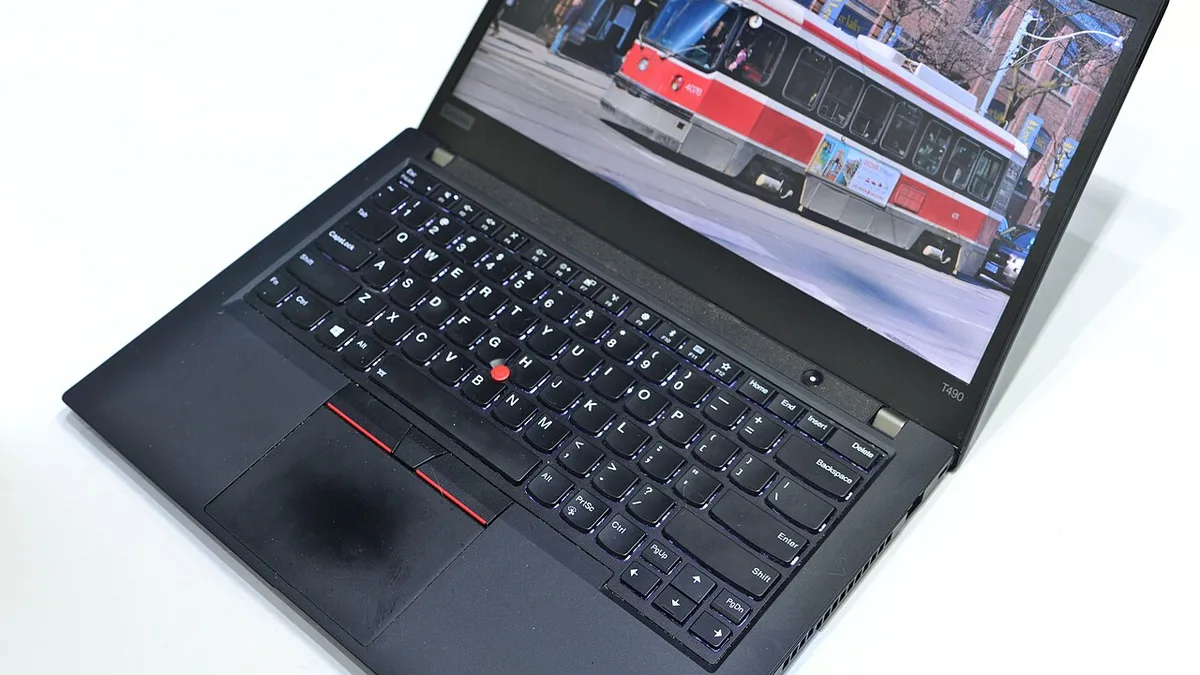
Windows wins on choice. You can buy a Windows laptop with a touchscreen, a stylus, a 2-in-1 folding hinge, or an OLED display, and none of those exist on a MacBook. A touchscreen matters if you annotate PDFs, sketch diagrams, or take handwritten notes, and our explainer on what a 2-in-1 laptop is covers the convertible designs that students actually use. Windows laptop keyboards vary by brand: Lenovo ThinkPads have the best keyboards on the Windows side, Dell XPS keyboards are good, and budget Windows keyboards can feel mushy, so try before you buy if you can.
One honest note: the Air’s display is excellent for text and video, but it is a 60Hz panel, and a Windows laptop with a 120Hz or 144Hz display feels smoother when you scroll. That is a small difference, and most students stop noticing it after a day, but gamers and anyone who scrolls through long documents all day will feel it.
Ports, repairability and upgrades
The MacBook Air M5 gives you two Thunderbolt 4 ports, a MagSafe 3 charging port, and a headphone jack. That is enough for most students, but it means a USB-A flash drive, an SD card, or a second monitor all need a hub or an adapter. Windows laptops vary: some have the same minimal port selection, and some have USB-A, HDMI, Ethernet and an SD card slot built in. If you present from your laptop in class, a built-in HDMI port is genuinely useful. Our comparison of Thunderbolt 4 vs USB4 explains what the USB-C port on your laptop can actually do, because not every USB-C port carries video.
Repairability is a real MacBook weakness. The memory and storage are soldered in, so what you buy is what you keep for four years, and a battery replacement or a screen repair means a trip to Apple or an authorised shop. Some Windows laptops are no better, and ultrabooks from Dell, HP and Lenovo are often just as sealed, but business Windows laptops such as the ThinkPad line still allow memory and storage upgrades on many models, and parts are easier to find. If you plan to keep the laptop for four years, buy the memory and storage you will need in year four, not the amount that feels enough in week one.
Gaming and free time
Students game, and pretending otherwise makes for bad advice. Windows is the only serious choice for PC gaming. The Steam library is far larger on Windows, most new releases launch there first, and a Windows laptop with a dedicated GPU runs modern games at settings a MacBook Air cannot reach. If gaming matters to you, a Windows gaming laptop is not a compromise, it is the machine that does both jobs: coursework by day, games by night.
The MacBook Air is not a gaming laptop, and Apple knows it. It runs Apple Arcade titles, older games, and a growing list of Mac-native releases, and the M5 chip is genuinely capable, but the library is small next to Windows and there is no discrete GPU option. A student who buys an Air expecting to play the latest AAA games with friends will be disappointed. Buy the Air for classes, and keep gaming on a console or a separate machine, or buy the Windows laptop and get both.
Which MacBook should a student buy?
Most students should buy the 13-inch MacBook Air M5 with 16GB of memory and 512GB of storage. It is the lightest MacBook, it has the longest battery life of the range, and it costs less than the 15-inch model and far less than a MacBook Pro. The 15-inch Air M5 is the better pick if you work at a desk most of the day and want the bigger screen, because it has the same chip and the same battery life in a larger body.
Apple also sells the MacBook Neo, a budget Mac laptop that starts at $699 after the June 2026 price increase, with an A18 Pro chip. It is a real MacBook for browser work, documents, email and streaming, and it is the cheapest way into macOS, but it is not the right pick for a four-year degree: it has less memory, a slower chip, and fewer ports than the Air, and a student who outgrows it in year two has saved nothing. The MacBook Pro is the right pick only for students who edit 4K video, run heavy creative software, or need the brighter XDR display and the extra ports. For everyone else, the Air is the MacBook to buy, and you can check the current MacBook Air M5 on Amazon for the latest retailer pricing.
Which Windows laptop should a student buy?
There is no single best Windows laptop, because Windows is a whole market, not one machine. The right pick depends on the same questions as the MacBook decision: your major, your budget, and whether you need a touchscreen or a graphics card. Three directions cover most students.
- Best all-rounder: a 14-inch ultraportable such as the Lenovo IdeaPad Slim 5 or the ASUS Zenbook 14, with a current Intel Core Ultra or AMD Ryzen AI chip, 16GB of memory and a 512GB SSD. Light, quiet, long battery life, and usually $600 to $900.
- Best for engineering and gaming: a 15 or 16-inch laptop with a dedicated NVIDIA GPU, such as a Lenovo LOQ or an ASUS TUF Gaming model. Heavier and louder, but it runs CAD and games natively.
- Best keyboard and build: a Lenovo ThinkPad, which has the best keyboard on the Windows side and is built to survive four years in a backpack. Our comparison of ThinkPad vs IdeaPad vs Yoga explains the Lenovo lines, and our Dell vs HP laptops guide covers the other two big Windows brands. If you are still torn between the ecosystems, our comparison of Chromebook vs Windows laptop for students covers the third option, and our brand-by-brand guide to the best laptop brands ranks Dell, HP, Lenovo, Apple and ASUS on reliability and support.
Whatever Windows laptop you buy, check the exact configuration before you pay. The same model name can hide an 8GB version and a 16GB version at very different prices, and a laptop with a dim 250-nit screen will frustrate you every day. Buy 16GB of memory, a 512GB SSD, and a screen of at least 300 nits, and the machine will last the degree.
Mistakes students make when choosing
Most bad laptop purchases come from the same few mistakes, and all of them are avoidable.
- Buying on brand instead of on software. The brand on the lid does not run your coursework. The software list from your department does. Check it first.
- Buying 8GB of memory to save $100. It feels fine in week one and slow by year two. 16GB is the minimum for a four-year laptop in 2026.
- Buying the cheapest laptop in the store. A $350 Windows laptop with a slow processor, a dim screen and 8GB of memory will cost you more in frustration than the $250 you saved.
- Ignoring the screen. You will look at this display for thousands of hours. A dim, washed-out screen is a daily annoyance that no processor can fix.
- Forgetting the warranty. Students drop laptops. Accidental damage cover is worth the money, and AppleCare and the Windows makers’ equivalent plans both exist for a reason.
- Buying the wrong size. A 16-inch laptop is a better desk machine and a worse backpack machine. Carry the size you will actually carry every day.
The verdict by major
| Major | Better pick | Why |
|---|---|---|
| Engineering, architecture | Windows laptop | CAD software runs natively |
| Computer science | MacBook Air, unless gaming | Unix terminal, and Xcode needs macOS |
| Business, accounting | Either, check software first | Office runs on both |
| Creative and media | Either, check your tools | Final Cut is Mac-only, most tools run on both |
| Medicine, nursing, science | Either, check lab software | Most tools run on both |
| Humanities, social sciences | MacBook Air if affordable | Light, quiet, long battery |
| Tight budget under $700 | Windows laptop | More laptop for the money |
| Serious PC gaming | Windows laptop | Full game library, discrete GPU |
The bottom line is simple. For most college students, the MacBook Air M5 is the easiest laptop to own for four years, and it is the pick if your budget reaches it and your courses do not demand Windows-only software. For engineering students, gamers, and anyone on a tight budget, a Windows laptop is the better machine, not the consolation prize. Check your department’s requirements, buy 16GB of memory and a 512GB SSD, and whichever side you pick, the laptop will do the job.
Frequently Asked Questions
Is a MacBook or a Windows laptop better for college?
For most students, the MacBook Air is the easier laptop to live with: it is light, silent, and its battery lasts a full day of classes. A Windows laptop is better if your major needs Windows-only software such as SolidWorks or AutoCAD, if you play PC games, if you want a touchscreen, or if your budget is under about $700. Check your department’s software requirements first, because that decides the answer.
Do engineering students need a Windows laptop?
Yes, in almost every case. SolidWorks, AutoCAD, Revit and ANSYS are Windows-native programs and do not run natively on macOS. Running them on a Mac through a virtual machine adds cost and a performance penalty, and some university licences do not support it. A Windows laptop with a discrete GPU is the safe pick for engineering and architecture.
How much should a college student spend on a laptop?
Most students should budget $600 to $1,300. A good Windows ultraportable with 16GB of memory and a 512GB SSD costs roughly $600 to $900, while the 13-inch MacBook Air M5 lists at $1,299, or from $999 through Apple’s education store. Under $500 you can still find a usable Windows laptop, but check that it has 16GB of memory and a screen of at least 300 nits.
Is 16GB of RAM enough for a college laptop?
Yes, 16GB is the right amount for most students in 2026, and it is the minimum you should buy for a laptop that has to last four years. It handles browser tabs, Office, video calls and light creative work comfortably. Buy 32GB only if your coursework includes 4K video editing, large code projects, virtual machines, or heavy 3D work.
Can a MacBook run Microsoft Office and Zoom?
Yes. Microsoft Office, Zoom, Teams, Google Docs and Chrome all run natively on macOS, and the experience is the same as on Windows for almost every assignment. The programs that cause trouble on a Mac are specialist ones, such as CAD tools, some exam proctoring software, and older lab programs, so check your department’s list before you buy.
Is the MacBook Air M5 worth it for students in 2026?
For most students, yes, if the budget reaches it. The 13-inch Air M5 has a 10-core CPU, 16GB of memory and a 512GB SSD as standard, up to 18 hours of battery life, and a fanless silent design at 2.7 pounds. Its current list price is $1,299 after Apple’s June 2026 price rise, with education pricing from $999. It is not worth it if your major needs Windows-only software or if you play serious PC games.