Best Laptop for Fortnite in 2026
Quick Answer: The best laptop for Fortnite in 2026 is the Lenovo Legion 5i Gen 11 with an RTX 5070, because it pairs a fast 165Hz OLED screen with enough graphics power for both Performance Mode and high settings. If your budget is tighter, an RTX 5060 laptop such as the Acer Nitro V 16S is the sensible starting point, and the cheapest laptop that still plays Fortnite well is an RTX 5050 machine like the HP Victus 15. Whatever you buy, get 16GB of RAM, a 144Hz or faster screen, and an NVMe SSD, and check the exact configuration before you pay, because the same model name can hide very different graphics power.
How we picked these laptops
We started from Epic Games’ own system requirements for Fortnite on PC, which list three tiers: a minimum tier, a recommended tier, and an Epic quality tier. Then we checked the current top results for “best laptop for Fortnite” to see what the winning pages recommend, and the consensus is clear: an RTX 5060 laptop is the sensible starting point, an RTX 5070 or 5070 Ti is the step up for 1440p and high refresh rates, and an RTX 5050 is the floor for smooth play on a budget.
Every laptop below was checked against its manufacturer’s own specification page: Lenovo PSREF for the Legion 5i, the ASUS ROG spec pages for the Strix G16 and Zephyrus G16, Acer’s spec pages for the Nitro V 16S, and HP’s product pages for the Victus 15. Where we quote frame rates, the numbers come from published reviews and are attributed in the text. We have not tested these laptops ourselves, and we say so where a number comes from someone else’s test. Laptop specifications vary by exact model code and region, so always confirm the configuration on the listing before you buy.
The best laptops for Fortnite at a glance
| Laptop | GPU and power | Screen | Best for |
|---|---|---|---|
| Lenovo Legion 5i Gen 11 | RTX 5070, 8GB, 115W | 15.1 inch WQXGA OLED, 165Hz | Best overall |
| Acer Nitro V 16S AI | RTX 5060, 8GB, 85W | 16 inch WUXGA IPS, 180Hz | Best value |
| HP Victus 15 | RTX 5050, 8GB, about 75W | 15.6 inch FHD IPS, 144Hz | Best budget |
| ASUS TUF Gaming F16 | RTX 5060, 8GB, 115W | 16 inch WUXGA IPS, 165Hz | Most FPS per dollar |
| ASUS ROG Strix G16 | RTX 5070 Ti, 12GB, 140W | 16 inch 2.5K IPS, 240Hz | Best premium |
| ASUS ROG Zephyrus G16 (2026) | RTX 5070 Ti, 12GB, up to 140W | 16 inch 2.5K OLED, 240Hz | Best portable |
What Fortnite actually needs
Fortnite is a light game by modern standards, and Epic’s own requirements prove it. The minimum tier is an Intel Core i3-3225 with 8GB of RAM and Intel HD 4000 graphics, which is hardware from more than a decade ago. That tier only promises that the game will launch and run, not that it will run well. Epic warns that a machine that only meets the minimum will probably not run Fortnite at its highest settings.
The recommended tier is a Core i5-7300U or Ryzen 3 3300U with 16GB of RAM, a GTX 960 or R9 280 with 2GB of video memory, and an NVMe SSD. That is the tier for smooth play at 1080p and medium settings. The Epic quality tier, for the highest preset, asks for a Core i7-8700 or Ryzen 7 3700X with 16GB of RAM and an RTX 3070 or RX 6700 XT with 8GB of video memory.
| Component | Minimum | Recommended | Epic quality |
|---|---|---|---|
| Processor | Core i3-3225 | Core i5-7300U / Ryzen 3 3300U | Core i7-8700 / Ryzen 7 3700X |
| Memory | 8GB RAM | 16GB RAM | 16GB RAM |
| Graphics | Intel HD 4000 / Vega 8 | GTX 960 / R9 280, 2GB | RTX 3070 / RX 6700 XT, 8GB |
| Storage | Not stated | NVMe SSD | NVMe SSD |
| Operating system | Windows 10 22H2, 64-bit | Windows 10 or 11, 64-bit | Windows 10 or 11, 64-bit |
Here is the important part: every laptop in this guide is far above the Epic quality tier. A current RTX 5060 laptop is roughly twice as fast as the RTX 3070 Epic lists for its top preset, so the question is no longer whether Fortnite will run. The question is how many frames per second you get, how steady they are in a chaotic endgame, and how good the game looks while you play. That is why the screen, the graphics power limit, and the CPU matter more than the GPU name on the lid.
One more practical point: Fortnite needs around 30GB of free space, plus room for updates, so a 512GB SSD is the smallest size worth buying and 1TB is the comfortable choice. Every pick below has at least 512GB, and most have 1TB. If you also play other games, read our guide to how much RAM you need for gaming before deciding between 16GB and 32GB.
What decides your frame rate in Fortnite
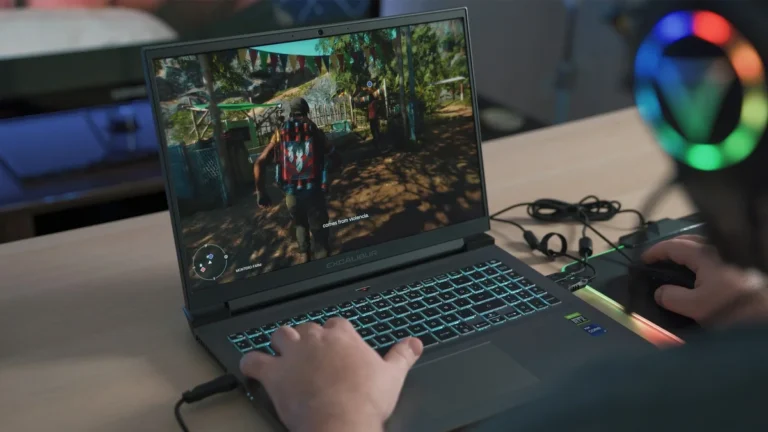
Fortnite can feel like several different games depending on the settings. Performance Mode, DirectX 11, and DirectX 12 with Nanite and Lumen put very different loads on the same hardware. Knowing which load you are buying for is half the decision.
Performance Mode or high settings: pick one first
Performance Mode is Epic’s own preset for competitive play. It switches Fortnite to a lighter rendering path, disables Nanite and Lumen, and targets frame rate consistency above visual detail. Most competitive players use it, because a steady high frame rate matters more than shadows in a build fight. If that is how you play, your money goes furthest on a fast CPU, a high refresh rate screen, and a mid-range GPU such as the RTX 5050 or 5060.
DirectX 12 with Nanite and Lumen is the pretty version of Fortnite. It needs a much stronger GPU, and it is where the RTX 5070 and 5070 Ti picks earn their price. Our guide to what DLSS is on a laptop GPU explains how upscaling and frame generation can lift frame rates in this mode, and the RTX 50-series cards in this guide all support DLSS 4. If you want both modes, buy for the heavier one and you will have headroom in the lighter one.
Refresh rate is the ceiling you can actually see
A laptop that produces 240 frames per second on a 60Hz screen wastes most of those frames, because the screen can only show 60 of them each second. The screen’s refresh rate is the hard ceiling on smoothness you can see. For competitive Fortnite, 144Hz is the realistic floor in 2026, 165Hz or 180Hz is the sweet spot, and 240Hz only pays off if your hardware can hold close to 240 frames per second in Performance Mode.
That is also why every pick in this guide has at least a 144Hz screen. If you already own a laptop and are not sure what its screen can do, our guide to how to check screen refresh rate on a laptop shows the check in about a minute. Screen type matters too: an OLED panel responds faster than an IPS panel at the same refresh rate, which is why our IPS vs OLED laptop comparison covers response time alongside refresh rate.
GPU power (TGP) matters as much as the GPU name
Two laptops can carry the same RTX 5060 badge and perform very differently, because NVIDIA lets manufacturers set the graphics power limit anywhere from 45W to 100W, plus up to 25W of Dynamic Boost. A 115W RTX 5060 is a meaningfully faster chip in sustained play than an 85W one. Our guide to how to check VRAM on your laptop explains the other half of the graphics story, and our MUX switch explainer covers the switch that lets the graphics card drive the screen directly, which is worth having on any competitive laptop.
The table above lists the power limit for each pick where the manufacturer publishes it. Treat a laptop whose seller will not state the wattage with suspicion, and check the exact model code before you buy, because the same family name can hide different power limits.
CPU, RAM and cooling
Fortnite is CPU-bound at high frame rates, which means the processor decides the frame rate once the graphics card stops being the bottleneck. In Performance Mode at 1080p, a fast modern CPU with strong single-core speed matters more than a bigger GPU. All six picks have current six-core or better processors, so none of them is the weak link here.
RAM is simple: 16GB is the floor, and it is what Epic recommends. 32GB is worth having if you stream, record, or keep a browser with many tabs open while you play. Storage should be an NVMe SSD, which every pick has, because Fortnite streams assets during play and a slow drive causes stutters. Cooling is the quiet factor: a laptop that overheats will throttle and drop frames in long sessions, so read our guide to how to keep a gaming laptop cool and our explainer on what thermal throttling is if your current machine slows down mid-match.
The best laptops for Fortnite in 2026
1. Lenovo Legion 5i Gen 11: best overall
The Legion 5i Gen 11 is the best laptop for Fortnite for most players because it gets the three things that matter right at once: a fast screen, a strong GPU, and a CPU that will not hold either of them back. The configuration to look for pairs an Intel Core i7-14700HX with an NVIDIA GeForce RTX 5070 with 8GB of GDDR7 memory, running at 115W. Lenovo’s own PSREF specification page lists that graphics card at a 2347MHz boost clock with 798 AI TOPS, and the 15.1 inch WQXGA OLED screen at 2560 by 1600, 165Hz, with 100 percent DCI-P3 color and G-SYNC.
That OLED screen is the reason this laptop tops the list. In Performance Mode it shows every frame the RTX 5070 produces with instant pixel response, and in DirectX 12 mode the deep blacks and bright highlights make Lumen lighting look far better than on a standard IPS panel. The 16GB of DDR5 memory and 1TB SSD in the standard configuration match Epic’s recommended tier with room to spare. A newer 2026 refresh of this family, model 15IAX11, offers a 12GB RTX 5070 option with a Core Ultra 9 processor, so check the model code on the listing: the 8GB version is the widely sold one, and the 12GB version is the one to grab if the price is close.
Check the Lenovo Legion 5i RTX 5070 on Amazon.
Best for: players who want one laptop that handles both competitive Performance Mode and high-settings DirectX 12 play. Not for: buyers on a tight budget, or anyone who wants a thin and light machine, because this is a full-size gaming laptop.
2. Acer Nitro V 16S AI: best value
The Nitro V 16S AI is the value pick because Acer spends the money where Fortnite players feel it: a 180Hz screen and 32GB of memory, instead of a bigger GPU badge. It pairs an AMD Ryzen 7 260 with an NVIDIA GeForce RTX 5060 with 8GB of GDDR7 memory, and Acer lists the 16 inch WUXGA IPS screen at 1920 by 1200, 180Hz, with 100 percent sRGB color. The 32GB of DDR5 memory and 1TB PCIe Gen 4 SSD come standard, which is generous at this level.
The trade-off is graphics power. Acer caps this RTX 5060 at 85W, while the TUF Gaming F16 below runs the same chip at 115W, so the Nitro V 16S gives up some frames in heavy scenes. In Fortnite’s Performance Mode at 1080p that gap is small, because the game is CPU-bound at high frame rates and the 180Hz screen shows the frames this laptop can produce. At 1440p or with Lumen turned on, the gap grows, and the Legion 5i above is the better buy. For 1080p competitive play with a big, fast screen and plenty of memory, this is the most laptop for the money in this guide.
Check the Acer Nitro V 16S RTX 5060 on Amazon.
Best for: 1080p competitive players who want a 180Hz screen and 32GB of RAM without paying for a 5070. Not for: players who want high settings at 1440p, because the 85W graphics limit shows up there.
3. HP Victus 15: best budget
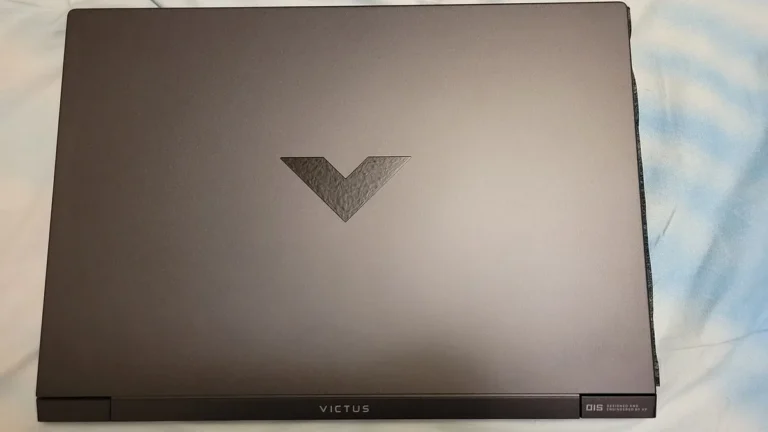
The Victus 15 is the cheapest way into a current-generation Fortnite laptop, and it earns its place rather than merely occupying it. The configuration to look for pairs an Intel Core i7-13620H or an AMD Ryzen 5 240 with an NVIDIA GeForce RTX 5050 with 8GB of GDDR7 memory, 16GB of DDR5 memory, and a 512GB or 1TB SSD. HP lists the 15.6 inch Full HD IPS screen at 144Hz with an anti-glare finish, which is the minimum screen worth buying for Fortnite in 2026.
Published benchmark figures for this configuration put Counter-Strike 2 at around 182 frames per second at 1080p on high settings, which is a fair guide to what the RTX 5050 does in fast competitive games. Reviewers measured the graphics card running at around 75W in the Victus chassis, which is modest, but Fortnite’s Performance Mode is light enough that this laptop holds high frame rates where it counts. The screen is the weak point: HP rates it at 62.5 percent sRGB color coverage, and independent measurements have found even less, so colors look washed out next to the Legion’s OLED or the Nitro’s 100 percent sRGB panel. For pure Fortnite performance per dollar, though, nothing else in this guide is cheaper.
Check the HP Victus 15 RTX 5050 on Amazon.
Best for: casual and competitive players on the smallest budget who play in Performance Mode at 1080p. Not for: players who care about color accuracy, or anyone who wants high settings at 1440p.
4. ASUS TUF Gaming F16: most FPS per dollar
The TUF Gaming F16 is the pick for players who want the most frames per dollar, because ASUS runs its RTX 5060 harder than almost anyone else at this level. The FX608JMR configuration pairs an Intel Core i7-14650HX with an NVIDIA GeForce RTX 5060 with 8GB of GDDR7 memory at 115W, which is 100W of base power plus 15W of Dynamic Boost, and ASUS prints that number on the listing. The 16 inch WUXGA IPS screen runs at 1920 by 1200 and 165Hz with 100 percent sRGB, G-SYNC, and a MUX switch with NVIDIA Advanced Optimus.
That power limit is the whole story. Tom’s Hardware measured this laptop at 95 frames per second in Shadow of the Tomb Raider at 1080p on the Highest preset, a result that shows what a full-power 5060 can do. In Fortnite’s Performance Mode, the combination of a fast CPU, a 115W GPU, and a MUX switch that lets the graphics card drive the screen directly is exactly the recipe for high, steady frame rates. The chassis is built to the MIL-STD-810H durability standard, it has two memory slots that upgrade to 64GB, and the 90Wh battery is large for a gaming laptop. If you want the competitive edge without paying for a 5070 Ti, this is the laptop to buy.
Check the ASUS TUF Gaming F16 RTX 5060 on Amazon.
Best for: competitive players who want maximum frame rates for the money and a durable chassis. Not for: buyers who want a light laptop, because at 2.2 kg this is a desk-first machine.
5. ASUS ROG Strix G16: best premium
The ROG Strix G16 is the laptop for Fortnite at its best looking, and the one to buy if you play in DirectX 12 with Nanite and Lumen turned on. The G614FR configuration pairs an AMD Ryzen 9 9955HX3D with an NVIDIA GeForce RTX 5070 Ti with 12GB of GDDR7 memory, running at 140W with Dynamic Boost. The 16 inch ROG Nebula screen is a 2560 by 1600 IPS panel at 240Hz with a 3ms response time, 100 percent DCI-P3 color, and G-SYNC, plus a MUX switch with NVIDIA Advanced Optimus.
The 12GB of video memory is what separates this laptop from the 8GB picks above. Nanite geometry and Lumen lighting use video memory heavily, and 12GB gives them room to work at 2.5K without stuttering. The 240Hz screen only pays off because the 140W graphics card and the 16-core Ryzen processor can actually hold high frame rates, and the two together make this the strongest machine in this guide for ranked play at 2.5K. It also handles heavier games and streaming without breaking a sweat, which is the real reason to spend this much. If Fortnite is the only game you play and you use Performance Mode, the Strix G16 is overkill, and the TUF F16 above gives you nearly the same competitive experience for much less.
Check the ASUS ROG Strix G16 RTX 5070 Ti on Amazon.
Best for: players who want the best-looking Fortnite at 2.5K, high refresh ranked play, and headroom for streaming and heavier games. Not for: Performance Mode only players on a budget, because the extra power is wasted there.
6. ASUS ROG Zephyrus G16 (2026): best portable
The Zephyrus G16 is the laptop for players who want flagship Fortnite performance in a machine they can actually carry. The 2026 GU606 model pairs an Intel Core Ultra 9 386H with an NVIDIA GeForce RTX 5070 Ti with 12GB of GDDR7 memory, running at 125W in turbo mode and up to 140W in manual mode, according to ASUS’s own spec page. The 16 inch 2.5K OLED screen runs at 2560 by 1600 and 240Hz with G-SYNC, a 0.2ms response time, and up to 1,100 nits of peak HDR brightness. The whole machine weighs 1.95 kg and is 14.9 to 17.9 mm thick, with a CNC aluminium unibody chassis.
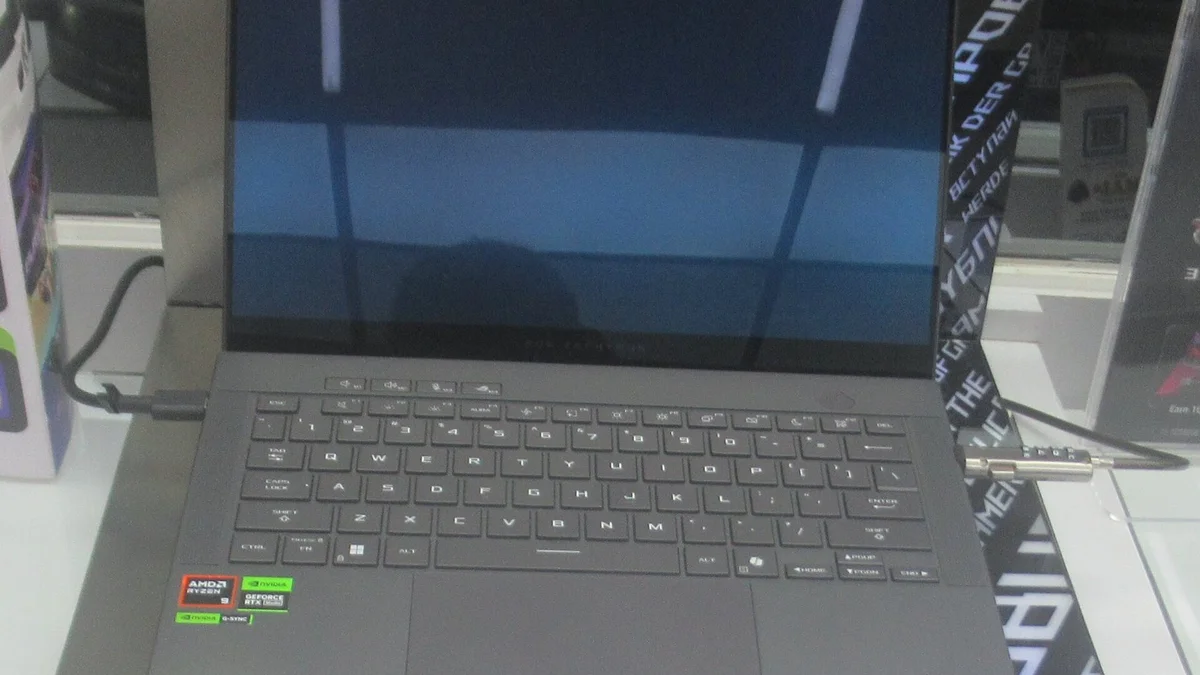
That OLED panel is the best screen in this guide for Fortnite: perfect blacks, instant response, and a 240Hz refresh rate that matches the graphics card’s output. A review in The Week reported 220 frames per second in Cyberpunk 2077 on the RTX 5070 Ti model, which shows the level of performance this thin chassis sustains. The trade-offs are the soldered 32GB of LPDDR5X memory, which cannot be upgraded later, and the price, which is the highest in this guide. If you travel, study, or work away from a desk and still want to play Fortnite at a high level, this is the laptop that makes both possible. Our comparison of gaming laptop vs gaming desktop covers the wider portability question if you are torn between a laptop and a desktop.
Check the ASUS ROG Zephyrus G16 RTX 5070 Ti on Amazon.
Best for: players who travel or carry their laptop daily and still want 240Hz OLED gaming. Not for: buyers who want upgradeable memory, or anyone who plays only at a desk, where the Strix G16 gives the same graphics for less.
Fortnite settings that matter on any laptop
The laptop is only half the setup. These settings are worth changing on any machine in this guide, and they cost nothing.
- Turn on Performance Mode for competitive play. In Fortnite, open Settings, then Video, and set Rendering Mode to Performance. This is Epic’s own low-detail path, and it is the single biggest frame rate gain available. Restart the game after changing it.
- Cap your frame rate at your screen’s refresh rate. A 165Hz screen needs a 165 fps cap, not an unlimited one. An unlimited cap makes the laptop hotter and noisier for frames you cannot see, and heat is what causes throttling in long sessions. Our guide to what a good GPU temperature is for a gaming laptop explains the temperatures to watch.
- Use DLSS in DirectX 12 mode. If you play with Nanite and Lumen on, turn on DLSS in Quality or Balanced mode. On an RTX 50-series laptop you can also use Multi Frame Generation, which the RTX 5070 and 5070 Ti picks support. In Performance Mode, DLSS matters less, because the rendering load is already light.
- Set 3D Resolution to 100 percent in Performance Mode. Lowering it makes the game blurry without much frame rate gain on a modern GPU. If you need more frames, lower view distance and effects first, because those cost the most in endgame fights.
- Play plugged in, on the performance power plan. Every gaming laptop in this guide limits graphics power on battery. Windows power saving can also drop your screen to 60Hz, so check the refresh rate after unplugging. Our guide to how to check laptop temperature shows how to confirm your machine is not throttling during play.
If your frame rate is still low after these changes, the problem is usually a setting rather than the hardware. Our guide to how to increase FPS on a gaming laptop walks through 12 settings that work, including driver updates and background app cleanup. And if you play other games too, our roundups of the best gaming laptops for Sims 4 and the best laptop for Rocket League use the same picking method, so the advice transfers.
Which laptop should you buy?
- Most players: the Lenovo Legion 5i Gen 11. Its OLED screen and 115W RTX 5070 cover both Performance Mode and high settings, and it is the best all-rounder in this guide.
- Tightest budget: the HP Victus 15. It is the cheapest laptop here that still plays Fortnite well, as long as you accept the dimmer, less colorful screen.
- Best value: the Acer Nitro V 16S AI. A 180Hz screen and 32GB of RAM for less than a 5070 laptop, with enough power for 1080p competitive play.
- Competitive ranked play: the ASUS TUF Gaming F16. Its 115W RTX 5060 and MUX switch give the most frames per dollar in Performance Mode.
- Best-looking Fortnite: the ASUS ROG Strix G16. Its 12GB RTX 5070 Ti and 240Hz 2.5K screen are built for DirectX 12 with Nanite and Lumen.
- Travel and portability: the ASUS ROG Zephyrus G16. Flagship performance in a 1.95 kg aluminium body with the best screen here.
Budget is the other half of the decision. If the laptops above are more than you want to spend, our roundups of the best gaming laptops under $500, the best gaming laptops under $700, and the best gaming laptops under $1500 cover the price ladder, and our comparison of RTX 5050 vs RTX 4050 laptop GPUs explains whether a discounted older model is worth it. Laptop screen sizes are worth a look too, because a 14 inch machine is easier to carry and a 17 inch machine is easier to see, and our 4K vs 1080p on a laptop guide explains why 1080p or 1440p is the right resolution for Fortnite instead of 4K.
Mistakes to avoid when buying a laptop for Fortnite
- Buying on the GPU name alone. An 85W RTX 5060 and a 115W RTX 5060 are different laptops in practice. Check the power limit on the spec sheet, and check the exact model code, because the same family name can hide different wattages.
- Buying a 60Hz screen for a competitive game. A fast GPU on a 60Hz screen wastes its frames. 144Hz is the floor for Fortnite in 2026, and the screen is the part you look at every second you play.
- Buying 8GB of RAM. Epic recommends 16GB, and Fortnite with a browser and Discord open in the background will use it. 8GB causes stutters that feel like lag, and the cause is hard to spot.
- Buying a 256GB SSD. Fortnite needs around 30GB plus updates, Windows needs its share, and a nearly full SSD slows down. 512GB is the minimum, and 1TB is the comfortable choice.
- Paying for a 4K screen to play Fortnite. 4K quadruples the pixels the GPU must draw, which cuts frame rates hard, and on a 15 or 16 inch screen the extra sharpness is barely visible. A 1080p or 1440p high refresh screen is the better buy for this game.
- Ignoring the return window. Buy from a seller with a real return policy, test Fortnite in both Performance Mode and DirectX 12 mode in the first days, and check the screen for dead pixels and the fans for coil whine while you can still send it back.
Can a laptop run Fortnite at 240 fps?
Yes, in Performance Mode at 1080p. A laptop with an RTX 5060 or better, a fast modern CPU, and a 240Hz screen can hold close to 240 frames per second in Performance Mode, because that mode disables Nanite and Lumen and lightens the rendering load. In DirectX 12 mode with high settings, even an RTX 5070 Ti will not hold 240 fps, so 240 fps is a Performance Mode target, not a high-settings target.
Is 8GB RAM enough for Fortnite on a laptop?
It is enough to launch and play the game, because 8GB is Epic’s minimum, but it is not enough for a good experience. Epic recommends 16GB, and Fortnite with a browser and Discord open in the background will use more than 8GB. With 8GB you will see stutters when the game loads new areas. Buy 16GB as the minimum, and 32GB if you stream or record while you play.
Is the RTX 5050 good enough for Fortnite?
Yes, for 1080p play. The RTX 5050 with 8GB of video memory handles Fortnite in Performance Mode at high frame rates, and it manages medium to high settings in DirectX 12 mode. It is the cheapest current-generation graphics card in this guide, and it is the right choice if your budget is tight. It struggles at 1440p with high settings, where an RTX 5060 is the better buy.
Do I need an RTX 5070 to play Fortnite?
No. Fortnite runs well on an RTX 5050 or 5060, and most players will never need more. You need an RTX 5070 or 5070 Ti only if you play at 1440p or 2.5K, if you turn on Nanite and Lumen in DirectX 12 mode, or if you also play heavier games. For competitive play in Performance Mode at 1080p, a fast CPU and a high refresh rate screen matter more than a bigger GPU.
Is Performance Mode better than DX12 for Fortnite?
For winning games, yes. Performance Mode is Epic’s own preset for competitive play: it disables Nanite and Lumen, uses a lighter rendering path, and gives you higher and steadier frame rates with lower input delay. DirectX 12 looks better, with richer lighting and detail, but it needs a much stronger GPU and gives lower frame rates. Most competitive players use Performance Mode, and most casual players prefer DirectX 12.
Does Fortnite need a gaming laptop or will any laptop work?
Any modern laptop can run Fortnite, because Epic’s minimum is a decade-old Core i3 with integrated graphics. But a non-gaming laptop will run it at low settings and low frame rates, usually on a 60Hz screen, which is a poor experience in a fast competitive game. A gaming laptop with a dedicated RTX graphics card, 16GB of RAM, and a 144Hz or faster screen is what turns Fortnite from playable into enjoyable.