ThinkPad E vs T Series: What Is the Difference?
Quick Answer: The T series is the better laptop, but the E series is the smarter buy for a lot of desk-bound work. Both are real ThinkPads with the same keyboard, the red TrackPoint and the same MIL-STD-810H durability testing. The T14 costs about $500 more, and it spends that money on a brighter 400-nit screen, two memory slots you can upgrade later, a 5G option and longer warranty choices. If you work at a desk and want to save money, buy the E14. If the laptop earns your living and you plan to keep it for four or five years, buy the T14.
ThinkPad E vs T at a glance
| Feature | E series | T series |
|---|---|---|
| Built for | Budget business buyers, small offices, first business laptops | All-day business use, hybrid working, company fleets |
| Current models | E14 Gen 7, E16 Gen 3 | T14 Gen 7, T14s Gen 7, T16 Gen 5 |
| Starting price | About $1,015 | About $1,610 |
| Base screen | 14-inch WUXGA IPS, 300 nits | 14-inch WUXGA IPS, 400 nits |
| Memory | SODIMM on most models, up to 64 GB | Two SODIMM slots, up to 96 GB |
| Battery | 48 Wh or 64 Wh | 52.5 Wh or 57 Wh, customer-replaceable |
| Weight | From 1.32 kg (2.91 lb) | From 1.27 kg (2.82 lb) |
| Mobile data | No 5G or WWAN option | 5G option available |
| Base warranty | 1-year options only | 1-year or 3-year options |
| Best for | Saving money on solid office work | A laptop you will use hard for years |
Lenovo sells more laptops than any other brand, and the ThinkPad range is a big reason why. The letter in front of the name tells you the price tier and who the machine was built for, not how good the exact laptop in front of you is. Our guide to the best laptop brands puts Lenovo first for work overall, and our comparison of ThinkPad vs IdeaPad vs Yoga explains where the whole ThinkPad family sits.
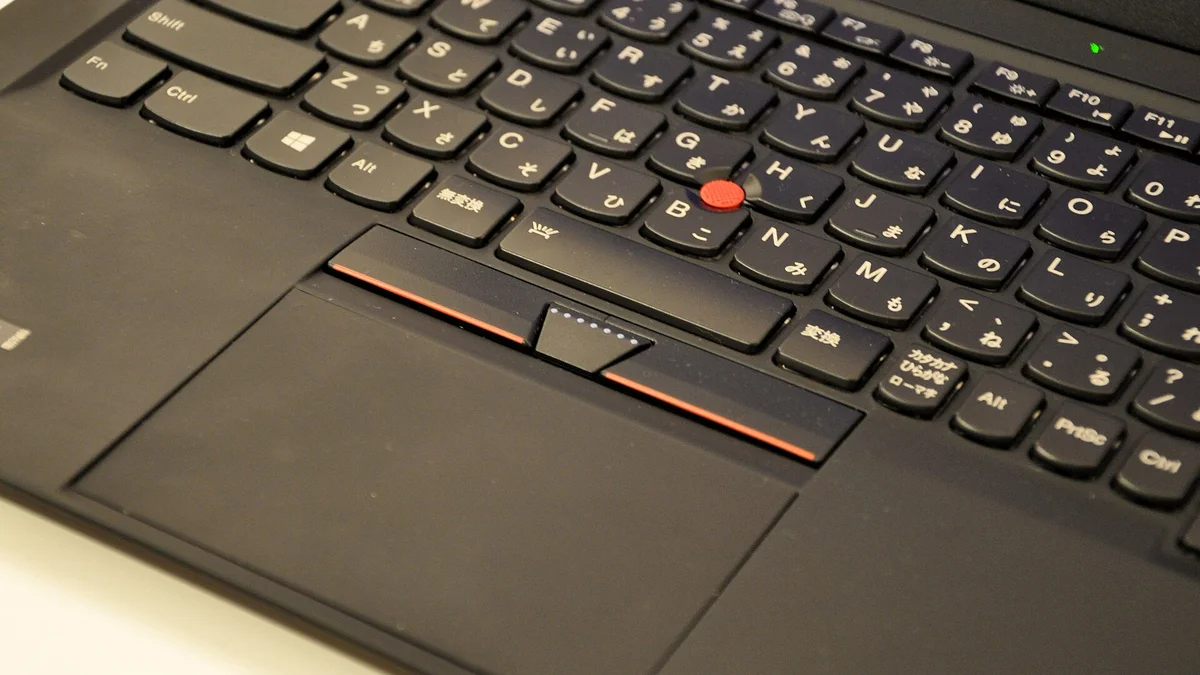
That choice matters because the two lines look almost identical on a desk. Both are black, both have the same keyboard and the same red TrackPoint, and both pass the same MIL-STD-810H durability tests. The differences hide in the specification sheet: the screen brightness, the memory slots, the battery, the warranty options and the price.
What is the ThinkPad E series?
The E series is the entry point into the ThinkPad family. The current models are the 14-inch E14 Gen 7 and the 16-inch E16 Gen 3, and they cover the jobs most offices actually do: email, documents, video calls, web apps and spreadsheets. The E16 Gen 3 with an AMD Ryzen 5 starts at about $1,015, and the E14 Gen 7 with an Intel Core 5 was on sale for about $1,130 in fall 2026 on Lenovo’s US site. Lenovo changes prices often, so treat those as the shape of the gap rather than a quote.
What you get for that money is a genuine ThinkPad. The keyboard is the same design that makes the line famous, the TrackPoint is there, the build passes MIL-STD-810H testing, and the current E14 has an aluminium body. It is the cheapest way into a business laptop that will survive daily use.
Where the E saves money shows up in the specification sheet rather than in day-to-day speed. The base screens are 300 nits, which is fine indoors but dim near a sunny window. The cheapest E16 ships with a 256 GB drive and Windows 11 Home, where the T14 starts with 512 GB and Windows 11 Pro. Mobile data and NFC are not supported, so there is no 5G option, and Lenovo’s spec sheets list only 1-year base warranty options for the E series.
Memory is the detail to read twice. The E14 Gen 7 with an Intel Core 5 or Core 7 uses a SODIMM stick you can upgrade later, which is the right design for a budget laptop. But the Copilot+ PC version with an Intel Core Ultra chip has soldered memory that stays at whatever you bought. If you buy an E, buy 16 GB at least, and check that one word in the specification before you pay. Our guide on how much RAM you need uses the same logic for general use: 8 GB is enough for documents and browsing, 16 GB is the safe pick for anything heavier.
What is the ThinkPad T series?
The T series is the classic ThinkPad: the business laptop built for eight hours a day, for years. If an IT department buys one model for the whole company, it is usually a T. The current range is the 14-inch T14 Gen 7, the thinner T14s Gen 7 and the 16-inch T16 Gen 5. In fall 2026 the T14 Gen 7 starts at about $1,610 with AMD and about $1,670 with Intel, the T14s Gen 7 starts around $1,710, and the T16 Gen 5 starts around $1,760.
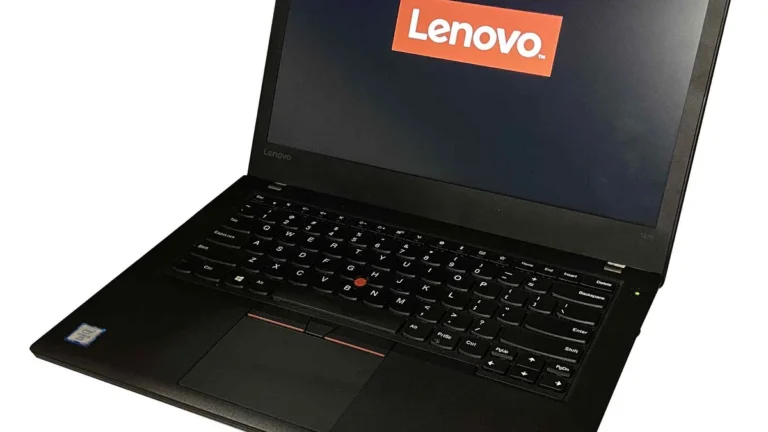
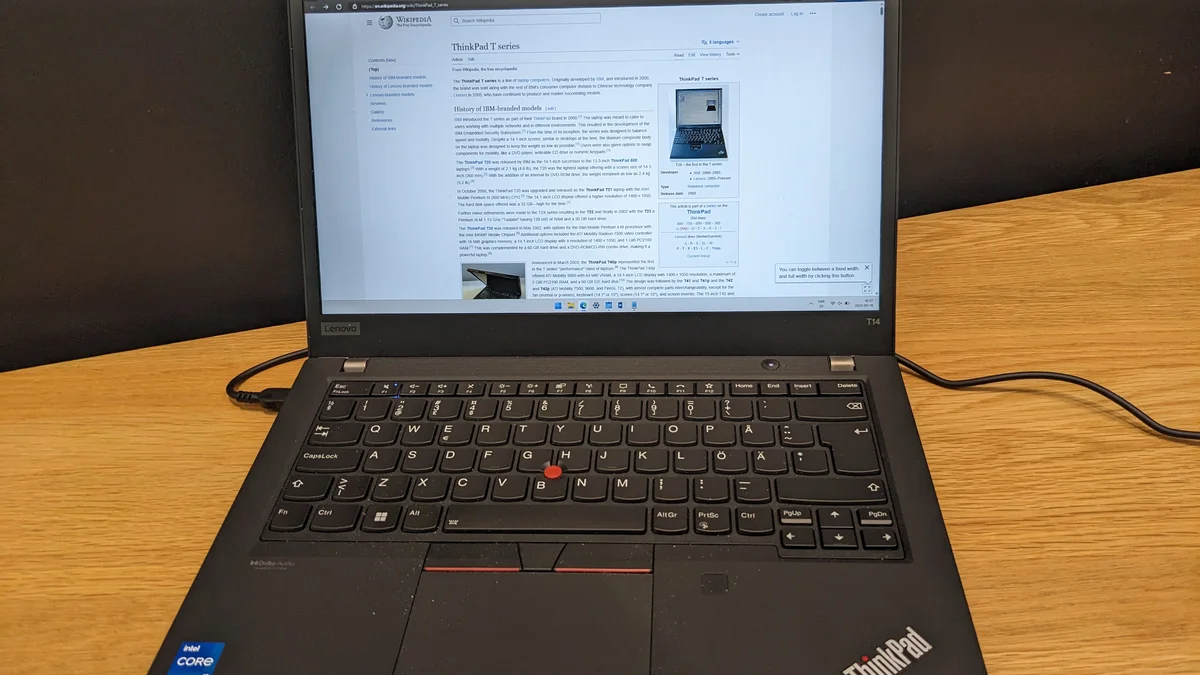
The current model is the Lenovo ThinkPad T14 Gen 7, and the extra money over an E14 buys a list of small upgrades that add up over years of daily use. The base screen is 400 nits instead of 300, which you notice the first time you work by a window. There are two SODIMM memory slots with room for up to 96 GB, so you can start at 16 GB and add a stick in three years instead of buying a new laptop. The base build includes a Ryzen PRO processor, Windows 11 Pro and a 512 GB drive.
The T14 also gets the extras that offices miss on thinner laptops: two Thunderbolt 4 ports, HDMI, USB-A and a wired Ethernet jack, so it docks at a desk without dongles. The battery is 52.5 Wh or 57 Wh, and Lenovo lists the 57 Wh battery as customer-replaceable. A 5G option is available for working away from Wi-Fi, and the warranty options stretch to 3-year carry-in or onsite cover, where the E series stops at 1 year.
One surprise in the current generation is the weight. The T14 Gen 7 starts at 1.27 kg, slightly lighter than the E14 Gen 7 at 1.32 kg, so the cheaper laptop is also the heavier one. The T14 is not feather-light at 2.82 lb, but it is easy to carry, and the thinner T14s trims the size further. Check the T14s specification for the word “Soldered” before you pay for the thinner body, because its memory is fixed on some configurations.
E vs T: the differences that matter
The two lines share the keyboard, the TrackPoint, the black business look and the durability testing. What changes is everything around those shared parts. These are the six differences that should decide your buy.
1. Price: about $500 apart
The cheapest T costs about $500 to $600 more than the cheapest E. That gap buys a brighter screen, a second memory slot, Windows 11 Pro in the base build and longer warranty options. It does not buy a faster laptop for office work. If the budget is tight, the E14 is a good laptop, not a mistake, and the money saved is real.
2. Screen: 300 nits vs 400 nits
This is the difference you will notice every single day. The E series base screen is 300 nits, which is fine in a normal office but washes out near a sunny window or outdoors. The T14 base screen is 400 nits, which stays readable in bright rooms and is the single most practical upgrade in the whole comparison. Both are 14-inch WUXGA IPS panels at 1920 by 1200, so the sharpness is the same and only the brightness changes. The E16 and T16 give you a 16-inch display for spreadsheets and side-by-side windows, and our guide to laptop screen sizes shows what each size actually measures on a desk.
3. Memory and upgrades: one slot vs two
The T14 Gen 7 has two SODIMM memory slots with room for up to 96 GB. Start at 16 GB, add a stick later, and the laptop stays fast for years. Most E14 Gen 7 models have upgradeable SODIMM memory too, up to 64 GB, which is plenty for office work. The trap is the Copilot+ version of the E14, where the memory is soldered and fixed at purchase. Read the specification for the words “SODIMM” and “Soldered” before you buy either machine. SODIMM means you can add memory later, and soldered means you cannot. Both lines use standard M.2 SSDs you can replace, and our guide to DDR4 vs DDR5 in laptops explains what the newer memory standard actually changes.
4. Battery, weight and build
The E14 Gen 7 runs a 48 Wh or 64 Wh battery, and the T14 Gen 7 runs a 52.5 Wh or 57 Wh battery that Lenovo lists as customer-replaceable. In practice the battery life is close, because both lines run the same class of efficient processors, so do not choose on the watt-hour number alone. Check the battery health on any ThinkPad you buy second hand with our guide on how to check battery health on Windows 11, and Lenovo Vantage lets you limit the charge to extend its lifespan, as our guide on how to limit laptop battery charge to 80 percent shows.
On build, both lines pass MIL-STD-810H testing for drops, dust, humidity and vibration, so that badge does not separate them. The T series uses tougher magnesium and aluminium alloys, while the E14 uses an aluminium body that is solid for the price. Neither is a rugged laptop. A ThinkPad will survive a knock in a bag and a coffee spill on the keyboard, but it is not built to be dropped on concrete or used in heavy rain. If your work really is that rough, read our comparison of fully rugged vs semi-rugged laptops and our picks for the best rugged laptops before you buy, because that is a different class of machine with a different price.
5. Ports, 5G and docking
Both lines are good on ports, which is one reason ThinkPads suit desk work. The T14 has two Thunderbolt 4 ports, HDMI, USB-A and Ethernet, and the E14 matches it closely with Thunderbolt 4, USB-A, HDMI 2.1 and Ethernet on current configurations. Neither laptop forces you into dongle life, so ports should not decide this comparison. The real connectivity gap is mobile data: the T14 offers a 5G WWAN option and the E14 does not. If you work from trains, client sites or anywhere without reliable Wi-Fi, that 5G option is a genuine reason to pick the T.
6. Security, warranty and support
This is where the T series earns its business reputation. T14 configurations offer Intel vPro or AMD Ryzen PRO processors, which give IT departments remote management and hardware security features the E series does not offer. Both lines ship with a fingerprint reader, a TPM security chip and an IR camera for Windows Hello, but the T adds the enterprise management layer on top.
The warranty gap is just as clear. Lenovo’s spec sheets list only 1-year base warranty options for the E14 and E16, while the T14 and T16 also offer 3-year carry-in or onsite options. On-site repair means a technician comes to you, which matters when the laptop is your livelihood. For a laptop you will use every day for four or five years, the longer T warranty is worth pricing in. iFixit scores the E14 Gen 7, the E16 Gen 3 and the T14 Gen 6 at 9 out of 10 for repairability, and the newer T14 Gen 7 at a provisional 10 out of 10.
Does the T series perform better?
For everyday work, no. When an E14, a T14 and an X1 Carbon use the same Intel chip and the same amount of memory, everyday performance is broadly the same. Email, Teams, Excel and browser work rarely push a modern chip far enough for the chassis to matter, and cooling differences only show up under sustained heavy loads like video rendering.
Generation matters more than tier. A current E14 Gen 7 will beat a three-year-old T14 in most jobs, because the newer chip, faster memory and better efficiency count for more than the letter on the lid. That is why the smartest check before you buy is the generation number, not the series. If a deal looks too good, it may be last year’s chassis sold as new, so use our guide on how to tell how old a laptop is before you pay.
Which one should you buy?
Match the laptop to the job, then pick the model. The letter on the lid is a starting point, not a verdict.
- Buy the E14 or E16 if: you work a few hours a day at a desk, your work is documents, email, browsers and video calls, and your budget is near $1,000 to $1,300. Get 16 GB of memory and a 512 GB drive, check the memory is SODIMM, and you have a proper business laptop for about $500 less.
- Buy the T14 if: you work on the laptop all day, every day, and plan to keep it for four or five years. The brighter screen and the second memory slot are the two things that decide whether the laptop still feels fine in year four.
- Buy the T14s if: you carry the laptop every day and want the slimmer T, but check the memory is not soldered on the configuration you choose.
- Buy the E16 or T16 if: you live in spreadsheets or keep two windows side by side. The 16-inch screen is worth more than any processor upgrade for that kind of work, and our picks for the best 17-inch laptops cover the bigger-screen options if 16 inches still feels small.
A worked example makes the maths simple. An E14 Gen 7 deal at about $1,130 against a T14 Gen 7 AMD at about $1,610 is a difference of about $480, or $8 a month over five years. For a brighter screen and room to double the memory later, most full-time workers should buy the T14. For a part-time helper who works three mornings a week, the E14 is the right call. If your budget is tighter still, our picks for the best business laptops under $800 narrow the ThinkPad and Dell business ranges to the models worth buying. And when the old laptop finally retires, our guide on how to sell your used laptop shows where to sell it and what it is worth.
Mistakes to avoid when choosing between E and T
The most common mistake is buying the cheapest E configuration and regretting the screen. A 300-nit panel is the one compromise you stare at all day, and it cannot be upgraded later. If the budget only stretches to an E, look for a configuration with a brighter panel, because the base screen is the weak point.
The second mistake is buying the Copilot+ E14 without noticing the soldered memory. The same model name hides two designs, and the soldered version locks you into the memory you bought. Check for the word “SODIMM” on any E14 before you pay, and if the memory is soldered, buy 16 GB at least.
The third mistake is paying for the T and never using what it adds. If the laptop lives on a desk, never leaves Wi-Fi and gets replaced every two years, the T’s 5G option, vPro management and 3-year warranty buy nothing. The E14 does the same work for about $500 less.
The fourth mistake is judging by the series name instead of the generation. Lenovo refreshes these lines every year, and a T14 from three years ago is a worse laptop than an E14 Gen 7 today. Check the generation number on the listing, confirm the processor and memory in the specification, and walk away from any listing that hides them.
Frequently Asked Questions
Is the ThinkPad E series good?
Yes. The E series is a genuine ThinkPad with the same keyboard, TrackPoint and MIL-STD-810H durability testing as the dearer lines. It is good for office work, school and small business use. Its limits are a dimmer 300-nit base screen, 1-year warranty options only, and no 5G option, so it suits desk work better than travel.
Is the T series better than the E series?
Yes, for all-day business use. The T14 adds a brighter 400-nit screen, two memory slots with room for up to 96 GB, a 5G option, vPro or Ryzen PRO management features and 3-year warranty options. For everyday office work the speed is the same, so the T is better in the ways that matter over years of use, not in raw performance.
Can you upgrade the RAM in a ThinkPad E14 or T14?
Usually, yes. The T14 Gen 7 has two SODIMM slots you can upgrade up to 96 GB, and most E14 Gen 7 models with Intel Core 5 or Core 7 chips use upgradeable SODIMM memory up to 64 GB. The exception is the Copilot+ version of the E14 with an Intel Core Ultra chip, where the memory is soldered and cannot be upgraded, so check for the word SODIMM before you buy.
Does the ThinkPad E14 have 5G?
No. The E14 has no WWAN or 5G option, and NFC is not supported either. If you need mobile data away from Wi-Fi, you need the T14, which offers a 5G option, or a mobile hotspot. This is one of the clearest reasons to step up from the E series to the T series.
Which ThinkPad is best for students?
The E14 is the best value for most students. It handles documents, browsing, video classes and light creative work, and it costs about $500 less than a T14. Buy it with 16 GB of memory and a 512 GB drive, and check the memory is SODIMM. Students who carry the laptop all day and can stretch the budget should look at the lighter T14 instead.
Is the T14 worth the extra money over the E14?
Yes, if you use the laptop all day and plan to keep it for four or five years. The brighter 400-nit screen and the second memory slot are the two upgrades that decide whether the laptop still feels good in year four, and the longer warranty options add peace of mind. If the laptop is mainly for a few hours of desk work a day, the E14 is the smarter spend.