Best Laptop For Rocket League in 2026
Rocket League looks like a simple game, and on paper it is. Psyonix lists modest official requirements: a dual core processor, 4GB of RAM and an older mid range graphics card as the minimum, and a quad core chip with 8GB of RAM and a GTX 1060 class card as the recommended level.
The game has been free to play since 2020, it installs in about 20GB, and almost any modern laptop can launch it. That is exactly why so many buyers overspend. The real question is not whether a laptop can run Rocket League, because nearly all of them can.
The real question is how smoothly it runs it, and how much of that smoothness you can actually see on the screen in front of you.
Competitive Rocket League is a frame rate and refresh rate game. At 60 frames per second on a 60Hz screen, the car feels fine in casual play.
At 144 frames per second or higher on a 144Hz or 240Hz screen, the same game feels noticeably more responsive: flips land where you expect, fifty fifty challenges read earlier, and fast aerials are easier to track. The hardware needed to get there is not extreme.
An RTX 4050, 4060 or 5060 class graphics card is more than enough to hold very high frame rates at 1080p with performance settings, and even modern integrated graphics such as AMD’s Radeon 780M class chips can run the game well at 1080p.
What separates the laptops below is the screen they pair with that power, the cooling that holds it through long ranked sessions, and the connection options that keep your ping stable.
Quick Answer: The Lenovo Legion 5 Gen 10 is the best laptop for Rocket League for most players in 2026. Its full power RTX 5060 and 165Hz OLED screen deliver high frame rate play that looks as good as it feels, it has a wired Ethernet port for stable ping, and it stays composed through long sessions. Players who want the fastest screen should look at the ASUS ROG Strix G16 and its 240Hz panel, and players on a tighter budget should start with the Lenovo LOQ 15 Gen 10.
How we picked: We compared the seven laptops below on the specs that decide Rocket League performance, starting with manufacturer specifications from Lenovo, ASUS, HP and Acer for graphics wattage, screens and ports, and cross checked the key configurations against retailer listings and independent reviews, including PC Gamer and Notebookcheck coverage of the LOQ 15.
Psyonix official system requirements set the baseline, and competitive settings guidance came from established secondary guides. No measured Rocket League benchmarks from reputable sources exist for these exact laptops, so frame rate statements stay as on paper expectations for the hardware class rather than tested results.

The Best Laptops for Rocket League at a Glance
| Model | GPU and TGP | Display and refresh rate | Best for |
|---|---|---|---|
| Lenovo Legion 5 Gen 10 | RTX 5060, 115W | 15.1 inch WQXGA OLED, 2560 x 1600, 165Hz | Best overall |
| ASUS ROG Strix G16 (2025) | RTX 5060, 115W | 16 inch 2.5K IPS, 2560 x 1600, 240Hz, 3ms | Best for 240Hz competitive play |
| HP OMEN 16 | RTX 5060, 115W | 16 inch WQXGA IPS, 2560 x 1600, 240Hz, 3ms | Best big screen pick |
| ASUS TUF Gaming A14 | RTX 5060, 105W | 14 inch 2.5K IPS, 2560 x 1600, 165Hz | Best portable gaming laptop |
| Lenovo LOQ 15 Gen 10 | RTX 5060, 115W | 15.6 inch FHD IPS, 1920 x 1080, 144Hz | Best value |
| Acer Nitro V 15 | RTX 5060, up to 75W | 15.6 inch FHD IPS, 1920 x 1080, 165Hz | Best budget high refresh pick |
| ASUS ROG Zephyrus G14 | RTX 5060, 90W in Turbo | 14 inch 3K OLED, 2880 x 1800, 120Hz, 0.2ms | Best thin and light for school and work |
Lenovo Legion 5 Gen 10: Best Overall Laptop for Rocket League
The Legion 5 Gen 10 takes the top spot because it gets every part of the Rocket League equation right at once.
The RTX 5060 runs at a full 115W here, which on paper puts this laptop in the tier that holds 240 plus frames per second at 1080p with competitive settings, and still delivers very high frame rates if you play at the screen’s native 2560 x 1600 resolution.
Rocket League is a light game, so that headroom is not about surviving the game. It is about never dipping: frame rate stays flat through busy midfield scrambles, goal explosions and overtime pressure, which is when consistency matters most.
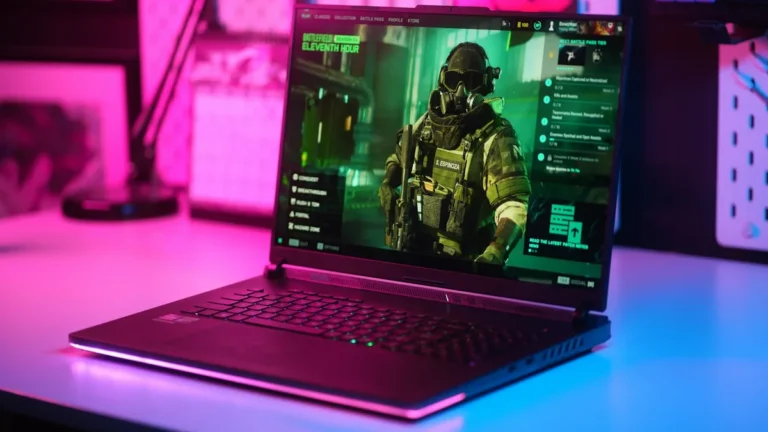
The screen is the headline. The 15.1 inch OLED panel runs at 165Hz with 500 nits of typical brightness and full DCI-P3 color, and OLED response times are effectively instant compared with LCD panels, so fast camera swings stay clean instead of smearing.
At 165Hz you see a new frame roughly every 6 milliseconds, which is a genuine competitive step up from 60Hz, and the resolution makes menus, training packs and everything outside the game look sharp.
The glossy finish is the one caveat: in a bright room you will see reflections, so it suits a desk setup better than a sunlit cafe.
For long ranked sessions, Lenovo’s Legion Coldfront cooling is built for sustained loads rather than short bursts, and the 80Wh battery, Wi-Fi 7 and a proper RJ45 Ethernet port round out a machine that can live on a desk all week and still travel.
The Ethernet port deserves emphasis for this game: a wired connection is the simplest ping upgrade there is, and many thin laptops have dropped the port entirely. At about 1.9 kg the Legion is not the lightest laptop here, and the memory configuration uses standard slots, so check the exact listing before you buy.
If your shortlist also includes heavier games, our guide to the gaming laptops under 1500 shows where this class of hardware sits in the wider market.
Pros
- ✓ Full power 115W RTX 5060 for flat, high frame rates on paper
- ✓ 165Hz OLED screen with near instant response and 500 nits brightness
- ✓ RJ45 Ethernet port plus Wi-Fi 7 for stable, low ping connections
- ✓ Strong cooling and an 80Wh battery for long sessions
Cons
- ✗ Glossy OLED reflects light in bright rooms
- ✗ Heavier than the 14 inch picks in this guide
- ✗ OLED care habits apply, such as varying on screen content
Best for: players who want the best all round Rocket League package with a fast OLED screen and wired play. Not for: bright rooms where the glossy OLED reflects light, or buyers who need the lightest laptop to carry.
Check the latest price on Amazon
ASUS ROG Strix G16 (2025): Best for 240Hz Competitive Play
If your only goal is the fastest, most responsive Rocket League setup a laptop can offer, the Strix G16 is the pick.
Its 16 inch Nebula display runs at 240Hz with a rated 3ms response time, and the RTX 5060 at 115W is, on paper, exactly the tier that can feed a 240Hz screen at 1080p and low resolutions with frames to spare.
Drop the in game resolution or use performance settings at the native 2560 x 1600 and the pairing still makes sense, because Rocket League’s light engine leaves this hardware with headroom everywhere.
The supporting hardware is built for players who grind. The Core Ultra 9 275HX is far more processor than this game needs, which means Discord, a browser and recording software running beside the game will not cost you frames.
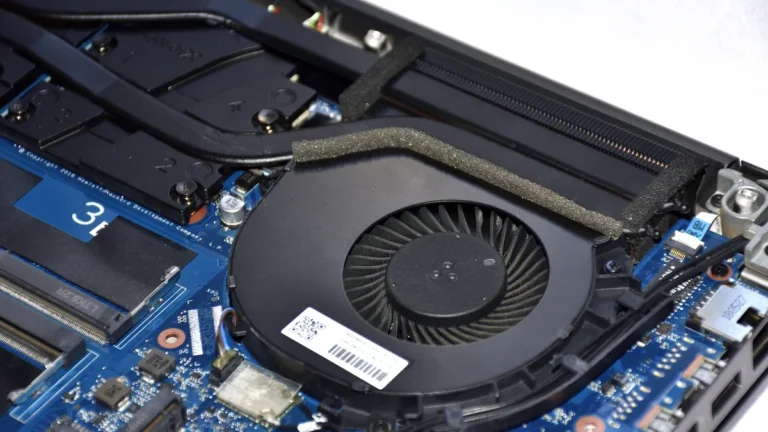
ROG’s Intelligent Cooling uses a vapor chamber design with three fans on this class of chassis, aimed at holding clock speeds steady through tournament length sessions rather than peaking early and fading.
There is an RJ45 LAN port for wired play, Wi-Fi 7 for everywhere else, and two memory slots plus a 1TB SSD, so the machine can grow with you.
The trade offs are size and noise. At about 2.5 kg this is a desk anchored laptop that you carry occasionally, not a daily backpack companion, and three fans working hard are audible without headphones.
The 240Hz screen also only earns its keep if your settings actually push frame rates that high; at native resolution with every quality setting maxed, frame rates will sit below the refresh rate, which is fine for casual play but wastes the panel’s main advantage in ranked.
Serious players treat the settings menu as part of the setup, and the section later in this guide covers exactly how.
Pros
- ✓ 240Hz, 3ms screen is the fastest display in this guide
- ✓ 115W RTX 5060 and a flagship HX processor hold high frame rates on paper
- ✓ Vapor chamber, tri fan cooling built for long sessions
- ✓ RJ45 Ethernet, Wi-Fi 7 and upgradeable memory slots
Cons
- ✗ About 2.5 kg, so it is a desk first laptop
- ✗ Fans are clearly audible under load without headphones
- ✗ 240Hz advantage needs performance settings to show up
Best for: serious ranked players chasing the fastest 240Hz screen. Not for: daily backpack carry or quiet rooms, at about 2.5 kg with clearly audible fans under load.
Check the latest price on Amazon
HP OMEN 16: Best Big Screen Pick With 240Hz Speed
The OMEN 16 gives you the same headline combination as the Strix, a 240Hz screen and a 115W RTX 5060, in HP’s more understated design.
On paper the hardware tier is the 240 plus frames per second class at 1080p competitive settings, and the 16 inch WQXGA panel at 2560 x 1600 with a 240Hz variable refresh rate and 3ms response time means the display will never be the bottleneck.
The bigger screen genuinely helps in Rocket League: opponents at the far end of the field are larger and easier to read, and boost pads and ball trails stay visible in your peripheral vision.
HP rates this configuration at up to 170W of total platform power with the GPU at 115W, and its OMEN Tempest cooling is designed around sustained gaming loads. The OMEN Gaming Hub software also includes network tools that prioritize game traffic, which is a small but relevant touch for a ping sensitive game.
You get Gigabit Ethernet for wired sessions, Wi-Fi 6E, a 1080p camera and an 83Wh battery on the configurations sold through major retailers, along with two memory slots on most versions, so a 32GB upgrade later is realistic.
The honest compromises are weight and configuration sprawl. At roughly 2.44 kg it is another desk first machine, and HP sells this laptop with 144Hz, 165Hz and 240Hz screens under the same OMEN 16 name.
That makes reading the exact listing essential: the recommendation here is specifically the WQXGA 240Hz version with the RTX 5060, 16GB of RAM and a 1TB SSD. Buy a cheaper OMEN 16 configuration by accident and you may get a slower screen than the one this guide is praising.
Pros
- ✓ 240Hz WQXGA screen with 3ms response on a large 16 inch panel
- ✓ 115W RTX 5060, in the 240 plus FPS tier on paper at 1080p
- ✓ Gigabit Ethernet and gaming focused network software
- ✓ 83Wh battery, bigger than most gaming laptops here
Cons
- ✗ About 2.44 kg, not a carry everywhere laptop
- ✗ Same model name covers 144Hz and 165Hz screens, so check the listing
- ✗ Design and RGB keyboard will not suit every office
Best for: players who want a big 16 inch 240Hz screen for reading the far end of the field. Not for: carry everywhere use, or buyers who will not check the exact listing for the 240Hz configuration.
Check the latest price on Amazon
ASUS TUF Gaming A14: Best Portable Laptop for Rocket League
The TUF Gaming A14 answers a different question: what if your Rocket League laptop also has to go to class, work or a friend’s house every day?
At about 1.46 kg it is the lightest full gaming laptop in this guide, yet it still carries an RTX 5060 at 105W, which on paper is comfortably in the high frame rate tier for this game.
Paired with a 14 inch 2560 x 1600 screen at 165Hz with G-Sync, it delivers the full competitive experience, high frames matched to a fast panel, in a machine that disappears into a backpack.
The smaller chassis does not mean weak supporting parts. The Ryzen AI 7 350 is efficient, the 73Wh battery is generous for the size, there are two M.2 slots for storage upgrades, and the port set covers HDMI 2.1, USB4 and a microSD reader.
Cooling in a 14 inch gaming laptop is always the engineering challenge, and ASUS uses a dual fan design with a full width rear exhaust; for a light game like Rocket League the system has an easy time of it, and fan noise stays reasonable at the settings this game needs.
Wi-Fi 6E handles wireless play well.
Two honest trade offs define this pick. There is no Ethernet port, so wired play at home means a USB-C adapter, a small extra cost worth paying if you play ranked seriously. And the 16GB of memory is soldered LPDDR5X with no upgrade path, so the configuration you buy is the configuration you keep.
Neither flaw matters much for Rocket League itself, which is happy with 16GB for years, but they matter if this laptop is also your only computer. Players whose gaming is lighter still, the laptops for Sims 4 guide covers machines built around the same play anywhere idea.
Pros
- ✓ About 1.46 kg, the lightest real gaming laptop here
- ✓ 165Hz G-Sync screen and a 105W RTX 5060, a proper competitive pairing on paper
- ✓ 73Wh battery and two M.2 slots in a 14 inch body
- ✓ USB4, HDMI 2.1 and Wi-Fi 6E cover desk and travel setups
Cons
- ✗ No built in Ethernet port; ranked play at home needs an adapter
- ✗ Memory is soldered at 16GB with no upgrade option
- ✗ Smaller screen than the 15 and 16 inch picks
Best for: players who need a light laptop for class, work and daily travel. Not for: wired ranked play without a USB-C adapter, or buyers who want upgradeable memory.
Check the latest price on Amazon
Lenovo LOQ 15 Gen 10: Best Value Laptop for Rocket League
The LOQ 15 Gen 10 is where the smart money goes for this game.
In the AMD configuration recommended here, a Ryzen 7 250 processor and an RTX 5060 running at 115W, you get the same full power graphics tier as the Legion and Strix above, on paper the 240 plus frames per second class at 1080p, for noticeably less money.
What you give up is screen ambition: the 15.6 inch panel is a 1920 x 1080 IPS display at 144Hz with 300 nits brightness and full sRGB color. For Rocket League that is still a proper competitive setup.
144Hz is the single biggest smoothness upgrade a player can make, and 1080p is the resolution competitive players choose anyway.
The value details are unusually good. There are two memory slots, and the laptop ships with one 16GB stick fitted, so adding a second stick later for dual channel memory is cheap and easy. There are two M.2 storage slots as well, which softens the modest 512GB SSD it starts with.
You also get Gigabit Ethernet for wired ranked sessions, a 5MP camera, and cooling shared with Lenovo’s wider gaming line that handles this light game without strain. At about 2.45 kg it is not light, but value laptops rarely are.
The honest weaknesses are the screen’s motion clarity and the smaller battery. Independent measurements of this panel note visible ghosting in fast motion compared with the 240Hz and OLED screens above, and response time is not its strength.
The 60Wh battery is also the smallest among the 15 and 16 inch picks, so this is a plug in and play machine rather than an all day unplugged one. Neither issue stops it being the best value here.
If your total budget is tighter still, our gaming laptops under 500 guide shows what the entry level looks like, and this LOQ sits a clear step above that tier. Buyers comparing the whole mid range should also read our gaming laptop around 1000 roundup, where this class of machine is the one to beat.
Pros
- ✓ Full power 115W RTX 5060 at a value price tier
- ✓ 144Hz, 100% sRGB screen is a true competitive baseline
- ✓ Two memory slots and two SSD slots for cheap upgrades
- ✓ Gigabit Ethernet included for stable wired play
Cons
- ✗ Panel shows more ghosting than the faster screens in this guide
- ✗ 60Wh battery is small for a 15.6 inch laptop
- ✗ About 2.45 kg, heavier than its price suggests
Best for: value buyers who want full power RTX 5060 performance with a 144Hz screen. Not for: all day unplugged use, or players sensitive to panel ghosting in fast motion.
Check the latest price on Amazon
Acer Nitro V 15: Best Budget Pick With a 165Hz Screen
The Nitro V 15 exists for one reason: it puts a high refresh screen and a current generation graphics card in front of players whose budget cannot stretch to the LOQ.
The headline pairing is an RTX 5060 with a 15.6 inch 1920 x 1080 IPS screen at 165Hz, which is a refresh rate some laptops costing far more still do not offer.
On paper, even with the GPU’s maximum graphics power set at up to 75W in this thin chassis, Rocket League at 1080p performance settings sits in the very high frame rate tier, because the game simply does not ask much of the hardware.
For this title specifically, the lower wattage is a footnote rather than a flaw.
Acer pairs the graphics with a Core i9-13900H in the configuration linked here, 16GB of memory and a 1TB PCIe SSD, so load times are fast and multitasking is easy. Connectivity covers the essentials properly: Gigabit Ethernet for wired play, Wi-Fi 6, HDMI, and USB-C alongside three USB-A ports.
The 76Wh battery is larger than you expect at this level, and the dual fan, dual exhaust cooling design is carried over from Acer’s gaming line. The matte ComfyView finish on the screen is also a quiet plus for bright rooms and dorm lighting.
Pros
- ✓ 165Hz screen and RTX 5060 at the lowest price tier in this guide
- ✓ Fast processor, 16GB of RAM and a 1TB SSD as standard
- ✓ Gigabit Ethernet, Wi-Fi 6 and a generous 76Wh battery
- ✓ Matte screen finish handles bright rooms well
Cons
- ✗ GPU capped at up to 75W, which matters in heavier games
- ✗ DDR4 memory in this configuration, not DDR5
- ✗ No published response time figure for the display
Best for: budget buyers who want a 165Hz screen and current graphics for esports titles. Not for: heavier modern games where the 75W graphics cap shows, or buyers who need DDR5 memory.
Check the latest price on Amazon
ASUS ROG Zephyrus G14: Best Thin and Light for School, Work and Play
The Zephyrus G14 is the pick for players who need one laptop to do everything and refuse to carry a gaming brick.
It weighs about 1.5 kg in a slim aluminum body that looks at home in a lecture hall or a meeting room, yet inside sits an RTX 5060 running at 90W in Turbo mode.
On paper that is still far more graphics power than Rocket League needs, comfortably in the high frame rate tier at 1080p and at the screen’s native resolution with sensible settings. The Ryzen 9 270 processor, 16GB of fast memory and a 1TB SSD make it equally capable as a general purpose machine.
The screen is beautiful rather than purely fast.
The 14 inch OLED panel runs at 2880 x 1800 with a 120Hz refresh rate and a 0.2ms response time, so while it cannot show as many frames per second as the 165Hz and 240Hz picks, every frame it shows is exceptionally clean, with OLED contrast that makes night arenas and neon boosts look superb.
For mixed use, that trade is defensible: 120Hz is still double a standard laptop screen, the resolution is wonderful for documents and creative work, and the 73Wh battery and Wi-Fi 7 suit long days away from a desk.
The compromises are the familiar thin and light ones. There is no Ethernet port, so serious ranked sessions at home call for a USB-C adapter. The memory is soldered, the GPU runs at a lower wattage than the full size gaming laptops, and you pay a premium for the design and the OLED panel.
Buy it because you want the best portable laptop here that also plays Rocket League beautifully, not because it is the cheapest route to 120 smooth frames per second.
Pros
- ✓ About 1.5 kg in a premium aluminum body that suits work and school
- ✓ Stunning 3K OLED screen with 0.2ms response and 120Hz refresh
- ✓ 90W Turbo RTX 5060 is far beyond this game’s needs on paper
- ✓ 73Wh battery and Wi-Fi 7 for full days away from the desk
Cons
- ✗ 120Hz ceiling, below the 144Hz plus screens elsewhere here
- ✗ No Ethernet port; wired play needs an adapter
- ✗ Premium pricing for the design and OLED panel
Best for: players who need one premium thin laptop for school, work and play. Not for: chasers of 144Hz plus screens, or wired play without a USB-C adapter.
Check the latest price on Amazon
How to Choose the Right Laptop for Rocket League

How much laptop do you actually need for Rocket League?
Less than the marketing suggests. The official recommended specification, a quad core processor, 8GB of RAM and a GTX 1060 class graphics card, describes hardware that is several generations old, and the game has not grown much heavier since.
A sensible modern baseline is a recent six core or better processor, 16GB of RAM, a fast SSD, and either a modern integrated graphics chip for casual play or an entry level dedicated GPU such as an RTX 4050 or 5050 for high refresh competitive play.
Every laptop in this guide exceeds that baseline by a wide margin, deliberately: the extra money is buying the screen, the cooling and the build, not the ability to run the game. If Rocket League and similar esports titles are genuinely all you play, the value picks here are not a compromise at all.
Is a 144Hz screen worth it for Rocket League?
Yes, and it is the single upgrade competitive players feel most. Rocket League is a game of small corrections: reading a bounce half a step earlier, adjusting a touch mid flight, reacting to a demo attempt.
A 144Hz screen shows you more than twice as many frames per second as a 60Hz screen, so motion is clearer and the delay between your input and the result on screen shrinks.
The step from 144Hz to 240Hz is real but smaller, and mainly worth it if you play ranked seriously and your settings can feed the screen enough frames.
This is why the guide treats 144Hz as the competitive baseline, 165Hz as the sweet spot, and 240Hz as the enthusiast tier, rather than pretending a 60Hz gaming laptop is a serious ranked machine.
Can you play Rocket League on integrated graphics or a non gaming laptop?
Yes, honestly and well. Modern integrated graphics, such as AMD’s Radeon 780M class chips found in recent Ryzen laptops, run Rocket League at 1080p with performance settings at frame rates that satisfy casual and even ranked play, and the game’s own recommended specification is old enough that many school and office laptops clear it.
The limits are real, though: you will use lower settings, high refresh screens are rare on non gaming laptops, and integrated graphics share memory and cooling with the processor, so long sessions on a thin laptop can run warm.
If you already own a recent non gaming laptop, install the game for free and try it before spending anything. If you are buying new and Rocket League is a priority, a dedicated GPU and a 144Hz plus screen remain the better purchase.
What settings give the best competitive performance?
Competitive players optimize for clarity and frame rate, not beauty. Play in fullscreen mode, turn V-Sync off, and either uncap the frame rate or cap it slightly above your screen’s refresh rate so the GPU is never waiting on the display.
Use performance oriented render quality and world detail settings, keep texture quality reasonable, and switch off motion blur, weather effects and other visual extras that add noise to fast scenes.
Set the in game FPS counter on while you tune, and lower resolution or render scale first if frame rates dip below your refresh rate in busy moments.
On any laptop in this guide, those settings at 1080p put you in high frame rate territory on paper, and the smoother, cleaner picture is worth more in ranked than shadows and effects ever are.
Rocket League Laptop Terms That Actually Matter
FPS vs refresh rate, and why they must match. FPS, frames per second, is how many frames your graphics card produces. Refresh rate, measured in Hz, is how many of those frames your screen can actually show each second.
A GPU producing 240 FPS connected to a 60Hz screen still only shows you 60 new images per second, and the extra frames are wasted. The reverse hurts too: a 240Hz screen fed only 90 FPS looks no smoother than a 90Hz screen.
Smooth competitive play comes from pairing them, which is why this guide always names the GPU tier and the screen together.
Input lag and response time, in plain terms. Input lag is the delay between your controller or keyboard input and the result appearing on screen. Refresh rate, VSync settings and frame rate all feed into it, which is why high refresh setups feel more responsive even before you measure anything.
Response time is different: it is how fast a screen’s pixels change from one color to another, measured in milliseconds. Slow pixels smear fast motion into ghosting, which is why the 3ms ratings on the 240Hz picks and the 0.2ms OLED figures matter in a game built on fast camera movement.
TGP wattage, explained for this game. TGP, total graphics power, is the wattage a laptop lets its GPU use. The same RTX 5060 can be set anywhere from about 75W in a thin chassis to 115W in a full size gaming laptop, and higher wattage generally means higher sustained clock speeds.
For heavy modern games that gap is significant. For Rocket League it mostly is not: the game is light enough that even the 75W configuration in this guide sits in a very high frame rate tier on paper at 1080p.
Check TGP before buying, but for this title the screen deserves more of your attention and budget.
Ping vs FPS: the network half of smooth play. FPS is local, produced inside your laptop. Ping is network latency, the time a signal takes to travel to the game server and back, measured in milliseconds, and no graphics card improves it.
A match can run at a perfect 240 FPS and still feel wrong if your ping is high or unstable, because the server is the referee of where the ball and cars actually are.
The fixes are networking fixes: play wired over Ethernet when you can, as most picks here allow, sit close to a good router when you cannot, choose your nearest server region in game, and keep big downloads and streams off your connection during ranked sessions.
Frequently Asked Questions
What is the best laptop for Rocket League overall?
The Lenovo Legion 5 Gen 10, because it pairs a full power RTX 5060 with a 165Hz OLED screen, strong cooling and an Ethernet port at a sensible position in the range. Players chasing the absolute fastest screen should choose the ASUS ROG Strix G16 at 240Hz, and players on a budget should choose the Lenovo LOQ 15 Gen 10, which keeps the same full power GPU tier with a 144Hz screen.
How many FPS do you need for Rocket League?
Aim to match or exceed your screen’s refresh rate. 60 FPS is playable, 120 to 144 FPS is where the game starts to feel properly responsive, and 240 FPS paired with a 240Hz screen is the enthusiast target for serious ranked play. Consistency matters as much as the peak number: a flat 144 FPS feels better than a frame rate swinging between 200 and 110, which is why settings that hold a stable rate beat maximum settings that fluctuate.
Can Rocket League run at 240 FPS on a laptop?
Yes, on the right hardware tier and settings. Rocket League is a light game, and RTX 4060 and 5060 class laptops are, on paper, in the 240 plus FPS tier at 1080p with competitive performance settings. You also need a 240Hz screen to actually see those frames, which is why the Strix G16 and OMEN 16 in this guide pair that GPU class with 240Hz panels. At native 2560 x 1600 resolution with maximum settings, expect lower frame rates and adjust settings accordingly.
Is Rocket League free, and where do you download it on PC?
Yes, Rocket League has been free to play since September 2020. On PC, new players download it through the Epic Games Store; the Steam version is no longer offered to new players, although existing Steam owners kept their access. The install is about 20GB, and the same account and progress carry across platforms, so a laptop purchase does not mean starting your garage and rank from zero.
Do you need a controller for Rocket League on a laptop?
No, but most experienced players recommend one. The game fully supports keyboard and mouse, and some players reach high ranks that way, but a controller’s analog stick and triggers give finer control over steering, aerial adjustments and throttle, which is why the official recommended specification lists a gamepad. Any modern Xbox or PlayStation controller, or a good third party pad, works with the laptops in this guide over USB or Bluetooth.
The Verdict
Rocket League rewards the right spending, not the most spending. The game itself is light, so your money should go to the screen, the GPU tier that feeds it, cooling that holds up over long sessions, and an Ethernet port for the matches that matter.
Buy the Lenovo Legion 5 Gen 10 for the best all round package, the ASUS ROG Strix G16 if 240Hz competitive play is the whole point, the HP OMEN 16 for the big screen version of that speed, and the ASUS TUF Gaming A14 if the laptop has to travel daily.
The Lenovo LOQ 15 Gen 10 is the value champion, the Acer Nitro V 15 gets you 165Hz on the tightest budget, and the ASUS ROG Zephyrus G14 is the premium all rounder for school, work and play.
Whichever you choose, confirm the exact screen refresh rate, RAM and storage on the listing before you buy, because several of these model names cover slower configurations too.