Best Gaming Laptops Under $2,000
Quick Answer: The best gaming laptop under $2,000 in 2026 is an RTX 5070 machine with 16GB or more RAM and a 144Hz or faster screen. The ASUS ROG Strix G16 with an RTX 5070 is the best overall pick, the GIGABYTE AERO X16 is the best value because it adds 32GB of RAM and a sharp 2.5K screen, and the ASUS TUF Gaming A16 with an RTX 5060 is the cheapest laptop here that still plays modern games well. An RTX 5070 Ti laptop is mostly above this budget at list price, so treat it as a sale find, not the plan. Whatever you buy, check the exact configuration before you pay, because the same model name can hide very different graphics power.
How we picked these laptops
We started from the current top results for “best gaming laptop under 2000” to see what the winning pages recommend, and the consensus is clear: the RTX 5070 is the sweet spot at this budget, the RTX 5060 is the value floor, and the RTX 5070 Ti mostly sits above $2,000 at list price. Every laptop below was checked against its manufacturer’s own specification page or a major retailer’s listing: ASUS spec pages for the Strix G16 and the TUF models, GIGABYTE’s AERO X16 page, MSI’s Katana 15 HX page, and Acer’s own page for the Predator Helios Neo 14 AI. Where we quote frame rates, the numbers come from published reviews and are attributed in the text. We have not tested these laptops ourselves, and we say so where a number comes from someone else’s test.
Every pick had to clear the same five bars. First, the exact configuration named must actually sell under $2,000, not just the cheapest version of the family. Second, the graphics card must be an RTX 5060 or better, because that is the current generation floor for smooth 1080p and 1440p play. Third, the laptop must have at least 16GB of RAM and a 512GB SSD. Fourth, the screen must run at 144Hz or faster, because a fast GPU on a 60Hz screen wastes its frames. Fifth, the graphics power limit must be published or verifiable, because two laptops with the same GPU badge can perform very differently. Our guide to what TGP is in a gaming laptop explains why that last check matters so much.
The best gaming laptops under $2,000 at a glance
| Laptop | GPU and power | Screen | Best for |
|---|---|---|---|
| ASUS ROG Strix G16 | RTX 5070, 8GB | 16 inch, up to 2.5K 240Hz | Best overall |
| GIGABYTE AERO X16 | RTX 5070, 8GB, 85W | 16 inch 2.5K IPS, 165Hz | Best value |
| MSI Katana 15 HX | RTX 5070, 8GB, 115W | 15.6 inch QHD, 165Hz | Best performance per dollar |
| ASUS TUF Gaming A16 | RTX 5060, 8GB, 115W | 16 inch WUXGA, 144Hz | Best budget pick |
| ASUS TUF Gaming A14 | RTX 5060, 8GB | 14 inch WQXGA, 165Hz | Best 14 inch |
| Acer Predator Helios Neo 14 AI | RTX 5060, 8GB, 115W | 14.5 inch WQXGA, 165Hz | Best compact with Thunderbolt 4 |
1. ASUS ROG Strix G16: best overall
The ROG Strix G16 is the best gaming laptop under $2,000 for most buyers because it spends the budget on the parts that decide frame rates: a strong CPU, a full-power RTX 5070, and a fast screen. The configuration to look for pairs an AMD Ryzen 9 9955HX with an NVIDIA GeForce RTX 5070 with 8GB of GDDR7 memory, 16GB of DDR5 memory, and a 1TB SSD. ASUS sells this family with two different screens, so check the listing: some configurations have a Full HD Plus 165Hz panel, while others have the sharper 2.5K 240Hz ROG Nebula panel. The sharper screen is the one to get if the price is close, because a 5070 has the power to use it.
Published benchmarks for the next model up show what this chassis can do. Laptop Mag tested the Strix G16 G614FR with an RTX 5070 Ti and a Ryzen 9 9955HX3D, and measured 8,577 in 3DMark Time Spy Extreme, 132 frames per second in Assassin’s Creed Mirage at 1080p, 151 in Shadow of the Tomb Raider, and 53.75 in Cyberpunk 2077 at 1080p. That is the Ti configuration, which lists above this budget, so treat those numbers as the ceiling for the family, not as the 5070 model’s results. Notebookcheck’s database puts the RTX 5070 Ti laptop GPU roughly 20 percent ahead of the RTX 5070 on average, with 12GB of video memory against 8GB, so the 5070 version of this laptop will land a clear step below those figures while still playing every current game smoothly at 1080p and most of them well at 1440p.
All RTX 50-series cards support DLSS 4 with Multi Frame Generation, and our guide to what DLSS is on a laptop GPU explains how that lifts frame rates in heavy games. The Strix G16 also has a MUX switch with NVIDIA Advanced Optimus, which lets the graphics card drive the screen directly instead of passing frames through the integrated graphics. Our MUX switch explainer covers why that is worth having on any gaming laptop. Laptop Mag measured 5 hours and 22 minutes of web surfing battery life on the Ti model, which is decent for a gaming laptop but still means you should game plugged in.
Check the ASUS ROG Strix G16 RTX 5070 on Amazon.
Best for: buyers who want the strongest all-round gaming laptop under $2,000 and a screen that can keep up with the GPU. Not for: buyers who want a light laptop, because this is a full-size gaming machine, or anyone who needs 32GB of RAM out of the box, since this configuration ships with 16GB.
2. GIGABYTE AERO X16: best value
The AERO X16 is the value pick because GIGABYTE spends the money where you feel it every day: 32GB of memory and a sharp, color-accurate screen, instead of a bigger GPU badge. It pairs an AMD Ryzen AI 7 350 with an NVIDIA GeForce RTX 5070 with 8GB of GDDR7 memory, 32GB of DDR5-5600 memory, and a 1TB PCIe 4.0 SSD. The 16 inch screen is a 2560 by 1600 IPS panel at 165Hz with 100 percent sRGB color, 400 nits of brightness, and a 3ms response time, which makes it one of the best screens in this guide for both gaming and creative work. The whole machine weighs about 1.9 kg, so it is also the lightest 16 inch laptop here.
The trade-off is graphics power. GIGABYTE rates this RTX 5070 at up to 85W of maximum graphics power, while the Strix G16 and the Katana 15 HX below run the same chip harder. In practice that means the AERO X16 gives up some frames in heavy scenes at 1440p, and the gap grows if you play with ray tracing turned on. At 1080p and at 1440p with DLSS, the gap is small, and the 32GB of memory more than makes up for it if you stream, edit video, or keep a browser full of tabs open while you play. The memory is upgradeable to 64GB, and there is a second M.2 slot for more storage, which matters because 1TB fills up fast once you install a few big games. Our guide to SSD vs HDD in a laptop explains why every pick in this guide uses a fast NVMe SSD.
For work as well as play, the AERO X16 is the most rounded machine here. It is a Copilot Plus PC with a 50 TOPS neural processor, it has USB4 and Wi-Fi 7, and the 76Wh battery is large for a laptop this thin. If your laptop has to behave itself in class or at work and still play games after hours, this is the one to buy. If pure gaming performance is all that matters, the Katana below gives you more graphics power for similar money.
Check the GIGABYTE AERO X16 RTX 5070 on Amazon.
Best for: buyers who want 32GB of RAM, a sharp color-accurate screen, and a light chassis without paying more. Not for: buyers chasing maximum frame rates, because the 85W graphics limit shows up in heavy games, or anyone who plays mostly at 1440p with ray tracing on.
3. MSI Katana 15 HX: best performance per dollar
The Katana 15 HX is the pick for buyers who want the most raw performance for the money, because MSI pairs a desktop-class CPU with a full-power RTX 5070 and charges less for the combination than the premium brands. The B14WGK-016US configuration pairs a 24-core Intel Core i9-14900HX, which boosts up to 5.8GHz, with an NVIDIA GeForce RTX 5070 with 8GB of GDDR7 memory running at up to 115W with Dynamic Boost. It has 32GB of DDR5-5600 memory in two slots, a 1TB PCIe 4.0 SSD, and a 15.6 inch QHD IPS screen at 2560 by 1440 and 165Hz with 100 percent DCI-P3 color. MSI also builds in a MUX design, so the graphics card can drive the screen directly in Discrete Graphics mode.
That combination is why this laptop leads the guide on paper. The 24-core processor is the strongest CPU here, and it is the one to get if you stream while you play, compile code, or render video on the same machine. The 115W graphics limit means the RTX 5070 runs near its full speed in sustained play, unlike the 85W version in the AERO X16. The QHD screen is the right match for the GPU: sharp enough to look clearly better than 1080p, but not so demanding that the 8GB of video memory runs out. At 1440p with high textures, 8GB is the limit to watch, and our guide to how much VRAM a laptop needs explains when 8GB is enough and when it is not.
The trade-offs are the ones MSI always makes at this price. The chassis is plain black plastic with no premium feel, the keyboard is a standard RGB backlit unit rather than a per-key one, and the battery is small: the Amazon listing puts average battery life at around 2 hours. Treat this as a desk-first laptop that you carry between rooms, not a machine for working unplugged. If you want the same graphics power in a nicer body with a better screen, the Strix G16 above costs more for exactly that. If you want the most frames per dollar and do not care about the chassis, this is the laptop to buy.
Check the MSI Katana 15 HX RTX 5070 on Amazon.
Best for: buyers who want the strongest CPU and a full-power RTX 5070 for the least money. Not for: buyers who want a premium chassis or long battery life, because this is a plain plastic machine that needs its charger nearby.
4. ASUS TUF Gaming A16: best budget pick
The TUF Gaming A16 is the cheapest laptop in this guide that still plays modern games properly, and it earns its place rather than merely occupying it. The FA608UMI configuration pairs an AMD Ryzen 7 260 with an NVIDIA GeForce RTX 5060 with 8GB of GDDR7 memory running at up to 115W, which is 100W of base power plus 15W of Dynamic Boost. It has 16GB of DDR5 memory, a 512GB PCIe 4.0 SSD, and a 16 inch WUXGA IPS screen at 1920 by 1200 and 144Hz with 100 percent sRGB color, G-SYNC, and a MUX switch with NVIDIA Advanced Optimus. The chassis is built to the MIL-STD-810H durability standard, and the 90Wh battery is large for a gaming laptop.
The 115W power limit is the whole story here. Most RTX 5060 laptops run the chip at 85W or less, so the TUF A16’s full-power 5060 is meaningfully faster than the same GPU in a thinner machine. At 1080p it plays every current game at high settings, and at 1440p it holds up well with DLSS turned on. That makes it the sensible buy if you mostly play at 1080p and would rather keep the leftover budget than pay for a 5070 you will not fully use. Our comparison of RTX 5050 vs RTX 4050 laptop GPUs shows the same logic one tier down, where a full-power cheaper card beats a throttled expensive one.
The weak point is storage. A 512GB SSD is the smallest size worth buying in 2026, and it fills up fast once Windows, a few big games, and their updates are installed. The good news is that this model has a second M.2 slot, so you can add a second drive later instead of replacing the first one. Check that the listing you buy actually has the second slot free, because configurations vary. The screen is also the plainest here: 1080p-class resolution on a 16 inch panel is fine for gaming but noticeably less sharp than the 2.5K screens above, and our 4K vs 1080p on a laptop guide explains why 1080p or 1440p is the right resolution for gaming instead of 4K.
Check the ASUS TUF Gaming A16 RTX 5060 on Amazon.
Best for: buyers who play mostly at 1080p and want a durable, full-power RTX 5060 laptop while keeping money in reserve. Not for: buyers who want a sharp 2.5K screen or 1TB of storage out of the box, because this configuration has neither.
5. ASUS TUF Gaming A14: best 14 inch
The TUF Gaming A14 is the pick for buyers who want a real gaming laptop in a 14 inch body, because it is the smallest machine in this guide that still carries a full RTX 5060. The configuration to look for pairs an AMD Ryzen AI 7 350 with an NVIDIA GeForce RTX 5060 with 8GB of GDDR7 memory, 16GB of memory, and a 1TB SSD. The 14 inch screen is a 16:10 WQXGA panel at 165Hz, which gives you more vertical room than a 16:9 screen and a refresh rate fast enough for competitive play. A step-up configuration with a Ryzen AI Max Plus 392 processor and 32GB of memory also exists inside this budget, and it is worth getting if you stream or run heavy apps alongside your games.
A 14 inch gaming laptop is a different choice from a full-size one, and you should buy it for the right reasons. It fits in a smaller bag, it is easier to carry to class or to work, and it takes up less desk space. What you give up is cooling headroom and battery size: a thin 14 inch chassis has less room for fans and a smaller battery than a 16 inch one, so expect more fan noise in long sessions and shorter unplugged time. Our guide to what thermal throttling is on a laptop explains what happens when a small chassis cannot shed heat fast enough, and why a cooling pad or a raised back edge helps.
Compared with the TUF A16 above, you are paying for portability, not performance. The two laptops share the same RTX 5060 graphics, so frame rates are close, and the A14 costs more per frame because the smaller chassis is harder to build. That is a fair trade if you actually carry the laptop every day. If the laptop mostly sits on a desk, the A16 gives you the same graphics with a bigger screen and a bigger battery for less money.
Check the ASUS TUF Gaming A14 RTX 5060 on Amazon.
Best for: students and commuters who carry their laptop daily and still want a real RTX 5060. Not for: desk-first buyers, because the 16 inch TUF A16 gives the same graphics with a bigger screen for less, or anyone who wants the quietest fans in long sessions.
6. Acer Predator Helios Neo 14 AI: best compact with Thunderbolt 4
The Helios Neo 14 AI is the most complete small gaming laptop in this guide, because Acer pairs a fast screen with the port selection that portable buyers actually need. The PHN14-71-760T configuration pairs an Intel Core Ultra 7 255H with an NVIDIA GeForce RTX 5060 with 8GB of GDDR7 memory running at up to 115W, 16GB of LPDDR5X memory, and a 1TB PCIe NVMe SSD. The 14.5 inch screen is a 2560 by 1600 matte IPS panel at 165Hz with NVIDIA G-SYNC, and Acer’s own spec page lists a 230W power adapter, which is what a full-power 5060 needs. The memory is soldered, but it supports up to 32GB, so check whether the listing you buy has 16GB or 32GB.
The reason to choose this laptop over the TUF A14 above is connectivity. It has a Thunderbolt 4 port, a second USB-C port with DisplayPort and charging, two USB-A ports, HDMI, and a microSD reader, so you can plug it into a monitor, a dock, and an external drive without a dongle collection. Our guide to Thunderbolt 4 vs USB4 on laptops explains what that port can do, including driving an external monitor or an external graphics enclosure later. At 4.19 lb it is heavier than the lightest 14 inch laptops, but it is still far easier to carry than any 16 inch gaming machine.
Watch out for the other Helios Neo 14 configurations, because Acer sells several under the same family name. One version has a 14.5 inch OLED touch screen at 2880 by 1800 and 120Hz with an RTX 5050, which looks beautiful but is a slower gaming machine with a lower refresh rate. Another older version has an RTX 4060 and a 120Hz screen. The configuration in this guide is the IPS 165Hz screen with the RTX 5060, and that is the one to match against the listing before you buy. If you play fast competitive games, the 165Hz screen matters more than the OLED panel’s deeper blacks.
Check the Acer Predator Helios Neo 14 AI RTX 5060 on Amazon.
Best for: buyers who want a portable 14 inch gaming laptop with Thunderbolt 4, a fast 165Hz screen, and a full-power RTX 5060. Not for: buyers who want upgradeable memory, because the RAM is soldered, or anyone who would rather have a bigger 16 inch screen for the same money.
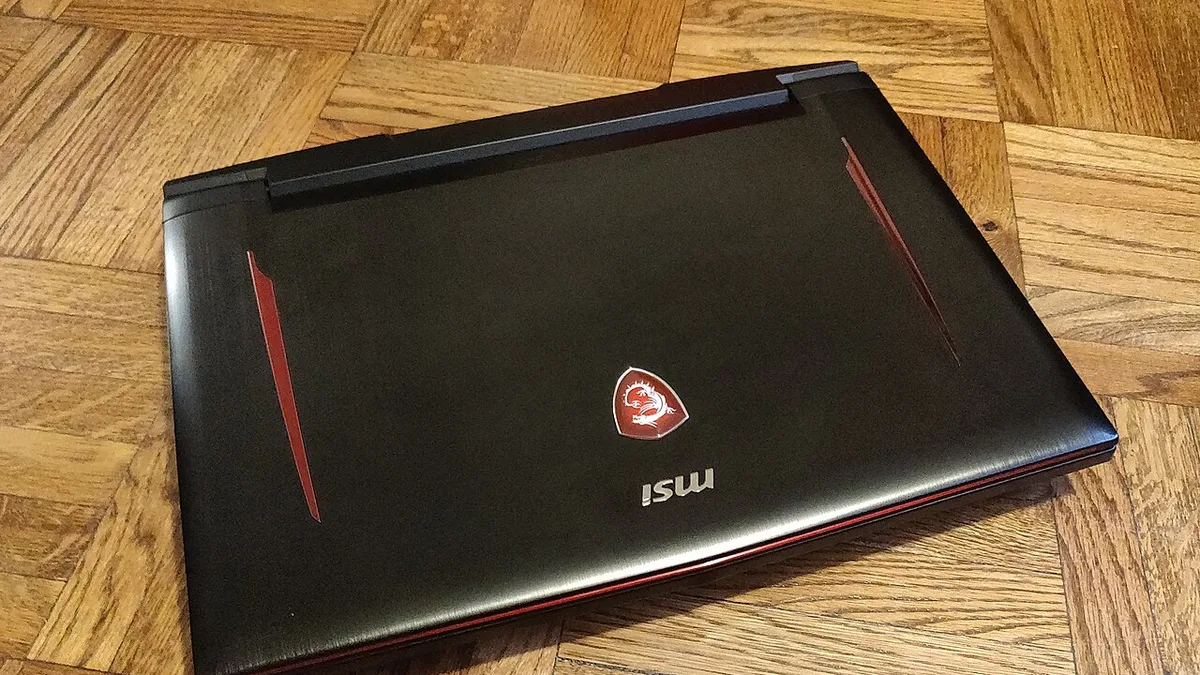
Check the exact model code on the listing before you buy. The same family name can hide different graphics cards, screens, and memory sizes. Photo: Wikimedia Commons, CC0.
What $2,000 buys in 2026, and what it does not
Two thousand dollars is a strange budget for a gaming laptop in 2026. It is enough money for genuinely fast hardware, yet several laptops that used to sit under the line now cost more. The usual sweet spot at this price is now an RTX 5070 laptop with 16GB to 32GB of memory, a 1TB SSD, and a 144Hz or faster screen. That combination plays every current game at 1080p on high settings and most of them well at 1440p, especially with DLSS turned on. It is also enough laptop for streaming, video editing, and 3D work on the side.
What it does not buy is an RTX 5070 Ti at list price. Laptop Mag’s review of the Strix G16 G614FR lists the 5070 Ti configuration above this budget, with a Ryzen 9 9955HX3D and 12GB of video memory. Discounted configurations do dip under $2,000 during sales, but that is a sale price on a lower-spec screen, not the everyday price. Treat the 5070 Ti as a bonus you grab when a sale appears, not as the plan. The RTX 5080 and 5090 laptops sit far above this budget and are not part of this conversation.
It also does not buy a 4K gaming screen worth having. A 4K panel quadruples the pixels the GPU must draw, which cuts frame rates hard, and on a 15 or 16 inch screen the extra sharpness is barely visible. A 1440p or 2.5K high refresh screen is the better buy at this budget, and our 4K vs 1080p on a laptop guide explains the trade-off in full. Similarly, it does not buy 12GB of video memory on every model: most RTX 5070 laptops ship with 8GB, and the 12GB versions appear in specific 2026 refresh configurations, so check the spec sheet if 12GB matters to you. Our guide to how much VRAM a laptop needs explains when 8GB is enough and when it starts to limit you.
How to choose between these six
Start with the GPU, because it decides your frame rate more than any other part. An RTX 5070 is the right choice if you play at 1440p, turn on ray tracing, or want the laptop to stay fast for four or five years. An RTX 5060 is the right choice if you play mostly at 1080p and would rather keep the leftover money. The difference between the two is real but not dramatic at 1080p, and it grows at 1440p and with ray tracing on. If you play competitive games at high frame rates, read our guide to how to increase FPS on a gaming laptop, because settings matter as much as hardware there.
Next, check the graphics power limit, not just the GPU name. An 85W RTX 5070 and a 115W RTX 5070 are different laptops in practice, and the same is true of the RTX 5060. The table at the top of this guide lists the power limit for each pick where the manufacturer publishes it, and the TGP guide linked above explains how to find the number on any listing. Treat a laptop whose seller will not state the wattage with suspicion, and check the exact model code before you buy, because the same family name can hide different power limits.
Then look at the screen. Refresh rate is the ceiling on smoothness you can see: a laptop that produces 240 frames per second on a 60Hz screen wastes most of those frames. For gaming in 2026, 144Hz is the floor, 165Hz is the sweet spot, and 240Hz only pays off if your hardware can hold close to 240 frames per second. Screen type matters too: an OLED panel responds faster than an IPS panel at the same refresh rate, and our IPS vs OLED laptop comparison covers response time alongside refresh rate. If you play competitive games, our G-Sync vs FreeSync on a laptop screen guide explains the sync technology that stops screen tearing.
RAM and storage are simple. Sixteen gigabytes is the floor, and it is what every pick here has at minimum. Thirty-two gigabytes is worth having if you stream, record, or keep a browser with many tabs open while you play, and our guide to how much RAM you need for gaming walks through the decision. Storage should be a 1TB NVMe SSD if you can get it, because modern games are large and a 512GB drive fills up fast. If you buy a 512GB laptop, make sure it has a second M.2 slot so you can add storage later. If you also play Fortnite, our best laptops for Fortnite roundup uses the same picking method, and our best laptops for Minecraft roundup covers Java, Bedrock, and mods.
What to check before you buy
Five checks take ten minutes and save you from the common mistakes. First, confirm the exact model code on the listing, because a Strix G16, a TUF A16, and a Helios Neo 14 each come in several configurations with different GPUs, screens, and memory sizes. Second, confirm the graphics power limit on the manufacturer’s spec page, since that number decides real performance. Third, confirm the screen resolution and refresh rate, because some listings pair a strong GPU with a dim 1080p panel. Fourth, confirm the RAM is upgradeable or already 32GB if you plan to keep the laptop for years. Fifth, confirm the storage size and whether there is a second M.2 slot.
Two more checks are worth doing in the first days after the laptop arrives. Test the screen for dead pixels and uneven backlighting while you can still send the laptop back, and listen for coil whine from the fans under load. Buy from a seller with a real return policy, and keep the box until you are sure. If your budget is tighter than $2,000, our roundups of the best gaming laptops under $500, the best gaming laptops under $700, and the best gaming laptops under $1500 cover the price ladder below this guide, and our best laptop for live streaming roundup covers the same hardware for creators.
Which laptop should you buy?
Most buyers: the ASUS ROG Strix G16 with an RTX 5070. It is the strongest all-rounder in this guide, with the best balance of CPU, graphics power, and screen. Best value: the GIGABYTE AERO X16. A 32GB memory kit and a sharp 2.5K screen in the lightest chassis here, with enough graphics power for 1080p and 1440p play. Most performance per dollar: the MSI Katana 15 HX. A 24-core processor and a full-power RTX 5070 for the least money, as long as you accept a plain chassis and a small battery. Tightest budget: the ASUS TUF Gaming A16. A full-power RTX 5060 in a durable chassis, with money left over for a storage upgrade. Travel and portability: the ASUS TUF Gaming A14 or the Acer Predator Helios Neo 14 AI. The A14 is the lighter, simpler choice, while the Helios Neo 14 AI adds Thunderbolt 4 and the better screen.
Whatever you buy, the rules are the same: buy the exact configuration, not the family name; buy the graphics power limit, not the GPU badge; and buy the screen you will look at every day, not the one on the box. A $2,000 budget buys a genuinely fast gaming laptop in 2026, and the six machines above are the ones that earn the money.
Frequently asked questions
What is the best gaming laptop under $2,000 in 2026?
The ASUS ROG Strix G16 with an RTX 5070 is the best overall pick, because it pairs a Ryzen 9 9955HX processor with a full-power RTX 5070 and a fast screen. The GIGABYTE AERO X16 is the best value, because it adds 32GB of RAM and a sharp 2.5K screen in a lighter chassis. If you play mostly at 1080p, the ASUS TUF Gaming A16 with an RTX 5060 costs less and still plays every current game well.
Is an RTX 5070 laptop enough for 1440p gaming?
Yes, for most games. An RTX 5070 laptop plays the majority of current games well at 1440p on high settings, especially with DLSS turned on. The limit is the 8GB of video memory on most RTX 5070 laptops: the newest games at high texture settings can push against 8GB at 1440p, so you may need to lower texture quality in a few titles. If 12GB matters to you, check for a 12GB RTX 5070 configuration, which appears in some 2026 refresh models.
Is 16GB of RAM enough for a gaming laptop under $2,000?
Yes for gaming itself. Sixteen gigabytes is the floor for a gaming laptop in 2026, and every pick in this guide has at least that much. Thirty-two gigabytes is worth having if you stream, record, edit video, or keep a browser with many tabs open while you play. Two picks in this guide ship with 32GB, the AERO X16 and the Katana 15 HX, and the others can be upgraded if they have a free memory slot, so check the spec sheet before you buy.
Can I get an RTX 5070 Ti laptop for under $2,000?
At list price, usually not. Most RTX 5070 Ti laptops list above $2,000, and the Strix G16 configuration Laptop Mag reviewed lists above this budget. Discounted configurations do dip under $2,000 during sales, so it is worth watching for a deal, but do not plan your purchase around it. An RTX 5070 laptop is the realistic sweet spot at this budget, and it is roughly 20 percent slower than the 5070 Ti on average according to Notebookcheck’s database, which is a fair trade for staying inside the budget.
Should I buy an RTX 5060 or RTX 5070 laptop?
Buy the RTX 5070 if you play at 1440p, turn on ray tracing, or want the laptop to stay fast for four or five years. Buy the RTX 5060 if you play mostly at 1080p and would rather keep the leftover money, because a full-power 115W RTX 5060 like the one in the TUF Gaming A16 plays every current game well at 1080p. Either way, check the graphics power limit, because a full-power 5060 beats a throttled 5070 in sustained play.
How long will a $2,000 gaming laptop last?
Expect four to five years of good gaming. A $2,000 laptop with an RTX 5070 will play new games at high settings for the first two or three years, then at medium settings with DLSS for another year or two, because DLSS and frame generation extend a GPU’s useful life. The parts that age first are the 8GB of video memory and the 512GB SSD on the cheaper configurations, so buying 32GB of RAM and 1TB of storage now is the cheapest way to make the laptop last longer.