Best Laptops for Valorant (High FPS per Dollar)
Quick Answer: The best laptop for Valorant is one with a fast CPU, 16GB of RAM, and a 144Hz or faster screen, because Valorant is limited by the processor far more than by the graphics card. The Lenovo Legion Pro 5i Gen 10 with an RTX 5070 is the best overall pick, the MSI Katana 15 HX gives the most performance per dollar, and the Acer Nitro V with an RTX 4050 is the cheapest laptop here that still holds well above 144 FPS at 1080p. An RTX 4050 is enough for 144Hz play, an RTX 5060 is the sweet spot for 165Hz, and only a 240Hz screen justifies an RTX 5070. Check the exact configuration before you pay, because the same model name can hide very different graphics power.
How we picked these laptops
We started from Riot Games’ own system requirements for Valorant, which set the bar surprisingly low: even the 144 FPS tier asks for only a six-core desktop CPU from 2018 and a GTX 1050 Ti class graphics card. Then we checked the current top results for “best laptop for Valorant” to see what the winning pages recommend, and the consensus is clear: the CPU decides your frame rate, the screen decides how much of it you can see, and the GPU only needs to keep up with the screen. Every laptop below was checked against its manufacturer’s own specification page or a major retailer’s listing: Lenovo’s pages for the Legion Pro 5i and the LOQ 15, MSI’s page for the Katana 15 HX, ASUS spec pages for the ROG Strix G16, Acer’s pages for the Nitro V 16, and HP’s product pages for the Victus 15. Where we quote frame rates, the numbers come from published guides and are attributed in the text. We have not tested these laptops ourselves, and we say so where a number comes from someone else’s test.
Every pick had to clear the same five bars. First, the exact configuration named must actually sell now, not just the cheapest version of the family. Second, the graphics card must be an RTX 4050 or better, because that is the floor for holding 144 FPS at 1080p on competitive settings. Third, the laptop must have at least 16GB of RAM and a 512GB NVMe SSD. Fourth, the screen must run at 144Hz or faster, because a fast CPU on a 60Hz screen wastes its frames. Fifth, the laptop must be able to hold its speed through a full match, not just in a two-minute benchmark, because a machine that starts at 300 FPS and throttles to 180 FPS mid-round is worse than one that holds 250 FPS all game. Our guide to what thermal throttling is on a laptop explains why that last check matters so much.
The best laptops for Valorant at a glance
| Laptop | CPU and GPU | Screen | Best for |
|---|---|---|---|
| Lenovo Legion Pro 5i Gen 10 | Core Ultra 7 251HX, RTX 5070 | 16 inch 2.5K, 240Hz | Best overall |
| MSI Katana 15 HX | Core i9-14900HX, RTX 5070 | 15.6 inch QHD+, 165Hz | Best performance per dollar |
| ASUS ROG Strix G16 | Core i7-14650HX, RTX 5060 | 16 inch FHD+, 165Hz | Best mid-range |
| Lenovo LOQ 15 | Ryzen 7 class CPU, RTX 5050 | 15.6 inch FHD, 144Hz | Best value |
| Acer Nitro V 16 | Core i7-13620H, RTX 4050 | 15.6 inch FHD, 165Hz | Best budget |
| HP Victus 15 | Core i5-12500H, RTX 4050 | 15.6 inch FHD, 144Hz | Cheapest entry |
1. Lenovo Legion Pro 5i Gen 10: best overall
The Legion Pro 5i Gen 10 is the best overall laptop for Valorant because it gets the two things that matter most right at once: a fast Intel Core Ultra 7 251HX processor and a 16 inch 2.5K screen running at 240Hz. The RTX 5070 graphics card is more than Valorant needs, and that is the point. The GPU never becomes the limit, so the frame rate is set by the CPU and the cooling, and this chassis holds its clocks through long sessions. Dodge.gg’s 2026 Valorant guide puts an RTX 5070 laptop at 300+ FPS at 1080p on low settings, which is more than this 240Hz screen can show, so you get headroom instead of a bottleneck.
The 240Hz screen is the real reason to buy this one over the cheaper picks below. A 144Hz screen shows 144 frames no matter how many the laptop renders, so frames above 144 are invisible on it. On a 240Hz screen, the extra frames the CPU produces actually reach your eyes, and in a game decided by flick shots and peeks, that smoother motion is a real advantage. It is also the most future-proof screen here: if you move on to other shooters later, the same panel serves them well. Our guide to G-Sync vs FreeSync on a laptop screen explains the sync technology that keeps those high frame rates free of tearing.
It ships with 16GB of DDR5 RAM and a 1TB NVMe SSD, which is the right base for 2026, and the memory is upgradeable if you stream or keep a browser full of tabs open while you play. The trade-off is size and weight: this is a full-size 16 inch gaming machine, so it lives on a desk more than it travels in a bag. Check the Lenovo Legion Pro 5i RTX 5070 on Amazon
Best for: ranked players who want the strongest all-round Valorant laptop and a 240Hz screen that can actually show the frames the CPU produces. Not for: buyers on a tight budget, because the Nitro V below holds well above 144 FPS for much less, or anyone who needs a light laptop to carry daily.
2. MSI Katana 15 HX: best performance per dollar
The Katana 15 HX is the performance-per-dollar pick because it pairs the strongest CPU in this guide, Intel’s 24-core Core i9-14900HX, with a full-power RTX 5070 and 32GB of DDR5 RAM. That combination is why it leads on paper: Valorant is a CPU-bound game, so the fastest processor wins, and the 115W graphics limit means the RTX 5070 runs near its full speed in sustained play. One 2026 Valorant roundup names the Katana 15 HX its top choice for serious competitive players, citing stable 300+ FPS performance.
The 15.6 inch QHD+ screen runs at 165Hz, which is the right match for the hardware. It is sharp enough to look clearly better than 1080p, but not so demanding that the 8GB of video memory runs out. At 1440p-class resolution with high textures, 8GB is the limit to watch, and our guide to how much VRAM a laptop needs explains when 8GB is enough and when it is not. The 32GB of RAM is a genuine bonus at this price: it leaves room for Discord, streaming software, and a browser while you play without touching frame times.
The trade-off is the chassis. This is a plain plastic machine built for speed, not for looks or for long battery life away from a charger. The fans are audible under load, which is normal for a laptop pushing a 24-core CPU and a full-power GPU. If you game with a headset on, you will not notice. Check the MSI Katana 15 HX RTX 5070 on Amazon
Best for: buyers who want the fastest CPU and a full-power RTX 5070 for the least money, and who also play heavier games or stream. Not for: buyers who want a premium chassis or quiet fans, or anyone who plays only at 1080p, where the cheaper Strix G16 below is enough.
3. ASUS ROG Strix G16: best mid-range
The ROG Strix G16 is the mid-range pick because it puts the money where Valorant rewards it: a Core i7-14650HX processor, an RTX 5060, and a 16 inch FHD+ screen at 165Hz. Dodge.gg’s 2026 guide puts an RTX 5060 laptop at 250+ FPS at 1080p on low settings, which comfortably fills this 165Hz screen with room to spare. You are not paying for GPU power Valorant cannot use, and you are not giving up the refresh rate that makes the frames visible.
ASUS pairs the hardware with a MUX switch, which lets the graphics card drive the screen directly instead of passing frames through the integrated graphics. That cuts a little latency and adds a few frames, and it is worth having on any gaming laptop you buy for competitive play. Our MUX switch explainer covers why it matters and which laptops have one. The Strix G16 also supports DLSS 4, which lifts frame rates in heavier games even though Valorant itself barely needs it. Our guide to what DLSS is on a laptop GPU explains how that works when you move on to more demanding titles.
The 16GB of DDR5 RAM and 512GB SSD are the minimum worth buying in 2026, so plan on the SSD filling up fast once Windows, Valorant, and a few big games are installed. Check that the configuration you buy has a second M.2 slot free, because adding storage later is far cheaper than replacing the first drive. Check the ASUS ROG Strix G16 RTX 5060 on Amazon
Best for: buyers who want a balanced 165Hz machine that plays Valorant at high frame rates and still handles heavier games well. Not for: buyers chasing a 240Hz screen, because this panel tops out at 165Hz, or anyone who needs 1TB of storage out of the box.
4. Lenovo LOQ 15: best value
The LOQ 15 is the value pick because it is the cheapest way into the current RTX 50 series for Valorant. It pairs an RTX 5050 with a Ryzen 7 class processor and a 15.6 inch FHD screen at 144Hz, which is exactly the combination Valorant needs: enough CPU speed to hold high frame rates, a current-generation GPU that never becomes the limit at 1080p, and a screen fast enough to show the frames. One 2026 Valorant guide names the LOQ 15 its best budget pick for 144Hz play.
The RTX 5050 is the newest entry-level card in this guide, and that matters for longevity. It supports the same DLSS 4 features as the more expensive 50 series cards, so it will age better than the previous generation’s entry cards in heavier games. For Valorant itself, the difference between the 5050 and the 4050 below is small, and our comparison of RTX 5050 vs RTX 4050 laptop GPUs walks through where the newer card actually helps. The LOQ line also has a reputation for solid cooling at its price, which is what keeps frame rates steady in the third and fourth games of a session. Our guide to how to check laptop temperature shows how to confirm your machine is holding its clocks instead of quietly slowing down.
Check the exact configuration before you buy, because the LOQ 15 sells with several CPUs and two screen options, and the 144Hz panel is the one to get. A 60Hz version of the same laptop would waste every frame above 60. Check the Lenovo LOQ 15 RTX 5050 on Amazon
Best for: buyers who want current-generation hardware and a 144Hz screen for the least money. Not for: buyers who want a 165Hz or 240Hz screen, because this panel is 144Hz, or anyone who plays mostly at 1440p, where the stronger GPUs above earn their money.
5. Acer Nitro V 16: best budget
The Nitro V 16 is the budget pick because it delivers the most Valorant frames per dollar in this guide. A Core i7-13620H processor and an RTX 4050 with 16GB of DDR5 RAM and a 15.6 inch FHD screen at 165Hz is a combination that holds 200 to 240 FPS in Valorant at competitive settings, according to a 2026 roundup that tested it at those settings. That is more than enough for Diamond-ranked play, and it costs far less than the 50 series machines above.
The reason it works so well is that Valorant barely taxes the GPU. Notebookcheck’s Valorant benchmarks show the game is limited by the CPU first: even a low-end GeForce MX330 reaches 100 FPS at 1080p on maximum settings, while mid-range cards are held back by the processor. The RTX 4050 is far stronger than that floor, so the i7-13620H sets the frame rate, and it is a fast chip. The 165Hz screen is the bonus that makes this pick stand out from other budget laptops: most machines at this price ship with 144Hz, and the extra 21Hz is visible in fast peeks. If you are choosing between this and a 144Hz laptop at the same price, take the faster screen. Our guide to how to check a laptop screen refresh rate shows how to confirm the panel you bought is actually running at its advertised speed.
The trade-off is build quality. The Nitro V is a plastic chassis with a plain design, and the fans are audible under load. It also ships with a 512GB SSD, so add storage later if you install more than a few big games. Check the Acer Nitro V 16 RTX 4050 on Amazon
Best for: buyers who want the highest Valorant frame rate for the least money and a 165Hz screen at a budget price. Not for: buyers who want a premium-feeling laptop, or anyone who needs 1TB of storage without upgrading.
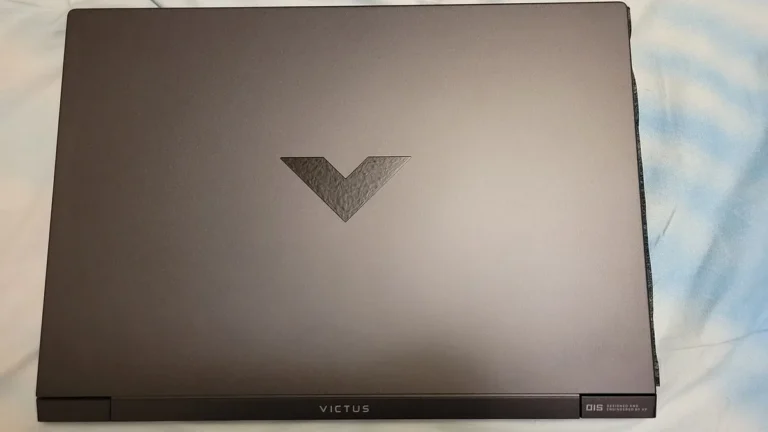
6. HP Victus 15: cheapest entry
The Victus 15 is the cheapest entry on this list, and it earns its place because it clears every bar that matters for Valorant and nothing more. A Core i5-12500H processor, an RTX 4050 with 6GB of video memory, 16GB of RAM, a 512GB SSD, and a 15.6 inch FHD screen at 144Hz is enough to hold well above 144 FPS at 1080p on competitive settings. One 2026 guide notes that even the cheapest RTX 3050 configurations on its list run Valorant comfortably above 144 FPS at 1080p, and the RTX 4050 here is a full step stronger than those.
This is the laptop to buy if your budget is the hard limit and Valorant is the main game. It will not impress anyone with its looks, and the 144Hz screen is the floor rather than the ceiling, but it plays the game properly: high frame rates, steady performance, and a screen fast enough to show them. If you also play Fortnite, our roundup of the best laptops for Fortnite uses the same picking method, and the Victus 15 appears there too as the cheapest machine that still plays well. If your budget stretches a little further, the Nitro V above is the better buy for its 165Hz screen and faster CPU. Our roundup of the best gaming laptops under $700 covers the price ladder below this guide if even the Victus is a stretch.
Watch the configuration when you buy. The Victus 15 sells in many versions, including some with only 8GB of RAM and slower screens, so confirm 16GB of RAM and the 144Hz panel on the exact listing. A Victus with 8GB of RAM and a 60Hz screen is a different, much weaker machine with the same name. Check the HP Victus 15 RTX 4050 on Amazon
Best for: buyers with the tightest budget who want a proper 144Hz Valorant machine and nothing extra. Not for: buyers who want a 165Hz or faster screen, or anyone who plays heavier games where the RTX 4050 and the i5 start to show their limits.
What actually matters for Valorant FPS
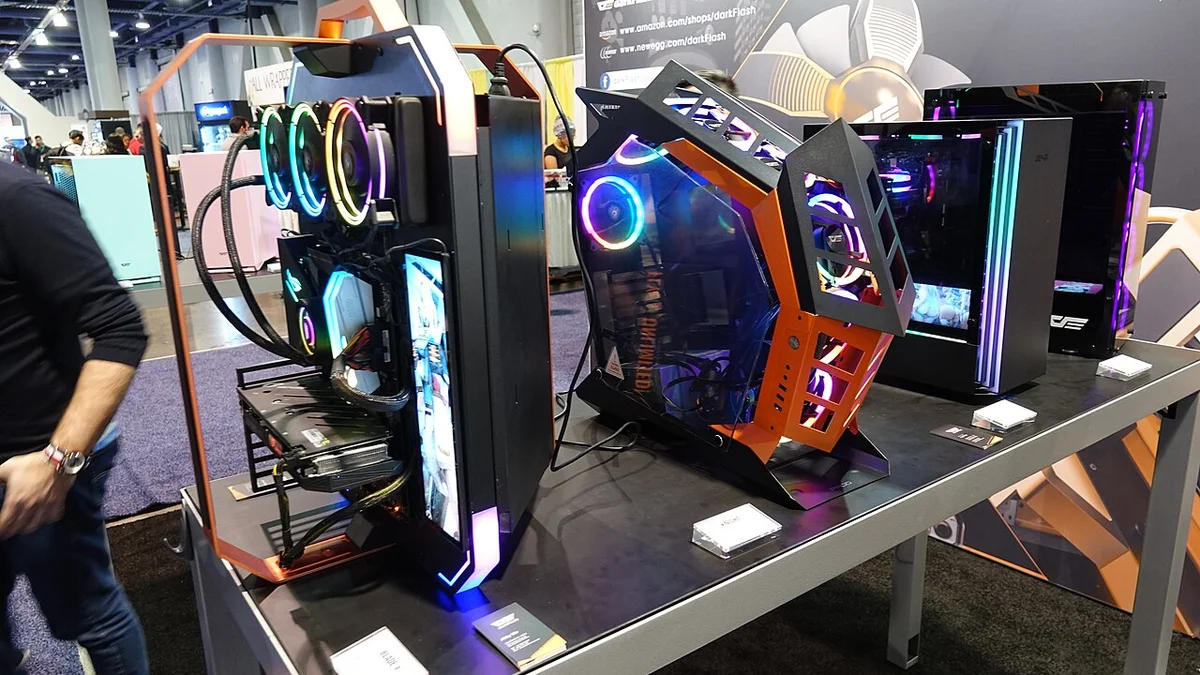
Valorant is one of the lightest competitive shooters on PC, and Riot built it that way on purpose. The game runs on almost anything, but running it and running it competitively are very different things. Four factors decide whether a laptop is good for Valorant, in this order: the CPU, the screen, the cooling, and only then the GPU.
The CPU comes first because Valorant is CPU-bound. Notebookcheck’s benchmarks put it plainly: the game primarily stresses the processor, so even mid-range graphics cards are held back by the CPU rather than the other way round. What you want is a processor with strong single-core speed that can hold its boost clocks for a whole match. HX-class chips such as the Core i9-14900HX and the Core Ultra 7 251HX in the picks above are the strongest laptop CPUs for this game, followed by fast H-class chips such as the Core i7-14650HX and i7-13620H. Our guide to how to increase FPS on a gaming laptop covers the settings that help the CPU side too, including making sure the game runs on the dedicated GPU and not the integrated graphics.
The screen comes second because refresh rate caps what you can see. A 144Hz screen shows 144 frames no matter how many the CPU renders, so a laptop producing 300 FPS on a 144Hz panel wastes more than half its frames. For competitive play, 144Hz is the floor, 165Hz is the sweet spot, and 240Hz only pays off if your hardware can hold close to 240 frames per second. Screen type matters as well: an IPS panel is the safe default, and our IPS vs OLED laptop comparison covers response time and refresh rate together if you are choosing between panel types.
Cooling comes third because sustained performance beats peak performance. A laptop that holds 250 FPS for an entire match is better than one that hits 350 FPS for two minutes and then throttles to 180 FPS when the chassis heats up. Thick gaming laptops with two fans hold their clocks better than thin ones, which is one reason the full-size picks above beat slimmer machines with the same chips. If your laptop runs hot, our guide to what a good GPU temperature is for a gaming laptop gives the numbers worth watching.
The GPU comes last, and that is the surprise that saves buyers money. Riot’s own 144 FPS tier asks for only a GTX 1050 Ti class card, and modern entry-level cards are far stronger than that. Dodge.gg’s 2026 table puts an RTX 5070 laptop at 300+ FPS, an RTX 5060 at 250+, and an RTX 4060 at 200+ at 1080p on low settings, which means even the cheapest card here clears the 144Hz bar with room to spare. The GPU only becomes the limit if you play at 1440p, turn on high settings, or stream with GPU encoding. One more thing the GPU decides is latency: NVIDIA Reflex cuts system latency on RTX cards, and on RTX 50 series cards Reflex 2 with Frame Warp reduces PC latency by up to 49 percent in Valorant, according to NVIDIA’s own figures quoted in the 2026 guides. If you play at a high level, that is worth more than a few extra frames.
Two specs that look important matter less than the marketing suggests. Graphics power, or TGP, still matters between laptops with the same GPU name, because a low-power RTX 5070 can be slower than a full-power RTX 5060, and our guide to what TGP is in a gaming laptop explains how to check it. But video memory barely matters for Valorant at 1080p: the game uses little VRAM, so the 6GB on an RTX 4050 and the 8GB on the 50 series cards are both plenty at this resolution. And a 4K screen is a waste of money for this game: it quadruples the pixels the GPU must draw and cuts frame rates hard, while on a 15 or 16 inch screen the extra sharpness is barely visible. Our 4K vs 1080p on a laptop guide covers that trade-off in full.
What Valorant actually requires
Riot publishes three performance tiers for Valorant on PC, and they show how little hardware the game truly needs. The minimum tier targets 30 FPS, and the high-end tier targets 144 FPS and above. Every laptop in this guide clears the high-end tier comfortably.
| Riot target | CPU | GPU | Memory |
|---|---|---|---|
| 30 FPS minimum | Intel Core 2 Duo E8400 or AMD Athlon 200GE | Intel HD 4000 or Radeon R5 200 | 4GB |
| 144+ FPS high end | Intel Core i5-9400F or AMD Ryzen 5 2600X | GeForce GTX 1050 Ti or Radeon R7 370 | 4GB |
Those numbers are for desktop parts, and laptop parts run a little slower at the same name, but the gap between Riot’s high-end tier and the cheapest laptop here is still enormous. An RTX 4050 laptop is several generations newer and far faster than a GTX 1050 Ti, and a modern i5 or i7 laptop CPU is far faster than a 2018 desktop i5. That is why even the Victus 15 at the bottom of this guide holds well above 144 FPS. The requirements also explain why the picks above spend money on the screen and the CPU instead of the GPU: the GPU stopped being the limit years ago.
One requirement that does matter is the operating system. Valorant needs Windows 11 and its Vanguard anti-cheat, which needs TPM 2.0 and Secure Boot turned on. Every laptop here ships with Windows 11 and meets those requirements, but if you buy an older refurbished machine instead, check that first. Our guide to how much a laptop costs covers what the different tiers of machine buy you if you are still deciding on a budget.
Which laptop should you buy?
Match the laptop to the refresh rate you want to feed, not to the biggest GPU you can afford. If you play on a 144Hz screen, buy the cheapest laptop that holds 144 FPS without strain. That is the Victus 15 or the LOQ 15, and the money you save buys a good mouse and headset, which matter more than a faster GPU at this level. Our roundup of essential laptop accessories worth buying covers the mouse and headset picks that pair well with these machines.
If you play on a 165Hz screen, buy the Nitro V 16 or the Strix G16. The Nitro V is the value choice and the Strix G16 is the step up with a better chassis and a MUX switch. Both hold well above 165 FPS at 1080p, so the screen is always fed. If you also play heavier games such as Fortnite at high settings, the Strix G16’s RTX 5060 is the safer choice. Our roundup of the best laptops for Minecraft uses the same logic for a game that is also easy on the GPU but benefits from a fast CPU.
If you play on a 240Hz screen, buy the Legion Pro 5i Gen 10. It is the only pick here with a 240Hz panel, and the RTX 5070 and the Core Ultra 7 processor are the right hardware to feed it. The Katana 15 HX is the alternative if you would rather have the strongest CPU and 32GB of RAM and drive an external 240Hz monitor instead. Our comparison of gaming laptop vs gaming desktop covers the desktop alternative if you never move the machine and want the most frames per dollar of all.
If your budget sits between these tiers, remember the rule that governs this whole guide: spend on the CPU and the screen first, and on the GPU last. An RTX 4060 laptop is also a fine choice for Valorant if you find one on sale, and our comparison of RTX 4050 vs RTX 4060 laptop GPUs shows where the 4060 earns its extra money. And if your budget reaches the top of the range, our roundup of the best gaming laptops under $2,000 covers the same hardware chosen for heavier games instead of just Valorant.
What to check before you buy
First, check the exact configuration, not just the model name. The same laptop name can hide different CPUs, different amounts of RAM, and different screens, and a Victus 15 with 8GB of RAM and a 60Hz screen is a much weaker machine than the one in this guide. Confirm the CPU, the GPU, 16GB of RAM, a 512GB or larger SSD, and a 144Hz or faster screen on the listing itself before you pay.
Second, check the graphics power limit if the listing prints it. Two laptops with the same RTX 5070 can perform very differently if one runs the chip at 85W and the other at 115W, and the cheaper one is not always the slower one. Our guide to what TGP is in a gaming laptop explains the numbers to look for.
Third, buy from a seller with a real return policy and keep the box until you are sure. Test the screen for dead pixels in the first days, play a few full matches to check that frame rates hold steady instead of dropping as the laptop warms up, and listen for coil whine from the fans under load. If the laptop throttles in the third game, send it back rather than living with it.
Frequently asked questions
What is the best laptop for Valorant?
The Lenovo Legion Pro 5i Gen 10 with an RTX 5070 is the best overall pick, because it pairs a fast Core Ultra 7 processor with a 240Hz screen that can show the frames the CPU produces. The MSI Katana 15 HX gives the most performance per dollar, and the Acer Nitro V with an RTX 4050 is the cheapest laptop that still holds well above 144 FPS at 1080p. The right pick depends on the refresh rate of the screen you want to feed.
How much FPS do you need for Valorant?
At least 144 FPS on a 144Hz screen, because the refresh rate caps what you can see. Competitive players aim for 200 FPS or more on a 165Hz or 240Hz screen, where the extra frames make motion smoother and reduce input delay. Below 120 FPS the game feels sluggish in fast peeks, even though it is still playable.
Is an RTX 4050 laptop good enough for Valorant?
Yes. An RTX 4050 laptop holds 200 or more FPS at 1080p on competitive settings, which is more than a 144Hz or 165Hz screen can show. Valorant is limited by the CPU far more than by the GPU, so a fast processor matters more than a stronger graphics card. Only a 240Hz screen or play at 1440p justifies a faster GPU.
Is Valorant CPU or GPU heavy?
Valorant is CPU heavy. Notebookcheck’s benchmarks show the game primarily stresses the processor, so even mid-range graphics cards are held back by the CPU. Riot’s own 144 FPS tier asks for only a GTX 1050 Ti class graphics card, while the CPU does the heavy lifting. That is why this guide ranks processors first and treats the GPU as the last thing to upgrade.
Do I need a 240Hz laptop for Valorant?
No, 144Hz is enough for most players, and 165Hz is the sweet spot for competitive play. A 240Hz screen only pays off if your laptop can hold close to 240 FPS through a full match, which needs a fast HX-class CPU and at least an RTX 5070. If your hardware cannot sustain 240 FPS, the extra refresh rate buys nothing.
How much RAM do I need for Valorant on a laptop?
16GB is the right amount. Valorant itself uses 4 to 6GB of RAM during gameplay, so 16GB leaves room for Windows, Discord, and a browser without touching frame times. 8GB works but leaves no headroom, and 32GB only helps if you stream or record while you play.