Best Gaming Laptops Under $700
Quick Answer: Yes, you can buy a real gaming laptop for under $700 in 2026, but only on sale and only if you pick the right configuration. The best pick is the Acer Nitro V 15 with an RTX 4050. Independent testing shows it holds 78 fps in The Witcher 3 at 1080p Ultra and 131 fps in Counter-Strike 2 at 1080p Very High. Buy an RTX 4050 model with 16GB of RAM and a 144Hz screen, and skip anything with a GTX 1650 or 8GB of RAM.
A $700 budget used to buy a laptop that could barely run games at low settings. That changed when the RTX 4050 started showing up in budget machines on sale. You now get a current generation graphics chip, DLSS 3 frame generation, a fast screen and a proper SSD for the same money that bought a GTX 1650 machine two years ago.
The catch is that the $700 line is a sale price, not a list price. Almost every laptop in this guide lists above $700 and drops under it during sale events. The second catch is configuration: the same model name can hide an 8GB RAM trim, a slower screen or a low power GPU. This guide sticks to the exact configurations that are worth your money, with measured frame rates from independent reviewers so you know what you are actually buying.
How we picked these five
We compared current US sale pricing and configurations for every major budget gaming line, checked specs on the manufacturers own pages (Acer, HP, Lenovo, MSI and ASUS), and used measured results from Notebookcheck, LaptopMedia and Tom’s Guide instead of store listing claims. We did not test these laptops ourselves, and every frame rate below is attributed to the reviewer who measured it. Prices move with sales, so treat the $700 line as a sale price and check the exact configuration before you pay.
| Laptop | GPU and CPU | RAM, storage, display | Best for |
|---|---|---|---|
| Acer Nitro V 15 | RTX 4050 75W, Core i5-13420H | 8GB or 16GB DDR5, 512GB SSD, 15.6 inch FHD 144Hz | Best overall |
| HP Victus 15 | RTX 4050 75W, Core i5-13420H | 16GB DDR4, 512GB SSD, 15.6 inch FHD 144Hz | Best value |
| Lenovo LOQ 15 | RTX 4050, Core i5-12450H or Ryzen 7 | 8GB or 16GB, 512GB SSD, 15.6 inch FHD 144Hz | Best cooling and build |
| MSI Thin 15 | RTX 4050 45W, Core i5-13420H | 16GB, 512GB or 1TB SSD, 15.6 inch FHD 144Hz | Slim and portable |
| ASUS TUF Gaming A15 | RTX 4050, Ryzen 7 7735HS | 16GB, 512GB SSD, 15.6 inch FHD 144Hz | Esports, when on sale |
1. Acer Nitro V 15 (ANV15-51): Best overall
The Nitro V 15 is the safest buy under $700 because it gets the important things right at the same time: a full power RTX 4050, a fast screen and a chassis that keeps the GPU cool enough to hold its speed. The usual sale configuration pairs a Core i5-13420H with the RTX 4050 at 75W, a 15.6 inch Full HD IPS screen at 144Hz (some newer trims offer 165Hz), and a 512GB SSD.
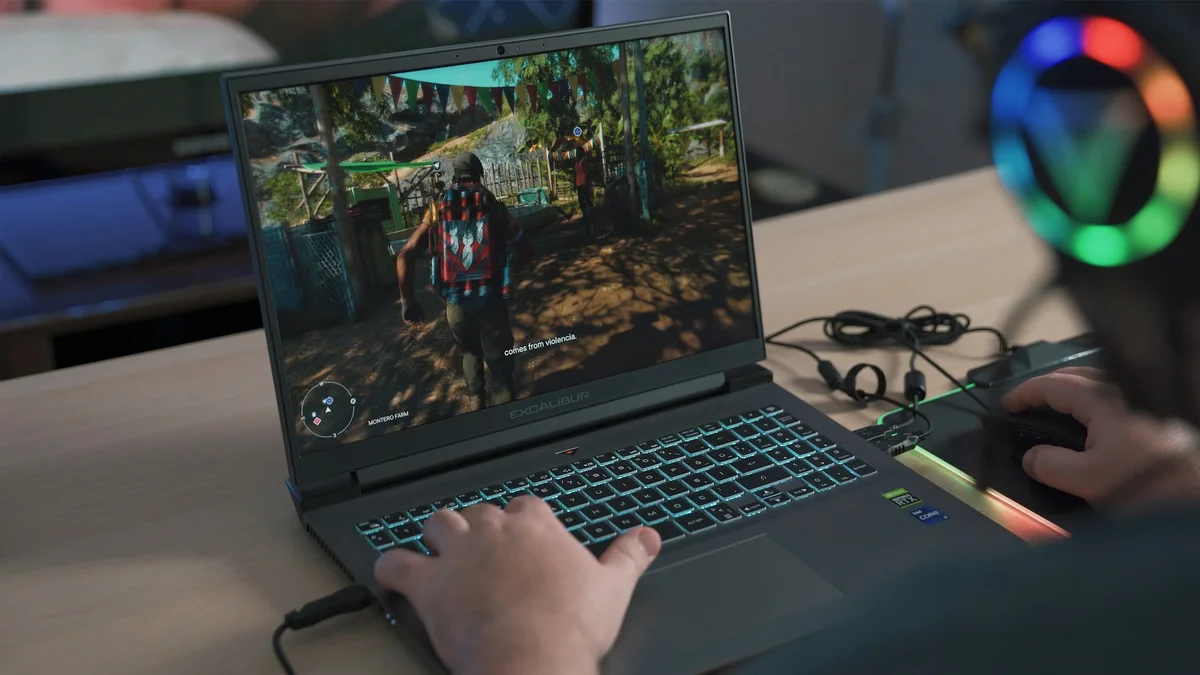
The measured numbers back it up. Notebookcheck recorded 78 fps in The Witcher 3 at 1080p Ultra and 86.9 fps in GTA V at 1080p on the highest settings. LaptopMedia, testing the same chassis, found the RTX 4050 holding a steady 74W draw with the GPU core at 69C over a full hour of gaming, and recorded 131 fps in Counter-Strike 2 at 1080p on Very High settings. Tom’s Guide measured about 60 fps in Cyberpunk 2077 at 1080p on high settings without ray tracing, rising to about 120 fps with DLSS Balanced and frame generation turned on. In Fortnite on high settings, the same review measured 55 fps native and 121 fps with DLSS Balanced.
That combination is why this is our top pick: the GPU runs at full power, the screen is fast enough to show the frame rates it produces, and it stays cool while doing it. If you want to understand why the wattage matters so much, our guide to what TGP means on a gaming laptop explains it in plain words. The Nitro V 15 also has two RAM slots, so the 8GB base trim can be fixed later with a second stick, which matters because 8GB is no longer enough for comfortable gaming.
The trade offs are honest ones at this price. The base trim ships with 8GB of RAM, so buy the 16GB trim if you can find it at the same sale price. The speakers and webcam are basic, and the NitroSense software nags you about modes and updates. None of that affects game performance.
Best for: anyone who wants the most gaming performance per dollar under $700. Not for: anyone who needs a quiet laptop in a library or a premium metal build.
Check the Acer Nitro V 15 on Amazon
2. HP Victus 15 (15-fa1082wm): Best value
The Victus 15 is the pick if you want 16GB of RAM without paying extra for it. The sale configuration that shows up under $700 pairs a Core i5-13420H with an RTX 4050 at 75W, 16GB of DDR4 RAM, a 512GB SSD and a 15.6 inch Full HD 144Hz screen. That is the same full power graphics chip as the Nitro V 15, with double the memory of the base Nitro trim, for similar money.
Independent testing of this configuration put Cyberpunk 2077 at about 75 fps on medium settings at 1080p, which is right where a 75W RTX 4050 should be. The 144Hz screen keeps competitive games feeling smooth, and the Victus is a plain looking machine that does not scream gaming laptop, which suits school and office use. If you mostly play lighter games, it handles The Sims 4 and Rocket League easily at high frame rates.
Two things to know before you buy. First, the Victus 15 has a single M.2 SSD slot, so adding storage later means replacing the drive rather than adding a second one, and 512GB fills up fast once you install a few big games. Second, the screen is dimmer and less color accurate than the LOQ 15, so it is a poor choice for photo or video work.
Best for: buyers who want 16GB of RAM out of the box and a laptop that looks normal in class or at work. Not for: anyone who needs a bright, color accurate screen or a second SSD slot.
Check the HP Victus 15 on Amazon
3. Lenovo LOQ 15 (15IRH8): Best cooling and build
The LOQ 15 is Lenovo’s budget gaming line, and it feels like the most expensive laptop here even though it costs the same. The sale configuration under $700 pairs a Core i5-12450H or a Ryzen 7 chip with an RTX 4050, a 15.6 inch Full HD 144Hz screen and a 512GB SSD. The dual fan cooling system is the real reason to pick it: it keeps the GPU at full speed for longer sessions without the fan noise climbing as fast as on thinner machines.
Notebookcheck measured the LOQ 15IRH8 with a Core i7-13620H and RTX 4050 at 85.6 fps in The Witcher 3 at 1080p Ultra, a little ahead of the Nitro V 15 in the same test. The Ryzen 7 version measured 166.8 fps in the Final Fantasy XV benchmark. The keyboard is the best in this group, the screen is brighter than the Victus 15, and the chassis feels solid rather than hollow.
The thing to check is the trim. Some LOQ Essential configurations ship with 8GB of RAM and a dimmer screen, so confirm the listing shows 16GB and a 144Hz panel before you pay. If you can stretch a little further, our guide to the best gaming laptops around $1,000 shows what the next step up buys you.
Best for: long gaming sessions, students who type a lot, and anyone who values cooling and build quality. Not for: buyers who need the lightest laptop in the bag, since it is heavier than the MSI Thin 15.
Check the Lenovo LOQ 15 on Amazon
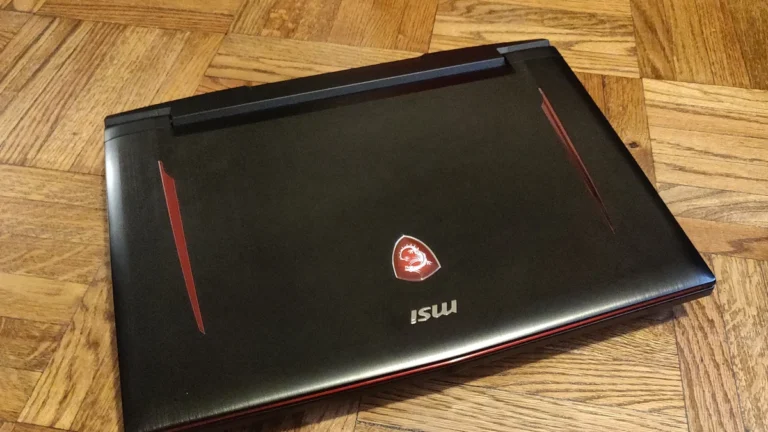
4. MSI Thin 15 (B13VE): Best slim and portable
The Thin 15 is the laptop to buy when the gaming laptop also has to be a daily carry. At 1.86 kg it is noticeably lighter than the Nitro V 15 or LOQ 15, and it still packs an RTX 4050 with 16GB of RAM and a 15.6 inch Full HD 144Hz screen. The usual sale configuration pairs a Core i5-13420H with the RTX 4050, 16GB of RAM and a 512GB or 1TB SSD.
There is one honest trade off, and it is printed on MSI’s own spec page: the RTX 4050 in the Thin 15 runs at up to 45W maximum graphics power with Dynamic Boost, against 75W in the Nitro V 15, Victus 15 and LOQ 15. Same chip, lower power limit, fewer frames in demanding games. In lighter games and esports titles you will barely notice, because those games are not GPU limited. In a heavy AAA title at high settings, expect a visible gap against the 75W machines. Our RTX 4050 vs RTX 4060 comparison shows how much of a difference the GPU tier makes, and the same logic applies to power limits inside one tier.
The 52.4Wh battery is small, so do not expect long unplugged gaming sessions. No gaming laptop lasts long on battery while gaming, but the Thin 15 is at the short end even among its peers. If portability matters more than maximum frame rates, it is still the right pick in this group, and it is the easiest of the five to carry every day.
Best for: students and commuters who carry their laptop everywhere and play mostly esports and lighter games. Not for: anyone chasing maximum frame rates in AAA games, where the 75W machines are clearly faster.
Check the MSI Thin 15 on Amazon
5. ASUS TUF Gaming A15 (FA507): Best for esports, when on sale
The TUF Gaming A15 is the toughest laptop in this guide. ASUS tests the TUF line to MIL-STD-810H standards, the keyboard is built for long sessions, and the Ryzen 7 7735HS with RTX 4050 combination is a strong esports machine. Notebookcheck measured 82.2 fps in The Witcher 3 at 1080p Ultra on the RTX 4050 version, right in line with the Nitro V 15 and LOQ 15.
The honest problem is price. The TUF A15 usually lists above $700, and it only belongs in this guide when a sale pulls it under the line. If you find it at or under $700, it is a genuinely good buy, especially if you play competitive shooters where the 144Hz screen and steady frame rates matter more than ultra settings. If it is sitting above $700 when you check, buy the Nitro V 15 instead and do not pay the premium for the TUF badge alone.
It is also worth knowing that a gaming laptop is a better all round machine than a regular laptop at this price, and the TUF A15 leans into that: it is a capable everyday laptop that happens to game well, not a machine that only makes sense for games. If your budget stretches further, the best gaming laptops under $1,500 show what the next tiers add.
Best for: esports players who want a durable machine and catch it on sale under $700. Not for: anyone buying at list price, where the Nitro V 15 and Victus 15 give you the same performance for less.
Check the ASUS TUF Gaming A15 on Amazon
What $700 actually buys in 2026
The single most important thing at this price is the graphics chip. An RTX 4050 is the card to aim for, because it brings DLSS 3 frame generation, which can double frame rates in supported games. Tom’s Guide measured exactly that on the Nitro V 15: Cyberpunk 2077 went from about 60 fps to about 120 fps with DLSS Balanced and frame generation. An RTX 3050 or RTX 2050 machine costs less, but it gives up frame generation and real ray tracing support, so it ages faster. Our roundup of the best gaming laptops under $500 shows what you give up at the lower budget.
RAM is the second trap. Several $700 listings still ship with 8GB, which is not enough for modern games alongside Windows and a browser. 16GB is the realistic minimum for gaming in 2026, and DDR5 is faster than DDR4 when you have the choice, though either is fine at this price if the amount is right. Check the RAM before you check anything else in the listing.
The screen matters more than most buyers expect. A 144Hz panel makes competitive games feel smoother in a way a 60Hz office screen cannot, and every pick in this guide has one. The GPU power limit matters too: as the TGP guide explains, the same RTX 4050 runs at 45W in the MSI Thin 15 and 75W in the Nitro V 15, and that gap shows up in frame rates.
How to buy one under $700 without getting burned
- Buy on sale, not on list price. These laptops only belong under $700 at sale prices. If the model you want is above the line today, wait for the next sale event rather than settling for a weaker machine.
- Confirm the exact GPU. Make sure the listing says RTX 4050, not GTX 1650 and not RTX 2050. Sellers reuse model names across GPU options, and the cheaper GPU is the trap.
- Confirm 16GB of RAM. If the trim you found has 8GB, check that the laptop has a free RAM slot and budget for a second stick, or pick a different trim.
- Check the screen refresh rate. A 144Hz panel should be in the listing. If it only says Full HD with no refresh rate, assume 60Hz and keep looking.
- Check the GPU wattage when it is listed. A 75W RTX 4050 beats a 45W one with the same name. This matters more than the badge on the lid.
- Buy from a seller with a real return policy. Budget gaming laptops have more panel and fan lottery than premium ones. A 30 day return window is your safety net.
Keep it cool and it will last longer
Budget gaming laptops run hot because the cooling system is where the money was saved. That is normal, but heat is also what shortens a laptop’s life. A few habits make a real difference: use the laptop on a hard flat surface so the air intakes are not blocked, clean the vents every few months, and keep the fans clear of dust. Our guides to keeping a gaming laptop cool and stopping a laptop from overheating cover the full routine, and reducing CPU usage while gaming can drop temperatures when a game is hammering the processor. If you mostly play plugged in at a desk, limiting the battery charge to 80 percent also helps the battery last longer. If you are starting from a normal laptop instead, our guide to converting a normal laptop into a gaming laptop shows what is realistic and what is not.
What to avoid at this price
Skip any laptop still sold with a GTX 1650 at close to $700. That chip is two generations old, has no DLSS frame generation, and struggles in new releases. Skip 8GB of soldered RAM with no upgrade slot, because that machine cannot be fixed later. Skip a 60Hz screen on a gaming laptop, since every good pick here has 144Hz for the same money. And skip no name brands with no service network: a warranty you cannot use is worth nothing when a fan fails in year two.
Which one should you buy?
Buy the Acer Nitro V 15 if you want the best all round gaming laptop under $700. Buy the HP Victus 15 if you want 16GB of RAM included and a laptop that looks normal outside of gaming. Buy the Lenovo LOQ 15 if you play for hours at a time and care about cooling, keyboard and build. Buy the MSI Thin 15 if you carry it everywhere and mostly play lighter games. Buy the ASUS TUF Gaming A15 only when a sale pulls it under $700. Whichever you choose, confirm the exact configuration first, because at this price the trim matters more than the brand.
Can you play AAA games on a laptop under $700?
Yes, at 1080p on medium to high settings. Independent testing shows an RTX 4050 laptop like the Acer Nitro V 15 holding 78 fps in The Witcher 3 at 1080p Ultra and about 60 fps in Cyberpunk 2077 at 1080p on high settings without ray tracing. With DLSS and frame generation, demanding games run comfortably past 60 fps. Do not expect high settings at 1440p or ray tracing at high frame rates.
Is 8GB of RAM enough for a gaming laptop in 2026?
No, not comfortably. Modern games plus Windows and a browser will use more than 8GB, which causes stuttering. 16GB is the realistic minimum for gaming in 2026. If the only trim you can afford has 8GB, make sure the laptop has a free RAM slot so you can add a second 8GB stick later.
Is the RTX 4050 good enough for 1080p gaming?
Yes. The RTX 4050 with 6GB of VRAM is a genuine 1080p card. Notebookcheck measured 78 fps in The Witcher 3 at 1080p Ultra on the Acer Nitro V 15, and LaptopMedia recorded 131 fps in Counter-Strike 2 at 1080p on Very High. DLSS 3 frame generation, which the RTX 4050 supports, lifts demanding games further. The one limit is the 6GB of VRAM, which rules out ultra texture packs and 1440p gaming.
Which is better under $700, the Acer Nitro V 15 or the HP Victus 15?
Both use the same 75W RTX 4050, so gaming performance is very close. The Nitro V 15 wins on cooling and on its upgrade friendly design with two RAM slots. The Victus 15 wins on value because its common sale configuration includes 16GB of RAM out of the box. Buy the Nitro V 15 if you plan to upgrade RAM later, and the Victus 15 if you want 16GB included from day one.
Should I wait for a sale to buy a gaming laptop under $700?
Almost always, yes. Every laptop in this guide lists above $700 and only drops under it during sale events, and the difference between list and sale price on the same machine can be several hundred dollars. If you need a laptop today, buy whichever of the five is currently on sale with 16GB of RAM, and do not pay list price for a budget machine.
Sources
Specs: Acer, HP, Lenovo, MSI and ASUS official product pages. Measured performance: Notebookcheck reviews of the Acer Nitro V 15, Lenovo LOQ 15 and ASUS TUF Gaming A15; LaptopMedia testing of the Nitro V 15; Tom’s Guide review of the Acer Nitro V 15; independent multi-laptop testing of the HP Victus 15.