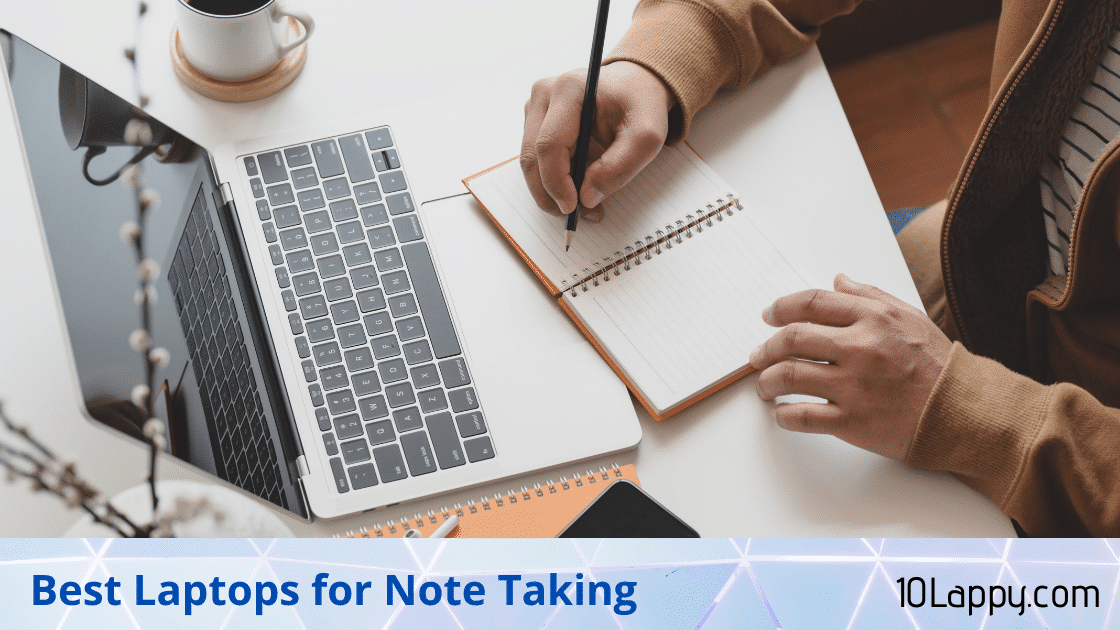
Best Laptops For Note Taking in 2026
Note taking looks simple until you try to do it eight hours a day. The laptop that feels fine for a one hour meeting can turn into a burden across a full day of lectures, and a pen that skips or lags will push you back to paper within a week. The machines below were picked for the things that actually decide whether digital notes stick: a pen that writes where you point, a weight you forget in your bag, a battery that survives a full day away from a socket, a keyboard you can type essays on, and wake speeds fast enough that you never miss the first sentence of a lecture.
This guide replaces our old note taking list, whose picks dated back to 2024 and older. Every model here is a current 2025 or 2026 machine, and every specification was checked against the manufacturer’s own product pages or major retailer listings in October 2026. Where a number comes from a manufacturer claim, such as battery life, we say so, because lab claims and real lecture days are two different things. We also tell you plainly which pens are inside the box and which ones cost extra, since that difference can add a lot to the real price.
Quick Answer: The Microsoft Surface Pro 13-inch (2026) is the best laptop for handwritten notes overall, thanks to its light tablet body, tall 3:2 screen, fast pen and strong battery claims. If you want a traditional laptop shape with the pen included, the Lenovo Yoga 9i 2-in-1 Aura Edition is the premium pick, and the Lenovo IdeaPad 5 2-in-1 is the budget route into pen notes.
The Best Laptops For Note Taking at a Glance
| Model | Weight | Display | Pen support | Battery | Storage | Best for |
|---|---|---|---|---|---|---|
| Microsoft Surface Pro 13-inch (2026) | 895 g tablet only | 13 inch 2880 x 1920, up to 120Hz | Surface Slim Pen, sold separately | Up to 15.5 hrs video (Microsoft claim) | 256GB to 1TB | Handwritten notes overall |
| Lenovo Yoga 9i 2-in-1 Aura Edition (Gen 10) | From 1.32 kg | 14 inch 2.8K OLED, 120Hz | Yoga Pen included in the box | 75Wh, up to 26.5 hrs video (Lenovo claim) | Up to 1TB | Premium convertible |
| Samsung Galaxy Book5 Pro 360 | 1.69 kg | 16 inch AMOLED 2880 x 1800, 120Hz | S Pen included in the box | 76Wh, up to 25 hrs video (Samsung claim) | 512GB to 1TB | Big screen split view notes |
| HP OmniBook X Flip 14 | About 1.38 kg | 14 inch 2K IPS or 3K OLED touch | HP MPP 2.0 tilt pen, sold separately | 59Wh, up to 19.5 hrs video (HP claim, Ryzen model) | 512GB to 2TB | Mid range all rounder |
| ASUS ProArt PZ13 | 0.85 kg tablet only | 13.3 inch 2.8K OLED touch | ASUS Pen 2.0, inclusion varies by region | 70Wh | 1TB | Lightweight detachable value |
| Apple MacBook Air 13 (M4) | 1.24 kg | 13.6 inch 2560 x 1664, no touch | None, no touchscreen or pen | Up to 18 hrs video (Apple claim) | 256GB and up | Typed notes |
| Lenovo IdeaPad 5 2-in-1 14 (Gen 10) | About 1.5 kg | 14 inch WUXGA IPS touch | Lenovo Digital Pen, bundle varies | 57Wh | 512GB to 1TB | Budget pen notes |
1. Microsoft Surface Pro 13-inch (2026): Best Overall for Handwritten Notes
The Surface Pro is still the shape that every other note taking device gets compared to, and the 2026 13-inch model, the 12th edition, keeps that lead. It is a tablet first, with a built in kickstand that holds almost any angle, so you can prop it up to read slides, lay it nearly flat to write, or pull the keyboard off and hold it like a clipboard in a hallway or on a ward round. At 895 g for the tablet, it is light enough to carry in one hand between classes, and the 13 inch screen uses a 3:2 aspect ratio, which is taller than a normal widescreen and much closer to the proportions of a sheet of paper. That extra height is exactly what handwritten notes want.
The pen experience is the main reason to buy it. The Surface Slim Pen (2nd edition) offers 4,096 pressure levels and haptic signals that add a subtle paper-like vibration as you write, and it stores and charges inside the Surface Pro Flex Keyboard. The screen refreshes at up to 120Hz, which keeps the ink trail close to the pen tip and makes fast handwriting feel connected rather than floaty. Microsoft’s pen and screens have been refined together for years, and on paper this is the most complete inking setup on Windows. The honest catch is cost: both the keyboard and the pen are sold separately, so budget for them on top of the tablet price before you compare it with convertibles that include a pen.
Performance is more than enough for notes and study. You choose between a Snapdragon X2 Plus (10 core) with an LCD screen or a Snapdragon X2 Elite (12 core) with an OLED screen, with 16GB of memory as the base and storage from 256GB up to a 1TB SSD that you can replace later, which is rare in a tablet. Microsoft claims up to 15.5 hours of local video playback and up to 11.5 hours of active web use, and the Snapdragon chips wake from sleep almost instantly, which matters when a lecturer starts talking the second you open the device. One warning applies to every Snapdragon machine in this guide: most apps now run natively on Windows on ARM, but some older programs, VPN tools and printer drivers still rely on emulation or do not work at all. Check your course or office software list before buying, the same check we recommend in our guide to the best laptops for cyber security students, where specialist tools decide the purchase.
If even 895 g sounds heavy, Microsoft also sells a smaller Surface Pro 12-inch (2nd edition) that weighs 686 g, charges its pen magnetically on the back of the tablet, and costs less. The trade offs are a smaller writing area, a 90Hz LCD screen and fixed UFS storage, so the 13-inch stays our main pick for anyone who writes for hours.
Pros
- ✓ Lightest full Windows writing surface here, with a kickstand that suits desks, laps and one hand use
- ✓ 3:2 screen shape and 120Hz refresh make handwriting feel close to paper
- ✓ Slim Pen charges inside the keyboard, so it is hard to lose and always ready
- ✓ Removable SSD and strong battery claims for a tablet this thin
Cons
- ✗ Keyboard and pen are both extra cost, which pushes the real price up fast
- ✗ Windows on ARM still has a few app and driver gaps to check first
- ✗ 256GB base storage is tight if you store lots of video
Check the latest price: Microsoft Surface Pro 13-inch (2026) on Amazon
2. Lenovo Yoga 9i 2-in-1 Aura Edition (Gen 10): Best Premium Convertible
The Yoga 9i 2-in-1 Aura Edition is the pick for people who want a proper laptop that also happens to be an excellent note taking tablet. Its 360 degree hinge folds the 14 inch screen all the way back for writing, stops in tent mode for reading slides or watching a recorded lecture, and behaves like a normal premium laptop the rest of the time. At 1.32 kg it is heavier than the detachable tablets here, but it is still easy to carry all day, and you never have to balance it on a floppy keyboard cover on your lap.
The pen story is the simplest in this guide: the new Yoga Pen is included in the box, confirmed on Lenovo’s own product page, and it attaches magnetically to the lid so it travels with the laptop. Lenovo builds the 2.8K OLED panel with a digitizer layer and its Optical Sensing Glass, which the company says improves pen accuracy, and the pen supports tilt and pressure detection for shading and varied line weight. The OLED screen itself runs at up to 120Hz with 500 nits of SDR brightness, so ink looks smooth and the panel stays readable in bright lecture halls. For subjects built on diagrams, equations and annotated PDFs, this is the most complete convertible package on paper.
Battery and performance back up the premium price. The Core Ultra 7 258V chip is efficient rather than flashy, the Amazon configuration pairs it with 32GB of memory and a 1TB SSD, and the 75Wh battery is the largest in any 14 inch convertible here. Lenovo’s spec sheet claims up to 26.5 hours of local video playback and up to 16.6 hours of web browsing, while independent reviewers have measured around 17 hours in office style battery tests, which is still enough for two full days of classes for most students. Rapid Charge Express also adds hours of use from a short top up. The honest trade offs are the price, a glossy OLED that reflects in awkward lighting, and the fact that a 14 inch tablet mode is a desk tool rather than something you hold in one hand for long.
Pros
- ✓ Yoga Pen included in the box and attaches magnetically to the lid
- ✓ Superb 2.8K OLED touch screen with digitizer, 120Hz and strong brightness
- ✓ 75Wh battery with the strongest tested endurance of any convertible here
- ✓ Real laptop keyboard and hinge, so lap typing and essays are no compromise
Cons
- ✗ Premium price, especially in the 32GB and 1TB configuration
- ✗ Tablet mode is too heavy for long one handed note sessions
- ✗ Glossy screen can reflect overhead lights
Check the latest price: Lenovo Yoga 9i 2-in-1 Aura Edition on Amazon
3. Samsung Galaxy Book5 Pro 360: Best Big Screen for Notes
The Galaxy Book5 Pro 360 takes the opposite approach to the Surface: instead of going smaller, it goes bigger. The 16 inch AMOLED screen gives you room to run a lecture slide deck on one half and your notes on the other, which is the closest a single device gets to the paper notebook plus textbook spread on a desk. It is a 360 degree convertible, so the screen folds back into tablet mode when you want to write across the whole panel, and the anti-reflective coating on the AMOLED display helps in bright rooms where glossy screens usually struggle.
Samsung’s S Pen is included in the box, and it has one practical advantage over almost every rival pen: it uses EMR technology, so it never needs charging. There is no battery to die the night before an exam, and the pen supports tilt for shading and natural strokes. Paired with Samsung Notes, it is a strong setup for students who already own a Galaxy phone, because notes sync across the two and you can start a diagram on the laptop and review it on your phone on the bus. The 76Wh battery is the biggest in this guide and Samsung claims up to 25 hours of video playback; real mixed use will be lower, but the capacity is there. Ports are generous too, with HDMI, USB-A, two Thunderbolt 4 ports and a microSD slot, so lecture hall projectors and memory cards need no dongle.
The trade off is size. At 1.69 kg and 16 inches, this is a desk and backpack machine. Tablet mode works best flat on a table, not held in one hand, and if your day involves writing while standing or moving between small seminar rooms, the smaller picks above will suit you better. Think of it as the best choice for settled, long study sessions where screen space matters more than carry weight.
Pros
- ✓ S Pen included and never needs charging, so it is always ready
- ✓ Huge 16 inch AMOLED screen is ideal for split view notes next to slides
- ✓ 76Wh battery with up to 25 hours of claimed video playback
- ✓ Full port selection including HDMI, USB-A and microSD
Cons
- ✗ 1.69 kg and 16 inches make tablet mode a two handed, on desk affair
- ✗ Overkill if your notes are mostly typed
- ✗ Samsung Notes shines most if you also use a Galaxy phone
Check the latest price: Samsung Galaxy Book5 Pro 360 on Amazon
4. HP OmniBook X Flip 14: Best Mid Range Convertible
The OmniBook X Flip 14 is the sensible middle of this guide: a 14 inch convertible that does everything a student or office note taker needs, at a price below the Yoga 9i and Galaxy Book flagships. It weighs about 1.38 kg, folds flat into tablet mode, and comes with either Intel Core Ultra or AMD Ryzen AI chips, 16GB to 32GB of memory and up to 2TB of storage depending on the configuration you pick. The 14 inch size is the sweet spot for note taking, big enough to write on comfortably and small enough to fit on a lecture hall fold down desk.
You get two screen choices. The 2K IPS touch panel is the practical option, while the 3K OLED version (2880 x 1800) runs at 48 to 120Hz, which makes pen strokes look smoother and text sharper during long reading sessions. Pen support covers HP’s USB-C rechargeable MPP 2.0 tilt pen with palm rejection, but be clear about the catch: in the US the pen is sold separately and does not come in the box, which Best Buy’s listing states outright. Budget for it before you compare prices with the Yoga or Samsung, which both include their pens. The 5MP IR camera is better than most laptop webcams, which helps if your notes come from online classes and recorded calls.
Battery life sits in the middle too. The 59Wh battery is smaller than the Yoga’s, and HP rates the Ryzen AI configuration at up to 19 hours 30 minutes of video playback, while independent reviews of mixed everyday use land closer to 9 to 11 hours. That is still a full day of lectures with care, and HP Fast Charge can take the battery to about 50 percent in roughly 30 minutes between classes. If your priority is a balanced convertible for notes, documents and calls rather than the longest possible battery, this is the one to shortlist.
Pros
- ✓ 14 inch size and 1.38 kg weight suit small desks and daily carrying
- ✓ Choice of sharp 3K OLED touch screen with up to 120Hz refresh
- ✓ Fast charging adds about half a battery in roughly 30 minutes
- ✓ Better webcam than most rivals, good for online classes and meetings
Cons
- ✗ Pen is an extra purchase in the US, not included in the box
- ✗ 59Wh battery is a step behind the Yoga 9i and Galaxy Book5 Pro 360
- ✗ Speakers are only average for recorded lectures
Check the latest price: HP OmniBook X Flip 14 on Amazon
5. ASUS ProArt PZ13: Best Lightweight Detachable Alternative
The ProArt PZ13 is ASUS’s answer to the Surface Pro, and it fixes the Surface’s biggest annoyance: the detachable keyboard cover and the kickstand cover are included in the box. The tablet itself weighs just 0.85 kg, the lightest in this guide, and the 13.3 inch 2.8K OLED touch screen is sharp and color rich, which suits students who annotate diagrams and anyone who sketches as part of their notes. An IP52 rating means light splashes and dusty fieldwork are less of a worry than with most laptops, a rare touch in this class.
Pen support comes through the ASUS Pen 2.0, an MPP 2.0 stylus. Here you need to read the listing carefully before buying: Notebookcheck’s review unit had the pen in the box, but US coverage from Digital Trends and Pocket-lint describes it as a separate purchase of around a hundred dollars. ASUS bundles differ by region, so treat pen inclusion as unconfirmed for US buyers and check the exact product page. Inside, a Snapdragon X Plus chip, 16GB of memory and a generous 1TB SSD handle notes, documents and research tabs easily, and the 70Wh battery is unusually large for a detachable, which helps offset the bright OLED screen.
The trade offs mirror the Surface. The screen refreshes at 60Hz, so ink looks a little less fluid than on the 120Hz picks, and the Snapdragon chip brings the same Windows on ARM app checks. There is also only one main configuration, so you cannot trade storage or memory to hit a budget. If you like the detachable idea, want the keyboard included and prefer OLED, the PZ13 is the value alternative to the Surface Pro; just confirm the pen situation for your region first.
Pros
- ✓ Keyboard cover and kickstand included, unlike the Surface Pro
- ✓ Lightest tablet here at 0.85 kg, with a sharp 2.8K OLED screen
- ✓ Big 70Wh battery and 1TB of storage as standard
- ✓ IP52 rating shrugs off splashes and dusty environments
Cons
- ✗ Pen inclusion varies by region and is a separate purchase for many US buyers
- ✗ 60Hz screen makes pen strokes look less smooth than 120Hz rivals
- ✗ Windows on ARM app compatibility needs the same checks as the Surface
Check the latest price: ASUS ProArt PZ13 on Amazon
6. Apple MacBook Air 13 (M4): Best for Typed Notes, With an Honest Warning
This pick comes with the clearest warning in the guide: the MacBook Air has no touchscreen and no pen support at all. You cannot handwrite on it, annotate a PDF with a stylus, or fold it into a tablet. If your notes involve equations, sketches or margin comments, stop here and pick one of the convertibles above. But if your note taking is typed, and for many students and professionals it is, the MacBook Air is arguably the best machine on this page.
The reasons are the basics done perfectly. At 1.24 kg it is lighter than most convertibles, the keyboard and trackpad are the best in class for long writing sessions, and the fanless M4 chip means it works in complete silence in a quiet library. Apple includes 16GB of memory as standard now, the 13.6 inch Liquid Retina screen is bright at 500 nits, and Apple claims up to 18 hours of video playback and up to 15 hours of wireless web from the 52.6Wh battery. In practice this is the laptop most likely to let you leave the charger at home for a full day of typed notes, documents and research. Apps like OneNote, Notion, Apple Notes and lecture transcription tools all run well, and instant wake means it is ready before the lecturer finishes the first sentence.
Choose it with your course in mind. Some degrees rely on Windows only software for labs and exams, and a Mac cannot fix that; our guide to the best laptops for engineering students explains where that line falls. The natural Apple route to handwriting is a separate iPad with Apple Pencil, which some students prefer as a two device setup. As a single device for typed notes, though, nothing here beats the Air’s mix of weight, battery and keyboard.
Pros
- ✓ Superb keyboard and trackpad for long typed note sessions
- ✓ 1.24 kg, silent fanless design and all day battery claims
- ✓ 16GB of memory standard and a bright, sharp screen
- ✓ Instant wake and excellent standby for stop start lecture days
Cons
- ✗ No touchscreen and no pen support, so no handwritten notes at all
- ✗ 256GB base storage fills quickly with recorded lectures
- ✗ Some course and exam software is Windows only
Check the latest price: Apple MacBook Air 13 (M4) on Amazon
7. Lenovo IdeaPad 5 2-in-1 14 (Gen 10): Best Budget Pick
Not everyone can spend flagship money on a note taking laptop, and the IdeaPad 5 2-in-1 is the cheapest sensible way to get real pen notes on a full laptop. It is a 14 inch 360 degree convertible with a WUXGA (1920 x 1200) IPS touch screen, a choice of Intel Core Ultra 5 or AMD Ryzen AI 5 and 7 chips, 16GB of memory and 512GB or 1TB of storage. It types essays like a normal laptop, then folds flat when you want to write, which is the whole point of this category at roughly half the price of the Yoga 9i.
Pen support is present through the Lenovo Digital Pen, but inclusion is the thing to check: many retailer bundles include a pen and many do not, and Lenovo sells the pen separately as well. Confirm what is in the box on the exact listing before you buy, because a budget pick stops being a bargain if the pen adds a surprise cost. The screen is a 300 nit, 60Hz IPS panel on most configurations, with an OLED option on some; it is perfectly readable indoors and fine for handwriting, just less smooth and less bright than the premium picks. Retailer spec listings quote battery endurance of up to about 10.5 hours for Intel models and up to 12.5 hours for AMD models from the 57Wh battery, so a school day is realistic, a long day plus evening study may need a top up.
At about 1.5 kg it is not the lightest here, the speakers and build are a clear step below the Yoga, and the soldered memory cannot be upgraded later. None of that stops it being the right answer for a student who needs pen notes for math, science or language classes on a tight budget. If gaming matters more than handwriting in the same price range, our roundup of the best gaming laptops under 500 is the better place to look, but those machines cannot take a handwritten note between them.
Pros
- ✓ Cheapest route to a proper pen convertible with a real keyboard
- ✓ Choice of Intel or AMD chips, with 16GB memory as standard
- ✓ 360 degree hinge covers laptop, tent and tablet note modes
- ✓ OLED screen option on some configurations
Cons
- ✗ Pen included with some bundles and not others, so check the listing
- ✗ 300 nit 60Hz IPS screen is basic next to the premium picks
- ✗ Heavier than the flagships and memory cannot be upgraded
Check the latest price: Lenovo IdeaPad 5 2-in-1 14 on Amazon
How to Choose a Laptop for Note Taking
2 in 1 or regular laptop for note taking?
Start with how you actually write. If your notes include diagrams, formulas, arrows, margin comments or anything you would draw on paper, a 2 in 1 with a pen is the right tool, because typing a chemistry structure or a free body diagram is painfully slow. If your notes are mostly typed text, a regular laptop like the MacBook Air is lighter, cheaper for the same speed, and has a better keyboard position for long essays. Between the two 2 in 1 shapes, detachables like the Surface Pro and ProArt PZ13 are lighter for pure writing and reading, while 360 degree convertibles like the Yoga and OmniBook are sturdier on your lap and better for typing. Many students end up happiest with a convertible, because lectures mix writing and typing in the same hour.
Do you need a stylus for digital notes?
A stylus earns its place in subjects where the content is not plain text: mathematics, physics, engineering, medicine, design, and languages you are learning character by character. It also transforms PDF reading, because highlighting and margin notes on readings are faster with a pen than with a mouse. If your course is essays and typed summaries, a stylus will mostly sit unused, and you are better off spending the money on a better screen or more storage. When you do buy one, check three things: whether the pen is included in the box, whether it charges or is battery free, and where it lives when you travel, because a pen with no storage spot is a pen you will lose.
Which note apps work best, OneNote and others?
On Windows, Microsoft OneNote is the safe default: it is free, it handles ink, typing, audio recording and images in one notebook, and it syncs across your phone and laptop so revision notes are always with you. Samsung Notes is the natural choice on the Galaxy Book5 Pro 360 if you own a Galaxy phone, and it converts handwriting to text neatly. For typed notes, Notion suits students who like structured pages and databases, while Apple Notes is the simple built in option on the MacBook Air. Whichever app you pick, turn on automatic cloud backup from day one. A semester of notes is worth far more than the laptop, and sync is the difference between an inconvenience and a disaster when a device breaks.
Laptop or tablet for students?
A standalone tablet is lighter and often cheaper, but it struggles with the unglamorous parts of student life: managing files, running two apps side by side, using exam and proctoring software, and typing long assignments on an add on keyboard. A laptop handles all of that by default. The middle path is exactly what this guide is about: a detachable or convertible laptop gives you the tablet writing experience when you want it and a full computer when you need it. If you already own a good laptop and only want handwriting, adding a basic tablet with a pen can work, but for a single purchase, a pen ready laptop is the more capable and usually better value answer.
Note Taking Laptop Terms That Actually Matter
Digitizer and palm rejection
The digitizer is the invisible layer in the screen that tracks the pen. It is what separates a real note taking screen from a cheap touchscreen that only works with a rubber tipped stick. Palm rejection is its partner feature: the screen ignores your resting hand and only follows the pen tip, so you can write naturally instead of hovering your wrist in the air. Every pick in this guide has both. Touchscreens also collect fingerprints fast, so a microfiber cloth and the right method, covered in our guide on how to clean a laptop screen without streaks, keep the writing surface clear.
Pen pressure levels and tilt
Pressure levels describe how many steps of force the pen can detect, from a faint sketch line to a heavy underline. The Surface Slim Pen offers 4,096 levels, which is the current mainstream standard and more than enough for handwriting. Tilt detection lets the pen shade like a real pencil when you angle it, which matters for drawing and diagrams more than for plain notes. Do not pay extra just for a bigger pressure number; for note taking, low latency and good palm rejection matter far more than the difference between 4,096 and 8,192 levels.
Convertible hinge types
There are two families here. A 360 degree hinge, used by the Yoga, Galaxy Book, OmniBook and IdeaPad, folds the keyboard behind the screen; it is sturdy, lap friendly and always attached, but the keys face outward in tablet mode and add weight. A detachable design, used by the Surface Pro and ProArt PZ13, separates the tablet from its keyboard cover entirely; it is lighter and more natural to hold, but typing on your lap is wobblier and the keyboard is an accessory you can leave behind. Pick based on where you write most: desk and lap typing favour the hinge, reading and writing on the move favour the detachable.
Battery ratings vs real life
Manufacturers quote battery life from local video playback at low brightness, which is the easiest test a laptop can face. Real note taking days, with WiFi on, a bright screen, cloud sync and dozens of tabs, always land lower. The honest number to compare is the battery size in watt hours (Wh): the Galaxy Book5 Pro 360 carries 76Wh, the Yoga 9i 75Wh, the ProArt PZ13 70Wh, the OmniBook X Flip 59Wh and the IdeaPad 57Wh. Treat any claimed hours figure as a ceiling, check what a web browsing claim says when one exists, and plan around roughly two thirds of the headline number for a heavy day.
Weight and one hand use
Product pages quote the weight of the tablet alone for detachables, so a Surface Pro at 895 g gains a keyboard cover on top of that in your bag. Convertibles quote the whole machine, which makes comparisons fairer in the Yoga’s favour than they first look. As a rule, under 1 kg is realistic to hold in one hand while you write or walk, 1.3 to 1.5 kg works for short bursts and desk use, and anything near 1.7 kg is a two handed, sit down device. Match the weight to your day, not to the spec sheet.
Frequently Asked Questions
What is the best laptop for handwritten notes?
The Microsoft Surface Pro 13-inch (2026) is our top pick for pure handwriting, because it combines the lightest tablet body here with a tall 3:2 screen, a 120Hz refresh and a pen that charges inside its keyboard. If you prefer an attached keyboard and a pen included in the price, the Lenovo Yoga 9i 2-in-1 Aura Edition is the better buy.
Can you take good notes on a laptop without a touchscreen?
Yes, if your notes are typed. A laptop like the MacBook Air 13 (M4) has no touchscreen or pen, but its keyboard, battery life and light weight make it excellent for typed lecture notes, essays and research. You only need a touchscreen and stylus when your notes include handwriting, diagrams, equations or PDF annotation.
Do all 2 in 1 laptops come with a pen included?
No, and this is the easiest way to overspend or underspend. In this guide the Lenovo Yoga 9i and Samsung Galaxy Book5 Pro 360 include their pens, the Surface Pro and HP OmniBook X Flip sell theirs separately in the US, the ASUS ProArt PZ13 varies by region, and the IdeaPad 5 2-in-1 depends on the retailer bundle. Always check the exact listing before you buy.
Is 256GB of storage enough for a note taking laptop?
For notes themselves, easily. Handwritten notebooks, PDFs and documents take up very little space, and cloud sync keeps them small locally. The 256GB base models only become a problem if you also store recorded lecture videos, large photo libraries or games on the same machine. If that sounds like you, choose 512GB at purchase, because storage cannot be upgraded on most of these models.
How much battery life does a note taking laptop need?
Aim for a battery of at least 57Wh and a manufacturer claim in the mid teens of hours, which usually translates to a real full day of classes with brightness and WiFi managed sensibly. Video playback claims are the ceiling, not the expectation. If your days run from morning lectures to evening study, the bigger batteries in the Yoga 9i and Galaxy Book5 Pro 360 give you the safest margin.
The Verdict
For most people, the Microsoft Surface Pro 13-inch (2026) is the note taking machine to buy: it is the closest thing to paper that still runs full Windows, provided you budget for the keyboard and pen. The Lenovo Yoga 9i 2-in-1 Aura Edition is the better choice if you want one premium laptop that types as well as it writes, with the pen in the box. The Samsung Galaxy Book5 Pro 360 suits long desk based study with its big screen and battery free S Pen, the HP OmniBook X Flip 14 balances price and features, and the ASUS ProArt PZ13 undercuts the Surface with its keyboard included. Typed note takers should take the MacBook Air 13 (M4) and its all day battery, while students on a budget get genuine pen notes from the Lenovo IdeaPad 5 2-in-1. Match the machine to how you actually write, and digital notes will finally stick.