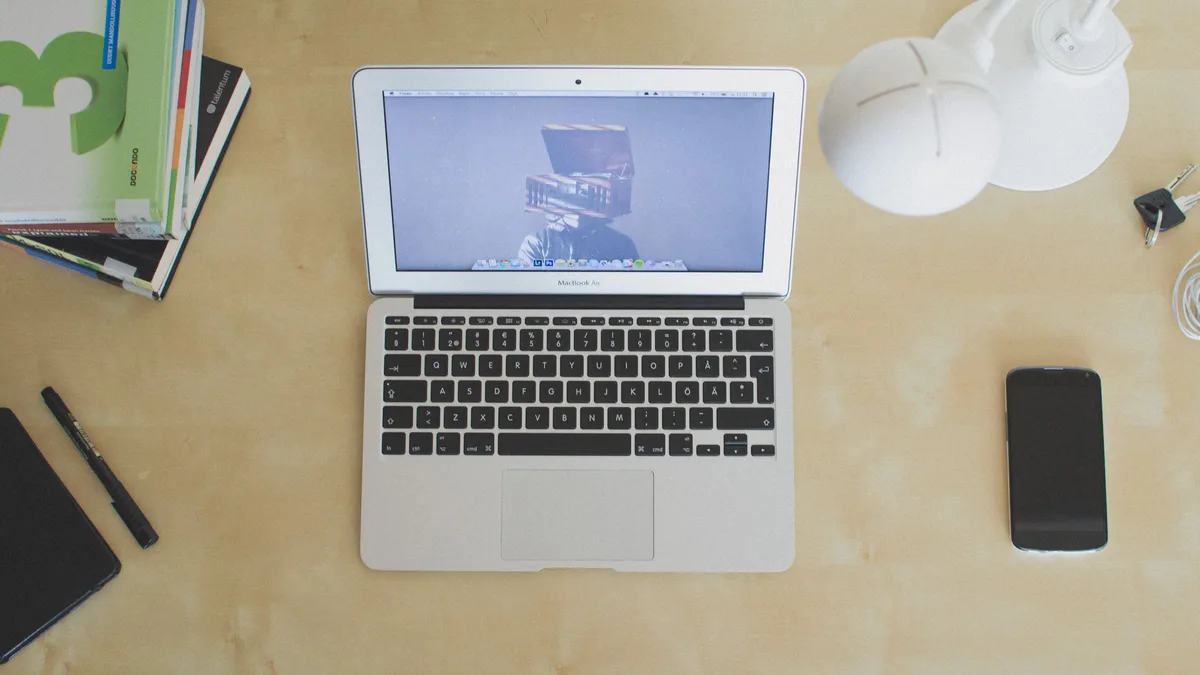
Laptop Screen Sizes Explained: Dimensions and Size Chart
Quick Answer: Laptop size is the diagonal of the screen, measured corner to corner across the visible display only, not the body. A 14-inch laptop has a 14-inch screen, but the machine itself is about 12.3 inches wide and 8.7 inches deep and weighs 1 to 1.6 kg. Pick 13 or 14 inches if you carry the laptop every day, 15.6 or 16 inches if it mostly stays on a desk, and 17.3 inches only if you want a desktop replacement. The chart below gives the real dimensions and weight of every size from 11.6 to 18 inches.
What does laptop size actually measure?
The number on the box is the diagonal of the visible screen, from one corner of the lit display to the opposite corner. It does not include the bezel, the hinge or the case. That is why a 15.6-inch laptop is only about 14 inches wide and a 13.3-inch laptop is about 12 inches wide: the width and the diagonal are different lines.
The same size is often stated in centimeters on spec sheets outside the US. Multiply inches by 2.54 to convert: 13.3 inches is 33.8 cm, 14 inches is 35.6 cm, 15.6 inches is 39.6 cm, 16 inches is 40.6 cm and 17.3 inches is 43.9 cm. A listing that says 43 cm is a 17-inch class laptop.
Odd sizes are the same classes. Makers also sell 13.4, 13.6, 14.2, 14.5, 15.3 and 16.2-inch screens, usually because a thinner bezel let them fit a slightly larger panel into the same body: a 13.6-inch MacBook Air belongs to the 13-inch class, and the 14-inch MacBook Pro actually has a 14.2-inch screen.
Body size is not standardized. Two laptops sold as 14-inch can differ by more than a centimeter in width and depth, depending on bezel thickness and hinge design. The chart below gives ranges from real manufacturer spec sheets, but when exact fit matters, check the spec sheet of the exact model.
Laptop sizes chart: screen size and dimensions
Every size below lists the screen itself, then the body of the whole laptop, then the weight. Screen sizes are the diagonal; body sizes are width by depth.
| Size | Screen width x height | Body width x depth | Weight | Best for |
|---|---|---|---|---|
| 11.6 in | 10.1 x 5.7 in (16:9) | 11.3-11.9 x 7.9-8.1 in (28.7-30.1 x 20.0-20.6 cm) | 2.7-3.0 lb (1.2-1.35 kg) | School Chromebooks, second device |
| 13.3 in | 11.3 x 7.1 in (16:10) | 11.3-12.0 x 7.8-8.5 in (28.6-30.4 x 19.9-21.5 cm) | 2.0-2.8 lb (0.93-1.3 kg) | Daily carrying, flying |
| 14 in | 11.9 x 7.4 in (16:10) | 12.2-12.7 x 8.5-8.8 in (31.1-32.4 x 21.5-22.4 cm) | 2.2-3.4 lb (1.0-1.6 kg) | Daily carrying with room for real work |
| 15.6 in | 13.6 x 7.7 in (16:9) | 13.9-14.2 x 9.3-9.9 in (35.4-36.0 x 23.6-25.1 cm) | 3.5-4.9 lb (1.6-2.2 kg) | Home and office, number pad users |
| 16 in | 13.6 x 8.5 in (16:10) | 13.9-14.4 x 9.7-10.6 in (35.4-36.4 x 24.6-26.8 cm) | 4.1-5.4 lb (1.85-2.45 kg) | Creative work, programming, gaming on the move |
| 17.3 in | 15.1 x 8.5 in (16:9) | 15.5-15.8 x 10.2-11.6 in (39.4-40.1 x 25.8-29.3 cm) | 4.5-6.8 lb (2.05-3.1 kg) | Desktop replacement, gaming, spreadsheets |
| 18 in | 15.3 x 9.5 in (16:10) | About 15.7 x 11.7 in (about 39.9 x 29.8 cm) | 7 lb and up (3.3 kg and up) | High end gaming and workstations |
The ranges come from manufacturer spec sheets of models sold between 2023 and 2026. Budget and gaming models sit at the heavy, deep end of each range, and thin premium models sit at the light end. Weight is the base configuration without the charger: a typical 65 W USB-C charger adds 0.2 to 0.4 kg, and gaming power bricks run 0.5 kg to more than 1 kg.
How aspect ratio changes the screen
The diagonal alone does not fix the screen’s width and height. That depends on the aspect ratio, the shape of the screen written as width to height. Older and budget laptops use 16:9, the shape of a TV. Most laptops released since about 2021 use the taller 16:10, and Microsoft Surface laptops use 3:2. The taller the ratio, the narrower and taller the screen for the same diagonal, and the larger its area.
A 14-inch 16:10 screen has about 5 percent more area than a 14-inch 16:9 screen, and almost all of the gain is extra height, which shows more lines of a document or web page.
| Diagonal | 16:9 screen | 16:10 screen |
|---|---|---|
| 13.3 in | 11.6 x 6.5 in | 11.3 x 7.1 in |
| 14 in | 12.2 x 6.9 in | 11.9 x 7.4 in |
| 15.6 in | 13.6 x 7.7 in | 13.2 x 8.3 in |
| 16 in | 13.9 x 7.8 in | 13.6 x 8.5 in |
| 17.3 in | 15.1 x 8.5 in | 14.7 x 9.2 in |
How to measure your laptop screen size
If you cannot find the model name, a tape measure is enough: measure the screen diagonal across the lit area, corner to corner, not including the bezel, and round to the nearest standard size. A reading of 15.5 inches is a 15.6-inch screen, and 13.2 inches is a 13.3-inch screen.
If you can only measure the closed laptop, use its width, left to right across the lid at the widest point, and check the depth as a tie-breaker. A deep body for its width points to a taller 16:10 screen or a thick gaming chassis.
| Closed laptop width | Usual screen size |
|---|---|
| Under 11.5 in (under 29.2 cm) | 11.6 or 12.4 in, or a compact 13-inch model |
| 11.5-12.2 in (29.2-31 cm) | 13 to 13.6 in |
| 12.2-12.8 in (31-32.5 cm) | 14 in |
| 13.4 in (34 cm) | 15 to 15.3 in, such as the 15-inch MacBook Air |
| 13.9-14.4 in (35.4-36.5 cm) | 15.6 in or 16 in, check the depth |
| 15.5-15.8 in (39.4-40.1 cm) | 17.3 in, or 18 in if the depth is close to 30 cm |
Then confirm with the model number from the label underneath the laptop, System Information on Windows, or About This Mac, and look it up on the maker’s spec page.
14 vs 15.6 vs 17.3 inch: the three sizes most people choose between
These three sizes cover almost every buyer: each step up buys screen space and costs portability. Going from 14 to 15.6 inches adds about 1.7 inches of width and roughly 0.5 kg, and going from 15.6 to 17.3 inches adds another 1.6 inches and 0.5 to 1 kg.
| Size | Body and weight | Screen area | Best for |
|---|---|---|---|
| 14 in | 12.2-12.7 x 8.5-8.8 in, 1.0-1.6 kg | Smallest of the three | Carrying every day |
| 15.6 in | 13.9-14.2 x 9.3-9.9 in, 1.6-2.2 kg | About a fifth more than 14 in | The all rounder for home and office |
| 17.3 in | 15.5-15.8 x 10.2-11.6 in, 2.05-3.1 kg | Roughly a quarter more than 15.6 in | Desk bound gaming and editing |
A 15.6-inch screen is about a fifth larger in area than a 14-inch screen, and a 17.3-inch screen is roughly a quarter larger than a 15.6-inch screen. That extra area is real when two windows sit side by side, but it comes with a wider body that needs a bigger bag and a deeper desk. A 17-inch laptop is not automatically heavy, though: the LG gram 17 weighs about 1.35 kg, lighter than many 15.6-inch models, because LG built it from magnesium alloy instead of aluminum. If you want to see which 17-inch models are actually worth buying, our roundup of the best 17-inch laptops compares the lightest pick, the best gaming options and the best budget model.
Which laptop size should you choose?
Start from how the laptop will live, not from the screen you like in the shop. If you carry it most days, fly often, or work from cafes, trains or economy seats, go smaller at 13 to 14 inches. A 14-inch machine is the usual compromise for daily carrying and the sweet spot for note taking: our guide to the best laptops for note taking picks machines light enough to forget in a bag. Light, portable picks also dominate our list of the best laptops for girls, which leans toward slim 13 and 14-inch models.
If the laptop mostly stays on a desk, 15.6 or 16 inches is the comfortable choice, with a bigger keyboard, often a number pad, and room for two windows. If you want even more room, an external monitor beats any laptop size: our guide to connecting two monitors to a laptop shows how to set that up.
Gamers face the same trade with higher stakes. A 14-inch gaming laptop travels well but gives up cooling room, a 16-inch model is the usual middle ground, and a 17.3-inch chassis has room for bigger fans and heat pipes, which is why most desktop replacements are 17 inches. On a gaming laptop the screen is only half the story, so check how much VRAM the graphics card has and whether the machine has a MUX switch, which lets the GPU drive the screen directly for more frames.
Creators and streamers usually land on 16 or 17.3 inches, because video timelines, photo editing and streaming software all want width: our best laptop for live streaming picks lean large for that reason. Budget buyers get the widest choice at 15.6 inches, where the most models compete.
Does screen size change sharpness?
Yes, because the same resolution looks sharper on a smaller screen. Sharpness is measured in pixels per inch, the resolution’s diagonal in pixels divided by the screen diagonal. A Full HD 1920 x 1080 panel measures about 166 ppi on a 13.3-inch screen, 141 ppi on a 15.6-inch screen and only 127 ppi on a 17.3-inch screen.
If text sharpness matters, compare ppi rather than resolution. On a 17-inch laptop, prefer a QHD 2560 x 1440 panel over Full HD: at 170 ppi it looks clearly crisper.
Size also changes what you see outdoors. A big screen is no help in sunlight if it is dim, so check brightness in nits before buying: our guide to the best laptop for outdoor use compares real brightness figures, and our guide to making a laptop screen brighter than max covers the settings that help a dim screen.
Fitting a laptop into bags, desks and travel
Bags and sleeves are labeled by the screen size they fit, but the laptop’s body is what has to fit. Compare the bag’s inside compartment with the body width and depth in the chart above, not with the screen size on the label. A 15.6-inch sleeve that fits a slim ultrabook may not fit a thick 15.6-inch gaming laptop.
On a desk, a 15.6-inch laptop needs about 36 x 25 cm of surface plus room in front for your wrists. With a mouse to one side, plan for at least 60 cm of width. A 17.3-inch machine needs closer to 40 x 30 cm before the mouse, so measure the desk before you buy the laptop.
For air travel, a slim bag holding a laptop of up to 15.6 or 16 inches fits the personal-item limits of most airlines. United is the exception: its 17 x 10 x 9 inch limit only clears a bag holding a 14-inch laptop or smaller, because 17-inch laptops are more than 10 inches deep on their own. Our guide explains how much a notebook weighs across screen sizes, so you can add the charger and bag before you pack.
The smallest and largest laptop sizes
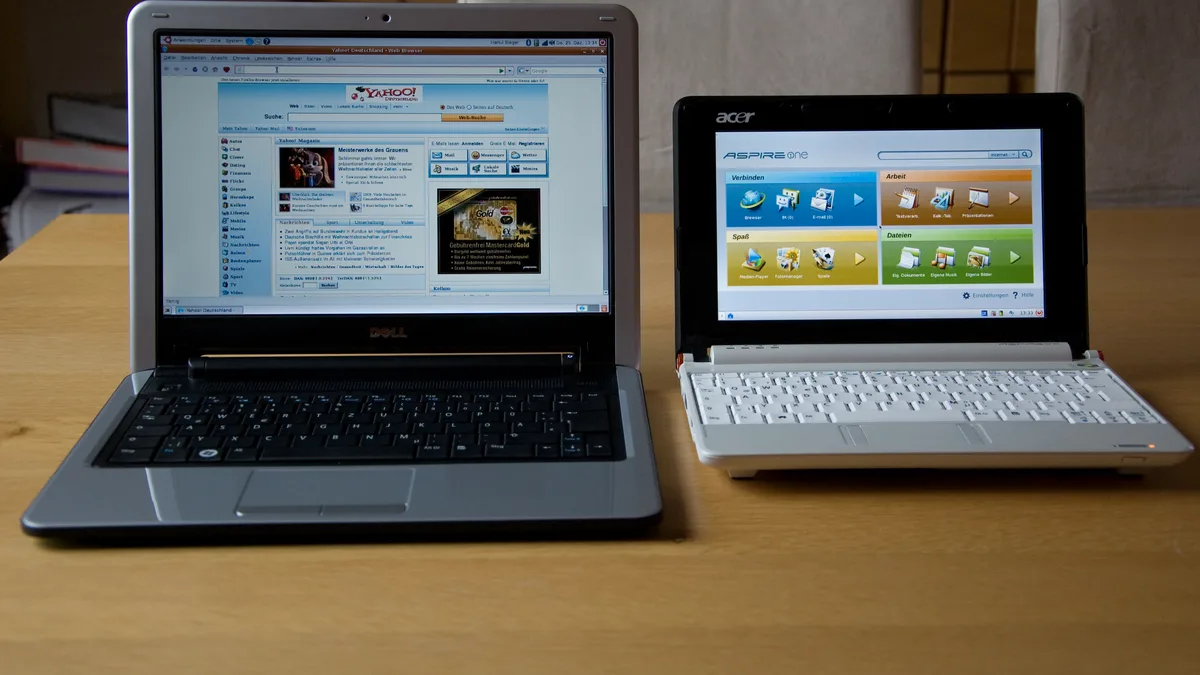
The smallest laptops still in production are about 11.6 inches, mostly education Chromebooks and rugged school laptops. The 10-inch netbooks of the late 2000s have no modern equivalent, and that role is now mostly filled by tablets with keyboard covers.
At the top end, 18 inches is the largest current size from mainstream brands, sold as gaming and workstation laptops: the 2025 ASUS ROG Strix SCAR 18 measures 39.9 x 29.8 cm, is up to 3.2 cm thick and weighs 3.3 kg. In high-end gaming laptops the 17.3-inch 16:9 panel is giving way to 18-inch 16:10 panels. The largest laptop ever sold was the Acer Predator 21 X from 2017, with a curved 21-inch screen and a weight of about 8.5 kg, and it was a limited run.
Frequently Asked Questions
How is laptop screen size measured?
It is the diagonal of the visible screen, measured corner to corner across the lit display area, not including the bezel, hinge or case. A 15.6-inch laptop is about 14 inches wide.
How big is a 15.6 inch laptop?
The screen itself is 13.6 x 7.7 inches. The whole laptop is about 13.9 to 14.2 inches wide and 9.3 to 9.9 inches deep (35.4 to 36.0 x 23.6 to 25.1 cm) and weighs 1.6 to 2.2 kg. Budget and gaming models sit at the heavy end of that range.
How big is a 14 inch laptop?
The screen is 14 inches diagonally (35.56 cm). The body of most current models is about 12.2 to 12.7 inches wide and 8.5 to 8.8 inches deep (31.1 to 32.4 x 21.5 to 22.4 cm), between 0.6 and 0.8 inches thick, and weighs 1.0 to 1.6 kg. A closed 14-inch laptop is slightly larger than an A4 sheet of paper.
Is a 17 inch laptop too big?
For daily carrying, yes for most people: it is about 15.5 to 15.8 inches wide, over 10 inches deep and 2.05 to 3.1 kg, and it needs a 17-inch bag. As a desktop replacement that rarely moves, it is the right size for gaming, editing and big spreadsheets. The light exception is the LG gram 17 at about 1.35 kg.
What is the most common laptop size?
15.6 inches is still the single most common size, though 14-inch and 16-inch models have both gained ground as makers shift away from 13.3-inch panels and toward taller 16:10 screens.
How do I know what size my laptop is?
Measure the screen diagonal across the lit area, corner to corner, and round to the nearest standard size. Or measure the closed laptop’s width and match it to the chart: 12.2 to 12.8 inches wide usually means a 14-inch screen.